
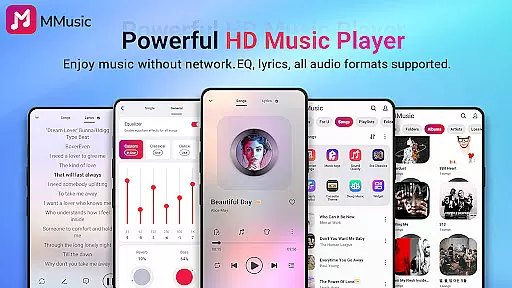
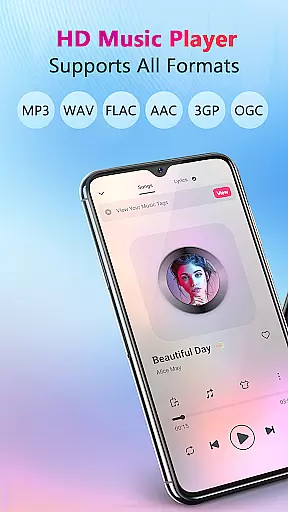

MMusic is a versatile offline music player for Android, offering high-definition sound quality and full format compatibility. Developed by professionals, it supports MP3, FLAC, WAV, MIDI, AAC, APE, and more, ensuring every song sounds its best. The app features an advanced equalizer with presets for various music genres, allowing users to customize their listening experience.
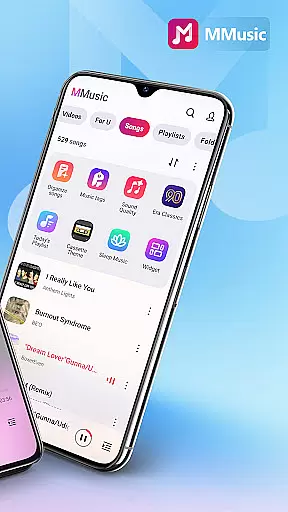
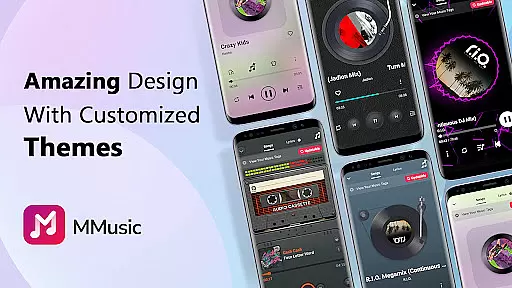
With its intuitive interface, MMusic provides a visually pleasing experience through diverse themes like retro tape and vinyl record styles. Users can enjoy offline playback anytime, anywhere without Wi-Fi. The intelligent management system automatically organizes audio files by artists, albums, and playlists, making music library management efficient and enjoyable.
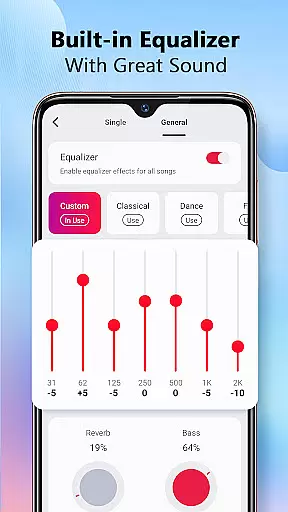
MMusic stands out with its comprehensive feature set tailored for audiophiles. The powerful equalizer offers bass boosting, reverb effects, and virtualization options, elevating sound quality to professional levels. Presets for classical, rock, folk, and other genres ensure optimal audio settings with just one click.
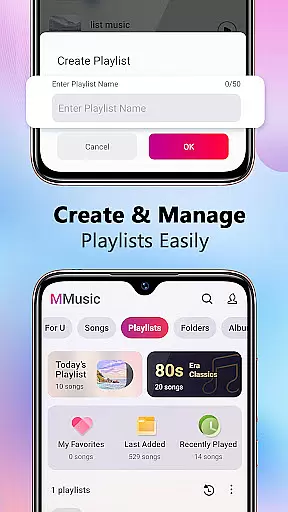
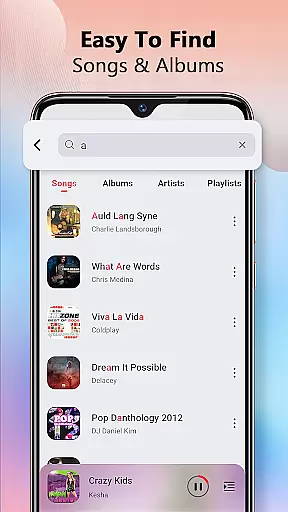
The app's intelligent sorting function automatically scans and classifies all audio files, creating smart playlists such as Most Played and Recently Played. Users can easily create custom playlists and search their entire music library. Additional features include lyrics display, background playback support, and compatibility with both Bluetooth and wired headphones, providing a complete music experience.
When it comes to digital music players, the size and authenticity of the music library are crucial factors for users. MMusic offers an extensive collection that supports all mainstream audio formats including MP3, FLAC, WAV, MIDI, AAC, APE, and more. This ensures that every song is presented in its best state, providing users with a truly unlimited music experience.
The application's deep scan feature automatically refreshes and classifies your music library, making sure that no track is left behind. Whether sorted by artist, album, folder, or playlist, MMusic's intelligent management system keeps everything in order. This meticulous organization not only enhances accessibility but also guarantees that users can enjoy their personal music collections without any compatibility issues.
Moreover, MMusic takes pride in delivering high-definition sound quality, ensuring that each piece of music sounds as authentic as possible. With advanced audio technology and a robust built-in equalizer, users can tailor their listening experience to match their preferences perfectly. The app provides various presets for genres such as classical, dance, folk, and rock, allowing for an immersive ultimate music listening experience like never before.
Audio quality is at the heart of any music player application, and MMusic excels in this domain by offering exceptional sound quality through its advanced audio technologies. Every song played via MMusic is presented in high-definition sound, elevating the overall listening experience to new heights.
The built-in equalizer comes with amazing presets tailored for different music genres, which allows users to enhance their music with just one click. Whether you're a fan of bass-boosted tracks or prefer various reverb effects, MMusic caters to all tastes. This level of customization ensures that the auditory experience is nothing short of spectacular.
In addition to customizable audio settings, MMusic supports offline playback with consistent quality across multiple devices. Users can enjoy their favorite tunes without worrying about connectivity issues affecting audio fidelity. Furthermore, compatibility with both Bluetooth and wired headphones guarantees that the superior sound quality is maintained regardless of the listening setup.
Full format support
Advanced equalizer
Intuitive interface
Offline playback
Smart management
Limited iOS support
Occasional bugs
Ads in free version
Large file size
Complex settings

 4.70
4.70
The Skullcandy App Experience
3.20
DJ Music Mixer - DJ Remix: remix songs, make beat music & record mix of DJ.
4.40
Enhance the sound quality of your devices, listen to what you want
4.50
Save hundreds of dollars for a physical strobe tuner and instead use this app.
4.50
Play your hearts out on TouchTunes jukeboxes & connect with fellow music lovers.
4.80
Smart piano keyboard, Classical to Pop, Real-time multiplayer connection!
4.20
Manage your Sonos system directly from your home-screen!
4.40
Turn Every Moment into Music
3.60
Music, News & Sports Radio Tuner App. Tune in Live FM & AM Radio Stations.
4.80
Guzheng Master supports many playing techniques as an acoustic Guzheng
4.50
A synth that really lets you shape your sounds!
4.50
10-Band Audio Equalizer, Sound / Bass Booster for Spotify Users & Music Players
4.40
Advanced 10-Band Audio Graphic Equalizer Sound Booster Pro
4.30
Bass Booster Pro takes auto-equalizing to the next level!
4.30
The alternative folder based music player.
4.20
VB-AUDIO Software / VBAN-Receptor allows listening to any VBAN Streams
4.10
Next generation modular control surface
4.10
Simple mp3 and mp4 player with advanced features.
3.40


User Reviews