
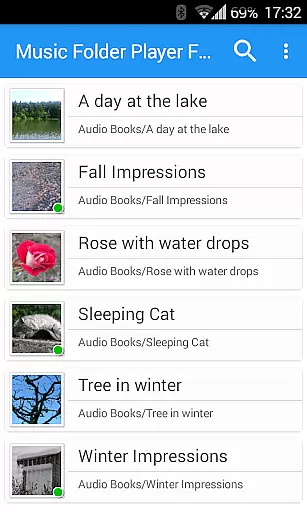
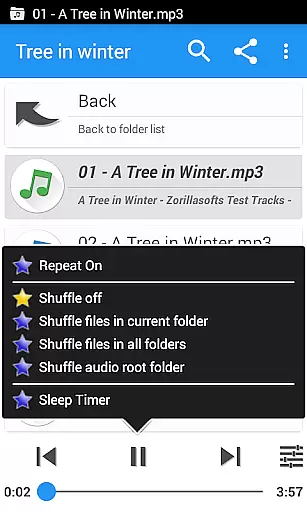
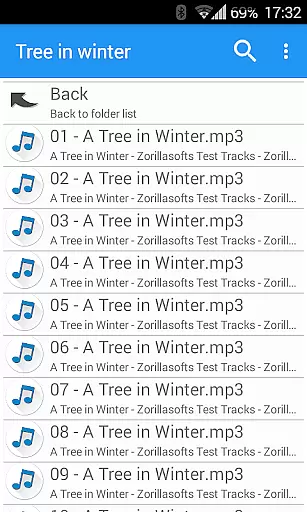
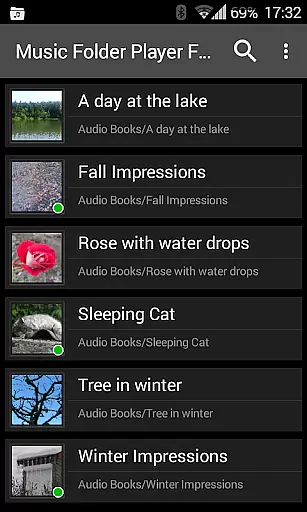
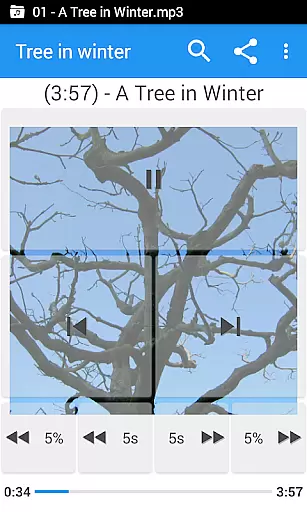
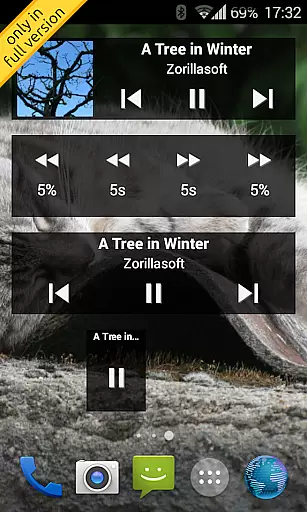
Music Folder Player Full is a specialized audio player designed for users who prefer organizing their music files in folders rather than traditional categories like artist or album. This full version offers an ad-free experience with additional features such as homescreen widgets.
The app provides unique functionalities including folder-based playback, resume capabilities, and customizable seek buttons ideal for podcasts. With support for equalizers, speed control, and virtual room effects, it caters to audiophiles seeking enhanced listening experiences. Its intuitive design makes it suitable for both small and large music collections.
Whether you're managing a compact library or extensive audio archive, Music Folder Player Full ensures seamless navigation and personalized playback options, making it an excellent choice for those who demand both functionality and flexibility in their music player.
Music Folder Player Full boasts an array of distinctive features tailored to enhance user experience. The app's Material Design interface offers three different homescreen widgets exclusive to the full version, providing quick access to key functions.
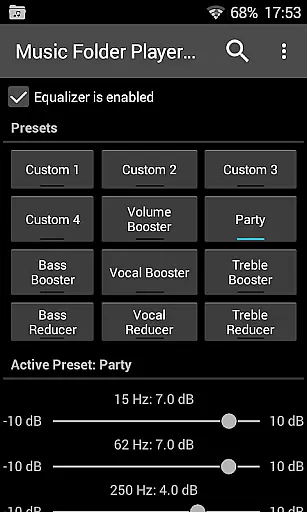
One standout feature is its ability to resume playback exactly where you left off in each folder, ensuring uninterrupted listening sessions. Users can choose between 'flat' list views for smaller collections or hierarchical displays akin to file managers for larger libraries. Additional highlights include virtual folders for favorite songs, four configurable seek buttons, and advanced equalizer settings with eight presets.
For audiobook and podcast enthusiasts, the app includes speed control with pitch correction and pre-amplification options. Unique modes like 432 Hz playback and car/sports mode with enlarged buttons further distinguish this player from conventional alternatives.
Music Folder Player Full offers a unique approach to managing and playing your music library. The app allows users to organize their audio tracks in folders, making it an ideal choice for those who prefer a file-based structure over traditional artist or album views. With support for large collections through folder hierarchy display, the application ensures that users can easily navigate even extensive music libraries.
The player supports various advanced features that enhance the overall music listening experience. These include customizable equalizer settings with 8 presets, virtual room effects, and speed control with pitch correction. Such functionalities not only improve sound quality but also ensure that users can tailor playback according to their preferences. Additionally, the inclusion of homescreen widgets provides quick access to frequently used controls.
Regarding copyright authenticity, this app does not provide music content directly. Instead, it focuses on offering tools for users to manage their legally acquired audio files. This means you can be confident about the legitimacy of your music as long as you've obtained it from legal sources. The app's ability to handle large collections without ads makes it particularly appealing for audiophiles who value both quantity and quality in their personal libraries.
One of Music Folder Player Full's standout features is its comprehensive set of audio quality enhancement options. The app includes a robust equalizer with four customizable settings and eight predefined configurations, including specialized modes like Bass Booster and Vocal Booster. These options allow users to fine-tune their listening experience according to different music genres or personal preferences, ensuring optimal sound reproduction across various devices.
Beyond basic equalization, the player offers advanced audio processing capabilities. The virtual room and reverb effect creates an immersive listening environment, while the pre-amplifier function helps boost low-level recordings. Particularly noteworthy is the speed control feature with pitch correction, which enables users to adjust playback speed without affecting audio quality - perfect for podcasts or audiobooks. These sophisticated tools demonstrate the app's commitment to delivering professional-grade audio manipulation capabilities.
The application also supports unique playback modes, including the 432 Hz option, which some users believe offers therapeutic benefits. While maintaining high audio fidelity, the player ensures that all modifications are implemented without introducing distortion or artifacts. This combination of advanced features and pristine sound quality makes Music Folder Player Full an excellent choice for discerning listeners who demand precise control over their audio playback experience.
User-friendly folder organization
Advanced equalizer settings
Speed control with pitch correction
Customizable homescreen widgets
Resume playback functionality
Lacks integrated streaming services
No built-in music store
Complex for novice users
Occasional compatibility issues
Requires Android 2.3+

Fun & Easy Voice Changer – Record, Edit & Add Hilarious Effects!
 4.50
4.50
Over 100 million tracks available for high quality streaming and download
4.60
The Music Journey in Your Hands
4.30
Enhance the sound quality of your devices, listen to what you want
4.50
Permanently backup Now Playing. Maps, filters & listening stats.
4.00
24,000 free audio books and no ads!
4.90
The official Sonos app
4.10
Turn your Android phone into a professional audio analyser with up to 120 bands.
4.00
The iconic iOS metronome app is now on Android.
3.70
More downloads than any other metronome. Includes drum machine & tempo trainer.
4.80
Most Advanced AI Song Generator and Music Creator. Rap, Pop, Rock, Gospel & more
4.70
Simple & Intuitive Metronome
4.70
Reverse your voice & songs instantly! Fun singing challenge with cool effects.
4.60
Guzheng Master supports many playing techniques as an acoustic Guzheng
4.50
Play KORG’s revolutionary touch-based instrument on a variety of devices.
4.40
Manage your Sonos system directly from your home-screen!
4.40
Sing, record, and create music together — enhanced by smart voice tools.
4.00
Control your MIDI USB or Bluetooth devices in app and avoid some trampling
3.30
The Minimalistic Premium Music Player. Handmade with passion for music
2.20


User Reviews