
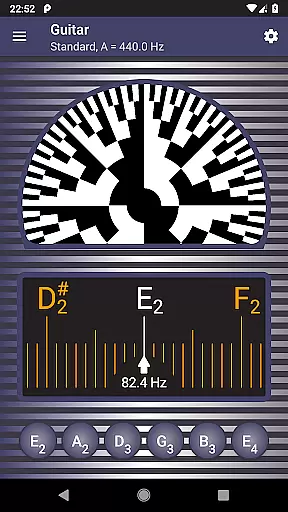
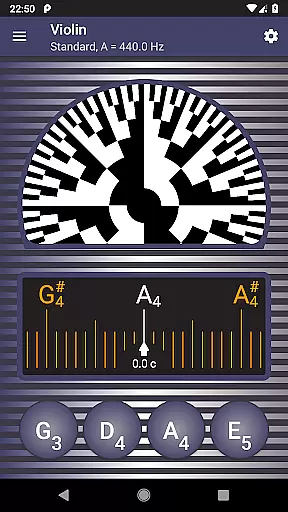
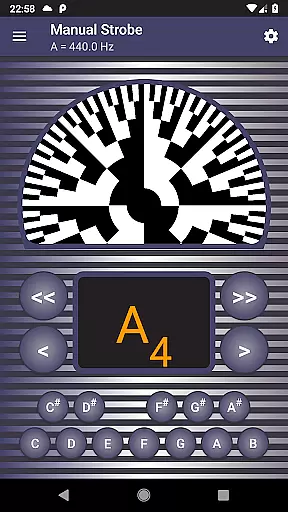
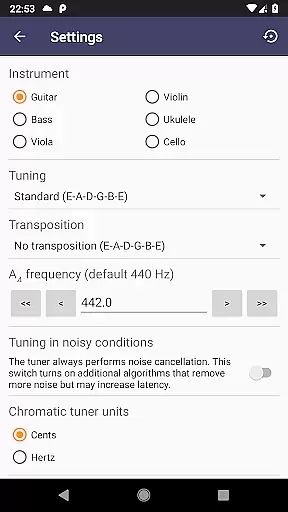
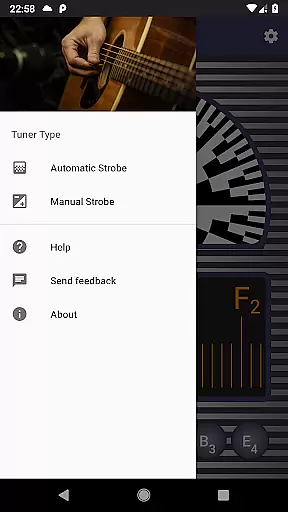
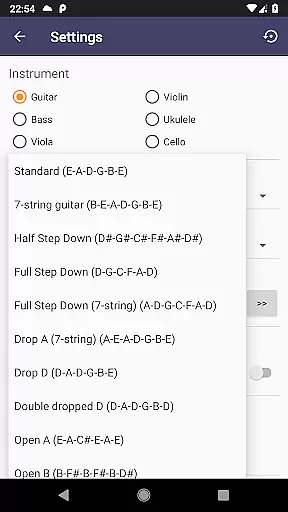
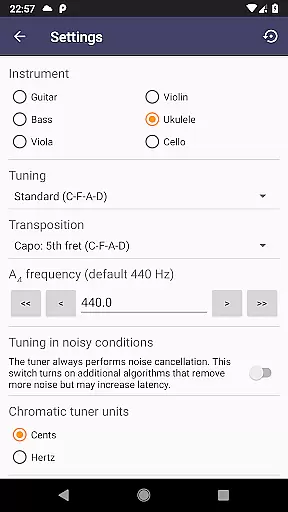
Strobe Tuner Pro is a highly accurate tuning application designed for musicians of all levels. It offers both chromatic and strobe tuner functionalities, replicating the stroboscopic effect traditionally found in physical tuners. The app supports a wide range of instruments including guitar, violin, bass, ukulele, viola, cello, banjo, and shamisen. Its advanced algorithms ensure precise tuning even in noisy environments, making it an essential tool for both practice and performance settings.
The app's dual-tuner system provides flexibility for users. Beginners can benefit from the chromatic tuner that helps get close to the correct pitch, while professionals can utilize the strobe tuner for fine adjustments. Additionally, features like a built-in metronome, reference tone playback, and various tuning options enhance the overall functionality. Whether you're tuning by ear or relying on visual cues, Strobe Tuner Pro delivers exceptional accuracy and ease of use.
Strobe Tuner Pro stands out with its two independent tuning systems. The chromatic tuner uses Fast Fourier Transformation to detect frequencies accurately across the chromatic scale. This feature highlights target strings and indicates how far tones are from being in tune, serving as an excellent guide for initial tuning.
The strobe tuner emulates the stroboscopic effect using advanced algorithms processed directly on your device's GPU. When the displayed pattern rotates right, the tone is sharp and needs lowering; when it rotates left, raise the pitch accordingly. As the instrument approaches the correct tuning, the rotation slows down, providing real-time feedback for precision adjustments.
Beyond these core features, the app includes a metronome for rhythm practice, noise cancellation technology, and support for alternate tunings. Users can switch between different instruments easily through quick-access settings. With comprehensive help resources and tested compatibility with numerous instruments, Strobe Tuner Pro ensures a reliable and educational experience for all musicians.
Strobe Tuner Pro offers a comprehensive music library that caters to a wide range of instruments including guitar, violin, bass, ukulele, viola, cello, banjo, and shamisen. The extensive library ensures that musicians of all levels can find the necessary reference tones for their practice and performance needs.
The application guarantees copyright authenticity by synthesizing tones that respect the concert pitch setting. This approach not only provides users with high-quality sound references but also steers clear of any legal issues related to copyrighted material. Musicians can rely on these synthesized tones to tune their instruments accurately.
Furthermore, Strobe Tuner Pro's library is continuously updated and tested with new recordings, ensuring that the sound references remain relevant and precise. This dedication to accuracy supports both beginners who are learning to tune their instruments and professionals who demand exactness in their tuning process.
By offering such a robust and authentic music library, Strobe Tuner Pro enhances the user experience, allowing musicians to focus on their art without worrying about the legitimacy or quality of the tuning references provided by the app.
Audio quality is paramount when tuning musical instruments, and Strobe Tuner Pro excels in delivering top-notch audio through advanced algorithms. The app features two independent tuning systems: a chromatic tuner using Fast Fourier Transformation and a strobe tuner that emulates the stroboscopic effect, computed directly on the deviceu2019s GPU.
This dual-system approach ensures extreme precision and responsiveness, which is essential for detecting the subtlest differences in tone. Whether you're tuning a guitar or a more complex instrument like a cello, the app provides accurate feedback that helps achieve perfect intonation.
Moreover, Strobe Tuner Pro includes professional-grade noise cancellation features that work even in noisy environments or with additional sound sources like metronomes. This allows users to get clear and reliable audio feedback regardless of their surroundings, making it an invaluable tool for both practice sessions and live performances.
With its superior audio quality options, Strobe Tuner Pro stands out as an indispensable resource for musicians who require precision and reliability in their tuning tools, thus enhancing both their practice routines and overall musical output.
Highly accurate tuning
User-friendly interface
Advanced noise cancellation
Supports multiple instruments
Comprehensive help resources
Paid application
Requires good microphone quality
May have a learning curve
Limited offline functionality
GPU-intensive processing

Time Guru will strengthen your internal sense of musical time via random muting.
 4.30
4.30
Equalizer, Bass Booster and Volume Booster (Eq & Bass) improve sound quality
4.30
The Skullcandy App Experience
3.20
Tune in to the greatest hits on UK Radio | The home of Capital, Smooth & Heart.
4.90
Brian Eno and Peter Chilvers’ acclaimed music app Bloom, radically reinvented.
4.80
The only true audiophile music player with Hi-Fi audio rendering and DSP engine
3.90
The best music and audio player, with beautiful UI, music search and equalizer.
4.60
Music, News & Sports Radio Tuner App. Tune in Live FM & AM Radio Stations.
4.80
Travel To The Music Universe
3.40
24,000 free audio books and no ads!
4.90
SqueezePlayer turns your Android phone or tablet into a SqueezeBox on its own!
4.60
Taal player that lets you sing any Indian & Western song with Tabla & Tanpura
4.60
Fun & Easy Voice Changer – Record, Edit & Add Hilarious Effects!
4.50
A synth that really lets you shape your sounds!
4.50
Let your Android device with the sound effects you want
4.50
10-Band Audio Equalizer, Sound / Bass Booster for Spotify Users & Music Players
4.40
Manage your Sonos system directly from your home-screen!
4.40
Offline Tunes, Unlimited Vibes
3.90
Background pads for your band
3.80


User Reviews