
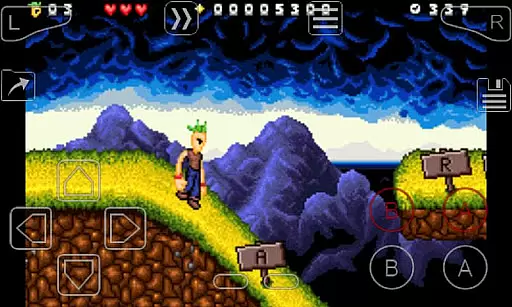
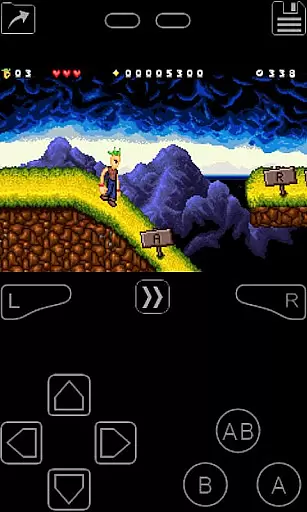
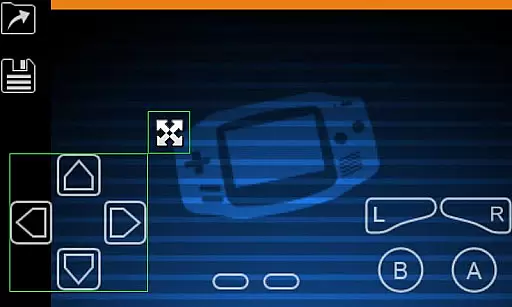
My Boy! is a high-performance GameBoy Advance emulator designed for Android devices, enabling users to play classic GBA games on modern smartphones and tablets. The app offers near-perfect emulation of the original hardware, including advanced features like multiplayer link cable support and sensor emulation.
With its robust compatibility, My Boy! can run nearly all GBA games flawlessly. It supports real-time cheat code functionality, cloud save synchronization via Google Drive, and customizable on-screen controls. Whether you're looking to relive nostalgic gaming experiences or discover classic titles for the first time, this emulator provides an authentic and feature-rich platform for enjoying GameBoy Advance games on the go.
My Boy! stands out with its comprehensive feature set tailored for both casual gamers and emulation enthusiasts. The app utilizes a Just-In-Time (JIT) recompiler for super fast emulation, while offering advanced functionalities such as BIOS emulation without needing actual BIOS files.
The emulator supports cross-device multiplayer through Bluetooth and Wi-Fi, and uniquely emulates hardware features like tilt sensors and rumble effects using your Android device's built-in sensors. Additional professional-grade features include real-time cheat code support, ROM patching capabilities, and multiple video rendering options including GLSL shaders for enhanced visual effects. Users can also benefit from sophisticated save state management and customizable control schemes.
Arcade authenticity is crucial for users seeking a genuine retro gaming experience. My Boy! delivers this by providing accurate emulation of GameBoy Advance hardware, ensuring classic games run as they were originally intended.
The emulator achieves this through high-level BIOS emulation and support for advanced features like gyroscope and rumble effects. These capabilities allow users to relive the authentic gameplay of their favorite childhood titles without needing original hardware.
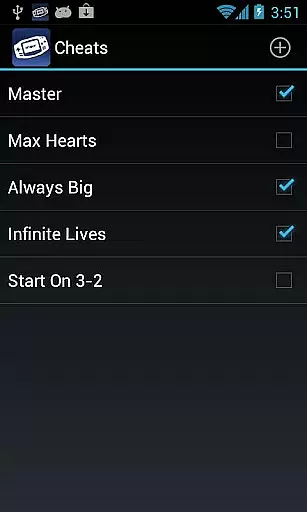
For enthusiasts, the ability to use GameShark/ActionReplay codes adds another layer of nostalgic value. This feature enables players to modify game parameters just like in traditional arcade settings, enhancing both the entertainment and challenge aspects.
By offering these authentic experiences, My Boy! creates significant user value for retro gaming fans who want to preserve the original feel of classic games while enjoying the convenience of modern mobile devices.
Control responsiveness is essential for an optimal gaming experience. In My Boy!, this is achieved through multiple innovative features that ensure precise and immediate reactions to user inputs.
The emulator offers flexible on-screen keypads with multi-touch support, allowing players to customize control positions and sizes according to their preferences. This customization capability ensures that controls respond exactly as users expect during intense gaming sessions.
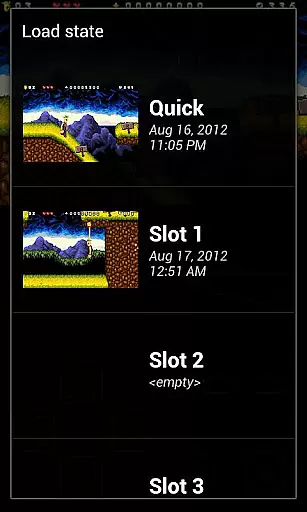
Additionally, the implementation of shortcut buttons for quick save/load functions demonstrates the app's commitment to responsive controls. Players can seamlessly manage their gaming progress without interrupting their flow.
Furthermore, the emulator's ability to handle fast-forward and slow-motion gameplay maintains consistent control responsiveness even when adjusting game speed. This feature proves particularly valuable when navigating challenging levels or skipping through lengthy story segments.
High game compatibility
Fast emulation speed
Multiplayer support
Cloud save sync
Customizable controls
No games included
Legal gray area
Complex setup
Battery intensive
Paid version

Machine Gun Fire Rumbles in the Jungle
 4.3
4.3
BallStack is a vibrant match-3 game where you stack and match colorful balls!
4.2
Antistress & relaxing games,stress relief; Antistress toys, calming games.
4.20
Bounce through platforms. Avoid obstacles. Get the bouncing ball to the finish.
4.00
Protect the balloon! Only 1% of players can reach lvl 100 with all the balloons!
3.70
Shoot the web, jump and teleport! Be a stickman hero and destroy your enemies!
4.50
Collect layers in running game & build the biggest slinky toy to beat the giant!
4.30
Full featured version of Pizza Boy A (GBA emulator)
4.80
Addictive basketball game with challenging one-touch controls
4.50
Jump and fly your way through danger in this rythm-based action platformer!
4.70
Create your restaurant story & make food on a crazy kitchen in this cooking game
4.70
R-TYPE game
4.60
Play, Craft and Share your Endless Runner Levels on Kooply Run: Subway Craft
4.50
Jump and fly your way through danger in this rythm-based action platformer!
4.50
Outrun cops, ignite the thrill of a high-speed chase!
4.50
Sega Saturn Emulator
4.20
A Ball Bouncer With Depth
4.00
A fast, full-featured GB/GBC emulator with link cable emulation.
3.80
A fluid, action-packed arcade space shootout!
4.3


User Reviews