
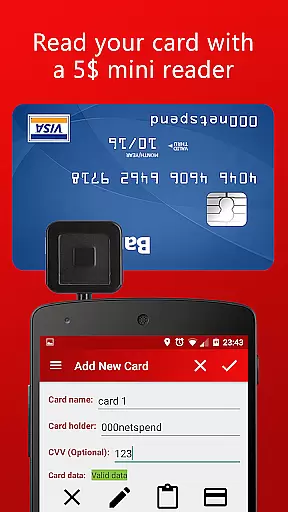
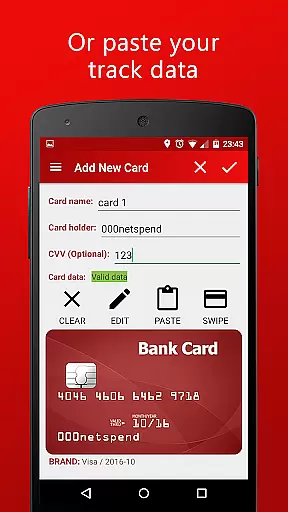
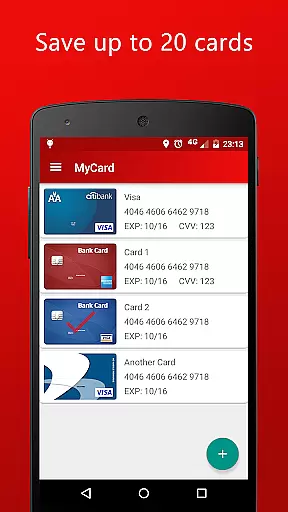
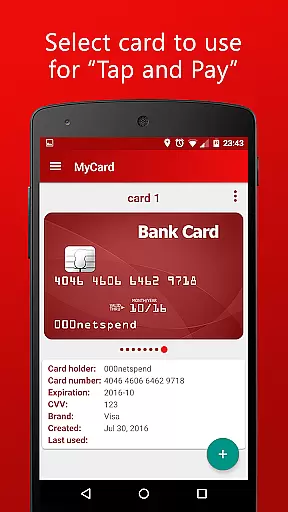
MyCard is a mobile payment application that allows users to save their card track data and make contactless payments in stores with NFC-enabled card readers. The app supports adding cards either through a mini magnetic stripe reader or by manually entering the track data. Designed for convenience, it can store up to 20 cards on your phone, letting you choose which one to use at checkout.
This finance app works offline without requiring internet access, ensuring your data remains private and isn't shared with other apps. To get started, users need to extract the track2 magnetic stripe data from their cards using a compatible USB or audio jack card reader, available on platforms like eBay or Amazon for $5-15. MyCard is ideal for Android 4.4 or higher users who want a secure and flexible way to pay using their phones.
MyCard offers several standout features that enhance its functionality as a mobile payment solution. First, it leverages NFC technology to facilitate contactless payments directly from your smartphone, eliminating the need to carry physical cards. This feature is particularly useful in shops equipped with modern card readers, providing a seamless payment experience.
Another key feature is the ability to add cards via multiple methods. Users can either utilize a mini magnetic stripe reader or manually input the card's track data into the app. With support for storing up to 20 different cards, the app provides flexibility for those managing multiple accounts. Additionally, the app operates entirely offline, meaning no internet connection is required, thus enhancing security and privacy. This makes MyCard an excellent choice for users seeking a reliable, standalone payment tool.
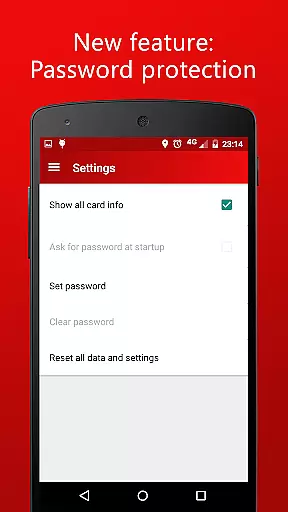
Account and fund security is a critical aspect of any financial application, ensuring that users' sensitive information and funds are protected from unauthorized access. MyCard employs advanced encryption techniques to safeguard your card track data, making certain that all stored information remains confidential and secure.
The app operates without internet access, significantly reducing the risk of online breaches and data theft. This offline functionality ensures that your financial data stays on your device and is not shared with other apps or external servers, providing an additional layer of privacy and protection.
Furthermore, MyCard requires the device to be unlocked when using mobile payment features. This security measure prevents unauthorized transactions by ensuring that only the device owner can initiate payments, thereby enhancing overall account protection.
A seamless transaction experience is essential for user satisfaction in mobile payment applications. MyCard offers a contactless payment solution through NFC technology, allowing users to make quick and effortless transactions at shops equipped with compatible card readers.
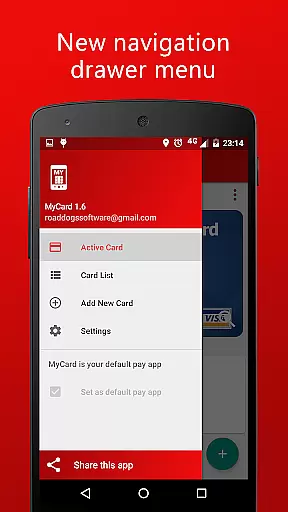
The app supports storing up to 20 cards, giving users the flexibility to choose which card to use for each transaction. This feature simplifies the payment process by eliminating the need to carry multiple physical cards and enabling swift selection of the desired payment method.
In addition, MyCard provides real-time feedback during transactions, ensuring users are informed of the payment status immediately. This responsive interaction enhances the overall transaction experience, making mobile payments more convenient and reliable than ever before.
Secure offline operation
Supports multiple cards
NFC-enabled payments
Private data storage
Flexible card addition
Requires external reader
Limited to Android 4.4+
No built-in card reader
Device must be unlocked
Manual setup needed

 4.50
4.50
Expenses, Bills, Budget and Accounts - All seamlessly integrated in one app!
3.80
Manage your Discover account conveniently from anywhere.
4.80
Manage your prepaid cards and add to Google or Samsung Wallet.
4.60
Money transfer made easy. Send money to friends and family with great rates.
4.70
Get 250$ Cash Advance to solve emergencies instantly in loan app called LendMe
4.70
Change the way you money with Credit Genie
4.30
Money App - Earn Cash back, Fast Cash Advance, Personal Loan Offers, Banking
4.70
Venmo is the fun and easy way to pay and get paid.
4.10
Currency Converter, Exchange Rates, Widgets
4.90
PayMe helps you claim money from settlements on companies that harmed you.
4.80
Join 12M+ users. Instant cash advances, personal loans, build credit, save money
4.80
Wells Fargo Mobile allows you to access your investment and bank accounts.
4.80
Pay rent on your schedule.
4.70
Access State Farm accounts, policies, ID cards and more
4.60
The simplest way to budget, bank, save and invest.
4.50
Car Insurance Made For You.
4.50
All your crypto & stocks in one secure and trusted app.
4.40
StockTiles lets you view prices & charts of your favorite stock assets
2.30


User Reviews