
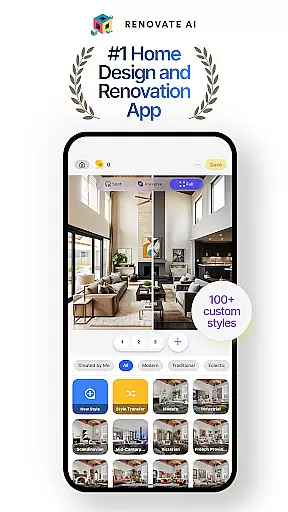
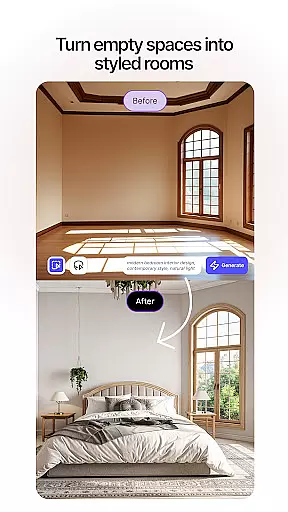
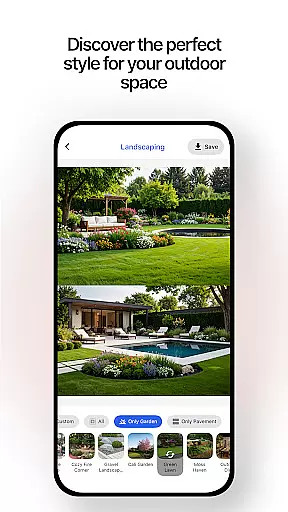
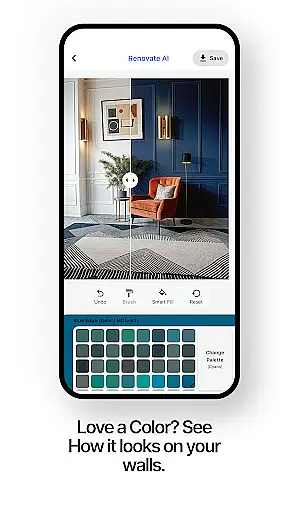
Renovate AI is a cutting-edge home design and interior design application that leverages artificial intelligence to help users reimagine their living spaces. The app offers powerful tools for creating photorealistic interiors and exteriors, making it an ideal solution for anyone planning a house design, room design, or full renovation project.
The app's standout features include virtual staging, 3D elevations, image upscaling, exterior renovation, landscape design, and more. Whether you're looking to redecorate your bedroom, redesign your garden, or completely remodel your home, Renovate AI provides the tools necessary to bring your vision to life with ease and precision.
With its intuitive interface and advanced AI capabilities, Renovate AI empowers users to experiment with endless design possibilities. From trying out new wall colors to visualizing different furniture layouts, this app ensures that every corner of your home can be customized to reflect your unique style and preferences.
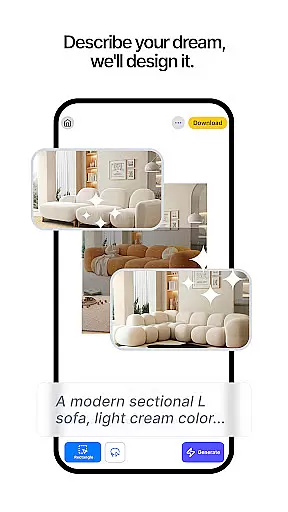
Renovate AI stands out with its comprehensive suite of design tools tailored for both amateur decorators and professional designers. One of its key features is Virtual Staging, which allows users to instantly redesign interiors by adding furniture, lighting, fixtures, and home decor elements. This feature helps users visualize how different pieces will look in their space before making any physical changes.
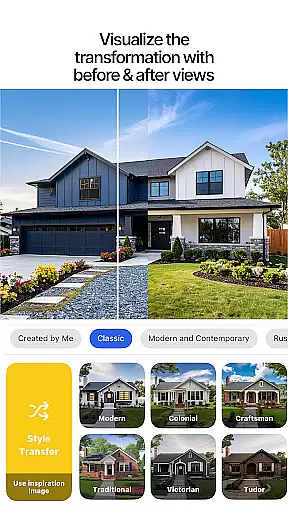
In addition to Virtual Staging, Renovate AI offers 3D Elevations and Image Upscaling. The 3D Elevations feature transforms flat 2D projects into lifelike 3D renders, providing a realistic preview of the final design. Meanwhile, Image Upscaling converts low-resolution plans into crystal-clear 4K visuals, ensuring every detail is visible and precise. These tools are complemented by Exterior Renovation and Landscape Design features, which allow users to remodel facades and create beautiful outdoor spaces.
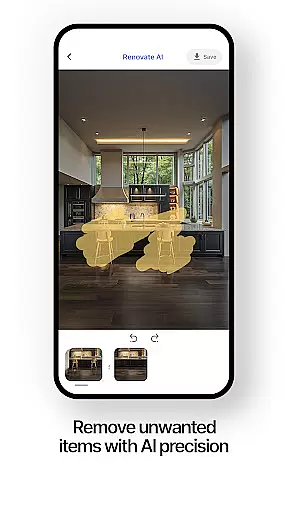
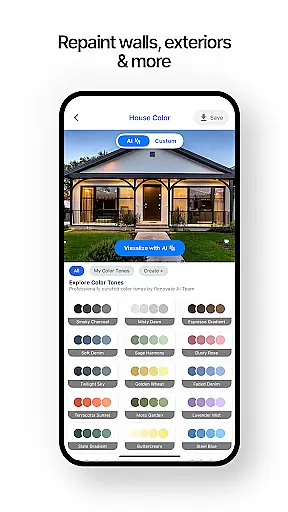
Other notable features include Sketch-to-Render, Makeovers, Exterior Painting, and Object Removal. Sketch-to-Render turns simple sketches into stunning AI-generated designs, while Makeovers let users experiment with new wall colors and flooring options. Exterior Painting helps preview new color schemes for home exteriors, and Object Removal allows users to remove unwanted furniture from their design space. Together, these features provide a robust platform for transforming any space with ease and creativity.
In the realm of house and home design, ensuring the authenticity of property listings is paramount. Renovate AI addresses this by providing users with accurate and realistic renderings of their design ideas. The app employs advanced AI models to create photorealistic interiors and exteriors, which means that what you see in your designs closely represents real-world outcomes.
Renovate AI's cutting-edge technology allows for virtual staging where furniture, lighting, and fixtures are added to spaces with precision. This feature ensures that users can trust the visualizations they create as genuine representations of potential home improvements. With over 100 curated styles available, each design element is carefully considered to reflect authentic home aesthetics.
Users benefit from Renovate AI's commitment to data integrity by having their designs stored securely in the cloud without being reused for AI training. This guarantees that every room planner project remains a true depiction of individual creativity rather than an algorithmic guess. By delivering on these promises, Renovate AI establishes itself as a reliable tool for anyone looking to transform their living space authentically.
Effective home management encompasses not only organizing oneu2019s living space but also planning renovations and keeping track of design elements. Renovate AI steps into this arena by offering comprehensive tools that assist users in managing various aspects of their homes through innovative AI-driven solutions.
The application provides robust features such as 3D elevations and landscape design options which allow homeowners to visualize changes before implementation. With capabilities like object removal and exterior painting, it simplifies the process of redefining spaces while maintaining an organized approach to home improvement projects.
Moreover, Renovate AI supports its users with specialized room designer tools tailored for different areas including bedrooms and gardens. Its ability to suggest furniture layouts or color schemes aids in efficient home management by enabling quick experimentation with multiple interior design AI options. Thus, Renovate AI becomes an indispensable companion for those seeking smart ways to oversee their domestic environments.
User-friendly interface
Advanced AI tools
Versatile design options
High-quality 3D renders
Comprehensive feature set
Limited free renders
Premium subscription required
Steep learning curve
Occasional bugs
Internet connection needed

For all of your Airthings devices
 4.30
4.30
Design house plans in 2D & 3D, style furniture, and preview renovation layouts
3.70
Universal TV Remote for TV, control all Smart TVs with your mobile phone.
4.3
Download today to join the community to help bring lost pets home faster.
4.70
Fully control your Philips TV with this all-in-one remote control app.
4.20
AI floor creator to design your dream house, plan rooms & style your home
4.00
Innovative and budget-friendly housing options
4.60
View houses and apartments for rent, updated daily.
4.80
Your guide to apartments & rental homes. Find your next place to rent with AG.
4.60
MLS-powered real estate app to find homes for sale & apartments for rent
4.70
Control the scent and ambiance of your home and car, right from your phone.
4.50
Resident Center, powered by Buildium, is designed with simplicity in mind.
4.50
Plan your remodel AI home renovation easily using planner 5D and home decor AI.
4.40
Smart AI plant care schedules, Real plant experts, support & Thriving community!
4.20
Book your local plumber 24/7, track your service order & get exclusive coupons
4.00
Technology powering many in-home services for residents across the United States
3.80
This Fire TV Remote control's your Fire TV Device and Insignia Fire TV Remote
3.70
IP camera view and playback, for your WiFi cam or home security cctv system.
3.70
Draw your floor plan smartly. Make house design blueprint with home planner app
3.60


User Reviews