
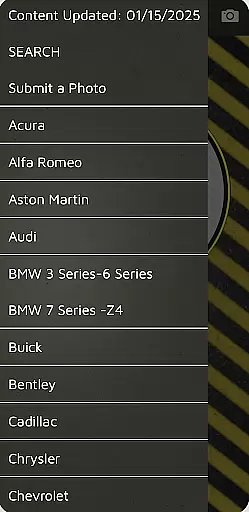
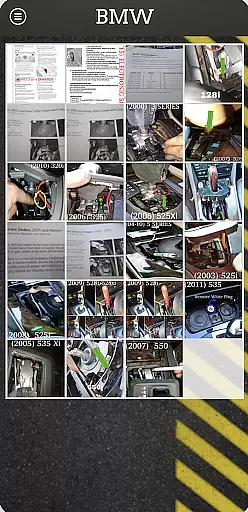
ShiftLock is an essential reference tool for towing professionals, providing detailed information about vehicle shift interlock releases. The app features a comprehensive database covering vehicles from worldwide regions including Europe and the USA/Mexico/Caribbean.
Each entry includes step-by-step instructions and precise locations of the shift interlock release mechanisms, allowing tow operators to quickly place vehicles in neutral. Regular updates via free push notifications ensure that users have access to the latest vehicle data.
This app saves time during towing operations by offering quick access to crucial information, making it an invaluable resource for professionals in the field.
One of the standout features of ShiftLock is its extensive database which includes various types of vehicles and their specific shift interlock release mechanisms. This ensures that no matter the vehicle type, the user will find relevant information.
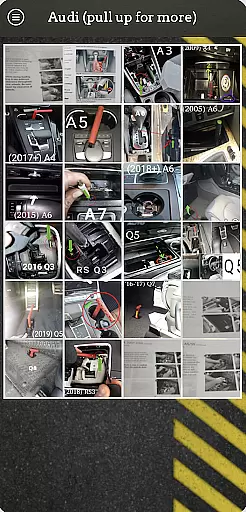
The app provides clear, step-by-step instructions along with visual aids to help users locate and operate the release mechanisms efficiently. Additionally, regular updates are pushed to the app for free, ensuring that the database remains current with newly added vehicles.
Designed specifically for towing professionals, ShiftLock streamlines the process of preparing vehicles for towing, thus enhancing productivity and reducing downtime.
ShiftLock offers a comprehensive digital library tailored for towing professionals. This app includes detailed information on vehicles from around the world, ensuring that users have access to an extensive and diverse range of data.
The app's database is frequently updated with new vehicle information through free push notifications. This ensures that the content remains current and relevant, providing users with the latest data available in the industry.
All the information provided within the app is verified for copyright authenticity. Users can trust that the data they are accessing is legally obtained and accurate, which is crucial for professional use.
By offering such a vast and authentic e-book library, ShiftLock enhances the efficiency and reliability of towing operations, making it an indispensable tool for professionals in the field.
One of the standout features of ShiftLock is its excellent format compatibility. The app supports various formats, ensuring that users can access the information regardless of their device specifications.
This compatibility extends to both mobile devices and desktop computers, allowing seamless integration into any workflow. Whether you're using an Android or iOS device, ShiftLock provides a consistent and reliable user experience.
In addition to supporting multiple devices, the app also ensures that all images, diagrams, and instructions are displayed correctly. This attention to detail guarantees that users receive the most accurate and helpful information possible.
With its robust format compatibility, ShiftLock ensures that towing professionals can rely on the app to deliver high-quality, accessible content whenever and wherever they need it.
User-friendly interface
Comprehensive vehicle database
Regular free updates
Step-by-step instructions
Time-saving functionality
Limited to towing professionals
No offline mode available
Region-specific content
Requires internet connection
Premium features may require payment

Powerful Bible study tools linked to every verse in an easy-to-use Bible reader!
 4.60
4.60
CleverBook Pro makes the popular guide for the game even better!
4.00
Crowd-sourced listing of businesses with anti-gun signs, and pro-2a alternatives
4.60
Translate into 100+ languages with the world’s most accurate AI translator.
4.70
Read aloud texts, audiobooks, PDFs or any eBook with text to speech AI audio
4.60
All in one Calibre libraries on your phones and tablets.
3.80
Premium reader for ePub, PDF, and more. TTS and translation. Great on any screen
3.50
A highly sophisticated app for all of your mobile reading—any format, any time
4.50
Learn to tie more than 200 knots in 3D!
4.90
What’s that bird? Just answer 5 questions, snap a photo, or record its song!
4.90
"When tweetle beetles fight, it's called a tweetle beetle battle."
4.90
Audiobook player with cross-device progress sync, playlists, and widget support.
4.80
The favorite Christmas story comes to life!
4.80
Personalized Chat with Bible
4.80
Words spoken by native English speakers and full definitions.
4.60
Full text, sheet music, and recordings of the print edition
4.60
"BIG A, little a. What begins with A?"
4.10
WebNovel - Read Solo Leveling novel and comic
4.10
A companion for prayer, with Azan alarm, Quibla direction, and Holy Quran book
4.10


User Reviews