
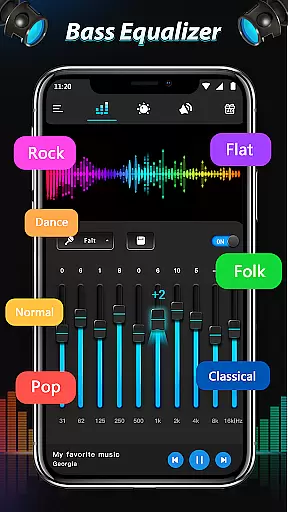
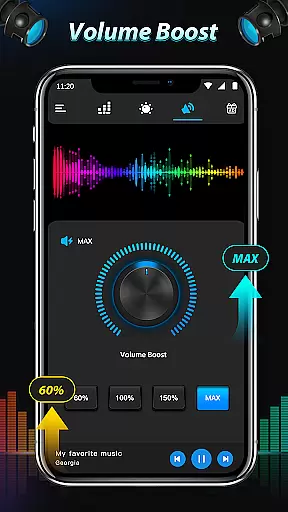
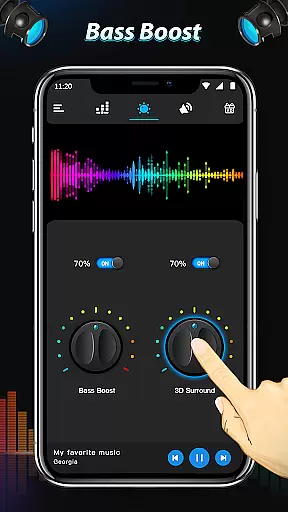
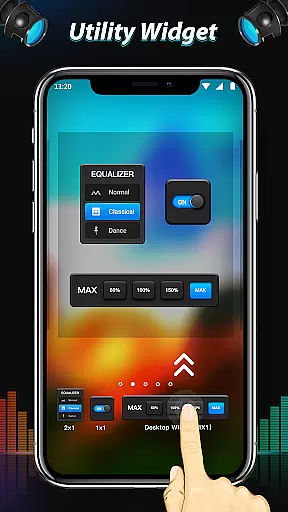
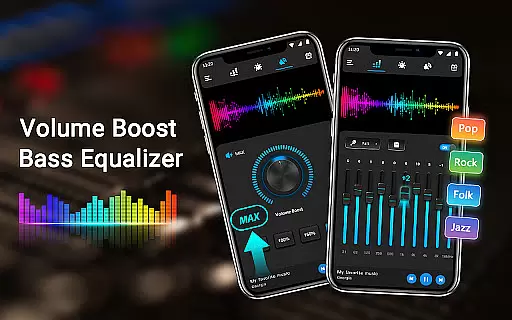
Equalizer & Bass Booster Pro is a premium audio enhancement application designed specifically for Android devices. This app allows users to significantly improve the sound quality of their device by providing advanced equalizer, bass boost, and surround sound features. With its five-band equalizer and various audio effects, users can customize their listening experience to match their preferences perfectly.
The app includes essential tools such as a volume slider, live stereo VU meter, and virtualizer effects, making it an all-in-one solution for optimizing audio output. Whether you're listening to music, watching videos, or using a radio FM app, Equalizer & Bass Booster Pro ensures that your audio sounds richer and more immersive. For best results, use the app with headphones to fully appreciate the enhanced bass and detailed sound profiles.
This application is particularly useful for audiophiles and casual listeners alike who want to get the most out of their device's audio capabilities. By offering 22 built-in equalizer presets and the ability to create custom settings, it caters to a wide range of musical genres and personal tastes. The intuitive interface and seamless integration with most music and video players make it an indispensable tool for anyone looking to elevate their audio experience on Android devices.
Equalizer & Bass Booster Pro stands out with its comprehensive suite of audio enhancement features. At its core, the app provides a five-band equalizer that allows precise control over different frequency ranges, enabling users to fine-tune their audio output. The inclusion of bass boost and virtualizer effects adds depth and spatial dimension to the sound, creating a more engaging listening experience.
One of the key strengths of this app is its versatility. It offers 22 predefined equalizer presets covering various music genres, from classical to hip-hop, ensuring there's a setting for every taste. Additionally, users can create and save their own custom presets, giving them complete control over their audio preferences. The app also features a media volume control and a live stereo VU meter, which visually represents audio levels in real-time.
Usability is another area where Equalizer & Bass Booster Pro excels. The app integrates seamlessly with most music players, video players, and even radio FM applications. Its simple installation process and intuitive controls make it accessible to users of all technical backgrounds. The ability to control music playback directly from the app interface, along with the option to toggle effects on or off through the notification bar, demonstrates the developer's attention to user convenience. These features collectively make Equalizer & Bass Booster Pro a powerful tool for enhancing audio quality on Android devices.
Equalizer & Bass Booster Pro offers a unique approach to enhancing your music experience by providing powerful audio controls rather than a built-in music library. The app focuses on improving the quality of your existing music collection through its advanced equalizer settings.
The five-band equalizer with 22 presets allows users to customize their listening experience across different genres and moods. This customization capability effectively expands your music library's versatility without adding extra tracks.
While the app doesn't directly manage music libraries, it enhances your personal collection's value by enabling precise sound adjustments. Users can save custom EQ settings as presets, creating personalized audio profiles for different music types.
All audio processing features are designed to work seamlessly with your legally acquired music library, ensuring full compliance with copyright regulations while delivering professional-grade audio enhancement capabilities.
The application provides multiple audio quality enhancement features that significantly improve listening experiences. The Bass Boost effect adds depth and richness to low-frequency sounds, making music more impactful through headphones or speakers.
Virtualizer effects create an immersive 3D audio environment, simulating concert hall acoustics or live performance spaces. This feature transforms regular audio playback into a more engaging auditory experience.
Users can precisely adjust five different frequency bands, fine-tuning audio output to match their preferences or compensate for speaker limitations. The stereo LED VU meter helps visualize audio levels in real-time.
All these features work together to deliver professional-quality sound processing, typically found in high-end audio equipment, directly on your Android device. The ability to save custom presets ensures consistent audio quality across different devices and listening environments.
Advanced equalizer settings
Customizable presets
Real-time VU meter
Wide app compatibility
Intuitive user interface
Paid version only
No desktop support
Limited visual design
Occasional audio glitches
High battery consumption

 4.70
4.70
Your HD audio recorder on the go for music, meetings, ambience, animal sounds…
4.30
The Skullcandy App Experience
3.20
USB audio recording and playback finally possible on Android 3.1 or higher!
3.90
Bass Booster & Volume Equalizer Pro improves your music and video sound quality
4.60
Super Sound Editor, Song Maker & Mixer, Vocal Remover, Voice Recorder & Changer!
4.60
Voice recorder - Audio recorder. Best recorder for recording
4.90
Slow music down without changing pitch.
3.70
Master Salsa Rhythm quickly and with a lot of fun!
4.30
Tune in to the greatest hits on UK Radio | The home of Capital, Smooth & Heart.
4.90
Full-featured, High-Quality Groovebox Workstation, perfect for Live Performance!
4.80
Offline Music Player & MP3 Player.Powerful equalizer, Lyrics, Themes, Tag Editor
4.80
Listen radio AM / FM Stations. Live AM / FM Radio App Station. Radio Com.
4.70
Over 100 million tracks available for high quality streaming and download
4.60
Enhance the sound quality of your devices, listen to what you want
4.50
10-Band Audio Equalizer, Sound / Bass Booster for Spotify Users & Music Players
4.40
Play KORG’s revolutionary touch-based instrument on a variety of devices.
4.40
Offline Tunes, Unlimited Vibes
3.90
Learn to play the piano using falling notes!
3.80


User Reviews