
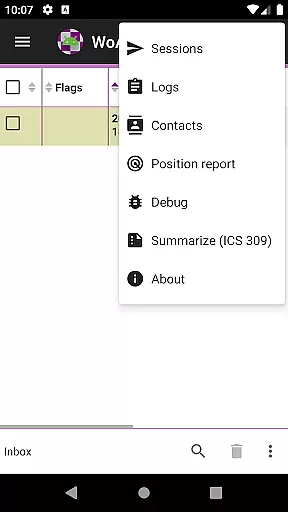
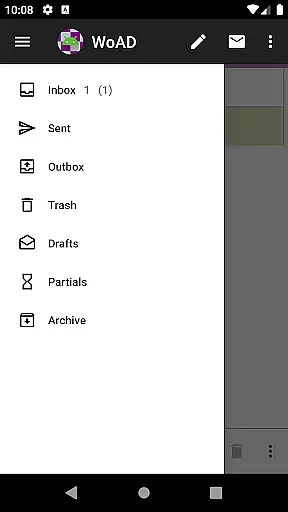
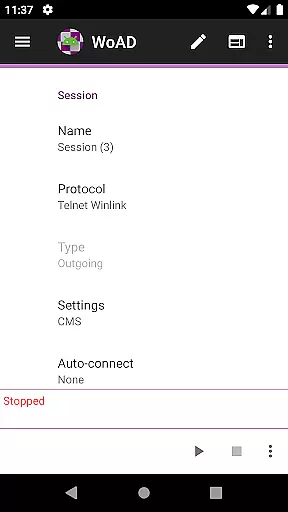
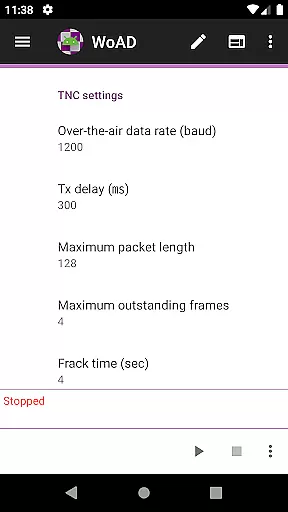
WoAD is a specialized communication application designed for amateur radio operators with valid licenses. It serves as a client for the Winlink Global Radio Email system, enabling users to send and receive emails over radio waves. This app supports both internet-based connections and VHF/UHF AX.25 packet radio links, making it versatile for various communication needs.
Beyond its core functionality, WoAD facilitates peer-to-peer (P2P) communications, enhancing its utility in scenarios where traditional internet access is unavailable. The app is highly technical, reflecting the nature of ham radio operations, and offers an array of features that cater to experienced users seeking reliable off-grid communication solutions.
For licensed amateur radio enthusiasts, WoAD represents a powerful tool for maintaining communication in remote areas or during emergencies when conventional networks may be compromised. Its ability to integrate seamlessly with existing radio equipment underscores its value within the amateur radio community.
WoAD distinguishes itself through a comprehensive set of features tailored for amateur radio communication. As a client of the Winlink system, it allows users to manage email traffic via radio frequencies, providing a crucial service for those operating beyond the reach of standard telecommunications infrastructure.
The application supports multiple connection types including internet and packet radio, ensuring flexibility in diverse operational environments. Users can establish direct P2P connections, which is particularly beneficial in emergency situations or remote locations. Additionally, WoAD's compatibility with VHF/UHF AX.25 packet technology enables efficient data transmission over amateur radio bands.
While WoAD's feature set is robust, it demands a certain level of technical proficiency from its users. The app includes extensive documentation and support resources, such as user guides, community forums, and bug reporting mechanisms, to assist users in navigating its complexities and optimizing their experience.
Real-time messaging speed and reliability are crucial for effective communication, especially in the realm of amateur radio. WoAD excels in this area by providing a robust platform that supports both the Winlink Global Radio Email system and peer-to-peer connections. This ensures that messages are delivered promptly and reliably, whether over the internet or through VHF/UHF AX.25 packet connections.
The application is designed to cater to users with a valid amateur radio license, offering them a seamless experience in sending and receiving messages. By leveraging advanced technology and adhering to strict standards, WoAD minimizes latency and maximizes message throughput. This means that users can expect their communications to be transmitted without unnecessary delays, even during peak usage times.
Moreover, WoAD's commitment to technical excellence ensures that its messaging capabilities remain dependable under various conditions. Whether you're communicating from a remote location or dealing with challenging weather patterns, WoAD provides the stability needed to maintain consistent contact with other operators. This reliability is essential for emergency communications and routine exchanges alike.
Media sharing support is an integral feature of modern communication platforms, allowing users to exchange more than just text-based messages. WoAD recognizes this need and offers comprehensive media sharing capabilities that enhance the overall user experience. Through its compatibility with the Winlink system and direct P2P connections, users can share images, documents, and other file types effortlessly.
This functionality not only enriches conversations but also facilitates collaboration among amateur radio enthusiasts. For instance, operators can exchange technical diagrams, photographs of equipment setups, or detailed reports without leaving the WoAD environment. Such versatility makes it easier for users to collaborate on projects, troubleshoot issues, or simply share their experiences with fellow hams.
Furthermore, WoAD's media sharing support extends beyond basic file transfers. The application ensures that shared content retains its quality and integrity throughout the transmission process. This attention to detail guarantees that recipients receive files exactly as they were sent, preserving important information and reducing the risk of miscommunication. With these features, WoAD empowers amateur radio operators to communicate more effectively and efficiently.
User-friendly interface
Reliable email service
Versatile connection options
Comprehensive documentation
Active support community
Steep learning curve
Limited to licensed users
Technical expertise required
No voice communication
Complex setup process

Tether to Windows, OS X, Linux PCs or Android tablets. No root. No tether fees.
 3.90
3.90
Fast and simple walkie talkie app
4.20
فیلتر شکن قوی پرسرعت کلید جدید برای اندرویدسریع ترین وی پی ان برای همه اپراتورها
4.70
Phone Dialer with Caller ID, Address Book & Contacts Manager.
4.30
Manage BoostMobile Account
4.60
Messenger app for faster and simpler SMS text messaging, and personalized themes
4.10
Connect and browse the internet with a fast VPN proxy server and IP blocker.
4.50
Fast and mini browser with Ad Blocker,Video Downloader and Video Player
4.40
Manage Phone Calls, call history, and contacts easily with Phone Pro.
4.0
Manage your mobile phone plan, check unlimited 5g data usage and track rewards
4.50
An agentic AI browser for Android, built by Perplexity
4.50
Our Black Friday sale is here. Unlock special discounts on Proton Mail now.
4.30
RemoteHams.com Android RCForb Client Pre-Release
4.30
Send SMS and chat messages easily with a fast text messaging app for Android.
4.10
Messages is Private SMS Messenger 2023 with text message, instant messaging.
4.00
Telegram is a messaging app with a focus on speed and security.
4.00
SMS Messenger ensures that communication become effortless and accessible.
3.80
Pure modern IRC experience for Android
3.70
Call & Text Anywhere With A Canadian Number.
3.60


User Reviews