
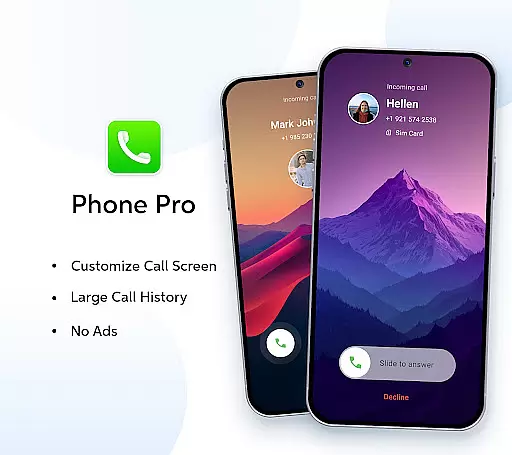

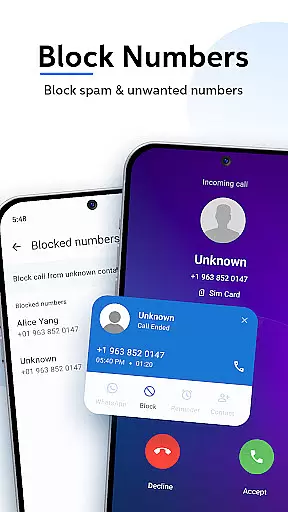

Phone Pro is a premium communication app that combines a powerful dialer with an intuitive contact manager, offering users complete control over their calls and contacts. Designed for seamless functionality, this app provides an ad-free experience while delivering exclusive features such as customizable call screens, extensive call history access, and personalized themes including Dark, Light, and Auto modes.
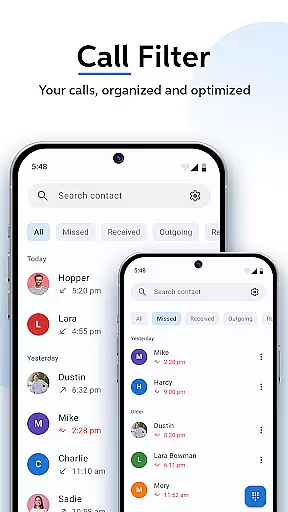
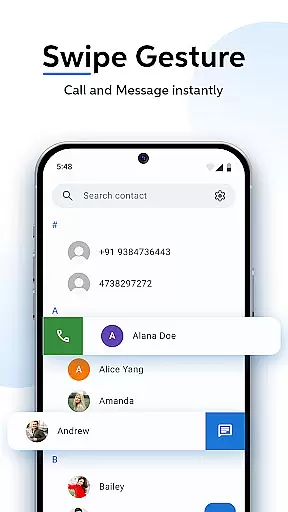
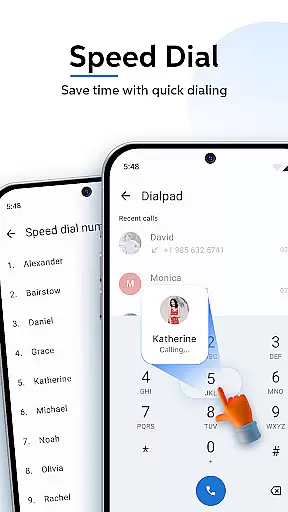
The app's standout feature is its ability to streamline call and contact management through smart functionalities like Swipe-to-Call, T9 Quick Search, and smart call filters. These tools allow users to organize contacts, search efficiently, and manage call logs effortlessly. Whether for personal or professional use, Phone Pro enhances calling efficiency and ensures all essential communication tools are centralized in one sleek application.
Phone Pro stands out with its robust set of features tailored for efficient communication. The app offers an Ad-Free Experience, allowing users to make uninterrupted calls without any distractions. Its Customizable Call Screen lets users personalize their interface by modifying call response buttons and setting unique backgrounds from their gallery.
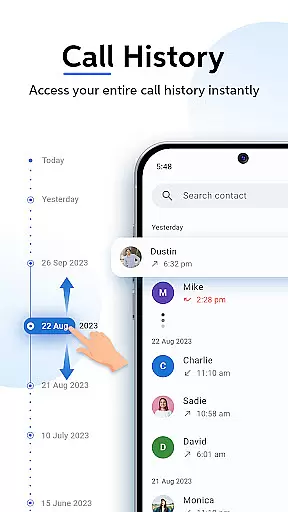
Another key feature is the Access to Large Call History, which provides an extensive log of past calls, ensuring no important conversation is missed. Additionally, the app supports Personalized Themes, enabling users to switch between Dark, Light, and Auto modes for optimal viewing comfort. With Smart Call Filters, T9 Quick Search, and Favorites options, Phone Pro delivers a highly efficient and user-friendly calling experience.
Real-time messaging speed and reliability are crucial for any communication app, ensuring that messages are delivered instantly and without fail. Phone Pro excels in this area by providing a seamless calling experience with features like Smart Call Filters and Swipe-to-Call functionality.
The app's advanced infrastructure ensures that call connections are established swiftly, allowing users to reach their contacts without delay. This is particularly important in time-sensitive situations where every second counts.
Moreover, Phone Pro offers an extensive call log, which not only helps in tracking past communications but also enhances the reliability of the service by ensuring no call goes unrecorded. Users can easily access their call history and manage their communications effectively.
In addition to its robust calling features, Phone Pro provides an ad-free experience, further enhancing the reliability of the app by eliminating interruptions that could disrupt the flow of communication. This makes it an ideal choice for users who prioritize speed and dependability in their daily communications.
Media sharing support is an essential feature for modern communication apps, enabling users to share various types of media effortlessly. Phone Pro supports this through its intuitive interface and powerful T9 Quick Search, which allows users to find and share contacts and recent calls efficiently.
The app's ability to handle large call histories means that users can easily retrieve and share information about past communications. This feature is particularly useful when coordinating with teams or managing multiple contacts, as it streamlines the process of finding and sharing relevant data.
Furthermore, Phone Pro's customizable call screen options, such as modifying call response buttons and setting unique backgrounds, enhance the media sharing experience by allowing users to personalize their interactions. This level of customization ensures that media sharing is not only functional but also enjoyable.
With its comprehensive set of features designed to facilitate efficient communication, Phone Pro stands out as a reliable tool for both personal and professional media sharing needs. Whether you're sending images from your phone gallery or organizing frequent contacts, Phone Pro provides the tools necessary to do so with ease.
Ad-free usage
Custom call screens
Extensive call logs
Personalized themes
Smart search function
Premium price tag
Limited free features
Requires storage space
No video calling
Complex UI for beginners

The ultimate productivity solution for all your email communication needs.
 4.40
4.40
Messenger app for faster and simpler SMS text messaging, and personalized themes
4.10
Connect and browse the internet with a fast VPN proxy server and IP blocker.
4.50
WazzapMigrator: transfer your WhatsApp history from iPhone to Android
4.00
Message and video call your family and friends in HD!
3.80
Welcome to the future of phone service.
4.60
Chill zone on your phone: relax with fun reels & hype shorts!
4.20
Build your web browser around you with private search, and more.
4.60
Talk & text free with a second phone number plus unlimited 5G data, no fees.
4.50
Use this Dialer app alone or as a TREK: Total Interface companion.
4.70
Manage BoostMobile Account
4.60
Get through your inbox faster with the mail app designed to simplify your life.
4.40
Simple tool for businesses to talk to their customers.
4.40
RemoteHams.com Android RCForb Client Pre-Release
4.30
Use this SMS app standalone or as a TREK: Total Interface companion.
4.30
A customizable phone number in the cloud
4.20
Share the moment!
4.10
Messages is Private SMS Messenger 2023 with text message, instant messaging.
4.00
Enables Plus features of Quick Search.
4.2


User Reviews