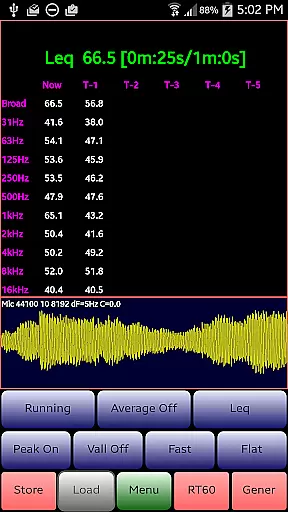
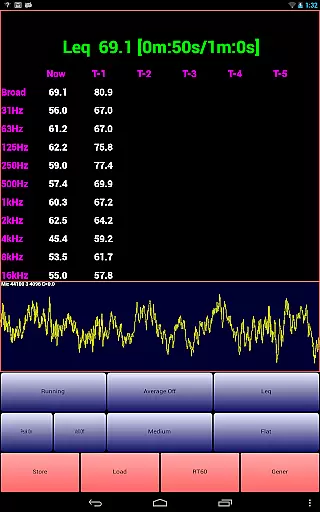
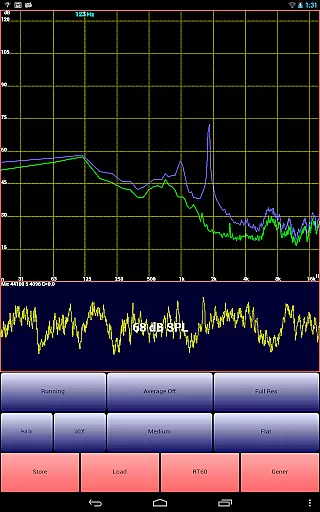
AudioTool is a comprehensive audio measurement and analysis application designed for audio engineers, acousticians, and enthusiasts. It offers a wide range of professional-grade tools including an SPL meter, RT60 measurement, Leq, Sone loudness measurement, spectrum analyzer, spectrogram, chart recorder, signal generator, polarity checker, and microphone calibration features.
The app supports various octave modes (1/1, 1/3, 1/6, and 1/12), multiple filters (Impulse, Fast, Medium, Slow), different weighting options (Flat, A/C, X Curve), and advanced functionalities like noise criteria measurement, white/pink noise generation, and various waveform outputs. Its exclusive ISO 1/3 Octave Calibration feature allows users to correct their phone's microphone response, ensuring accurate measurements across different devices.
This versatile tool is suitable for professional gig measurements, home theater calibration, acoustic analysis in cars, and other audio-related applications. With its extensive feature set and regular updates, AudioTool provides exceptional value for audio professionals and hobbyists seeking precise and reliable audio measurements.
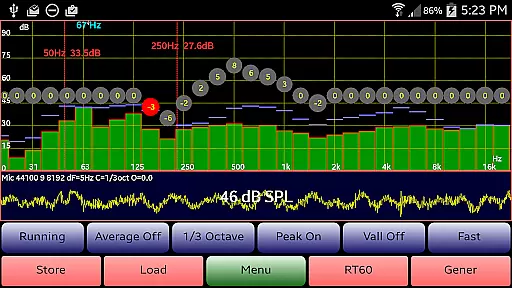
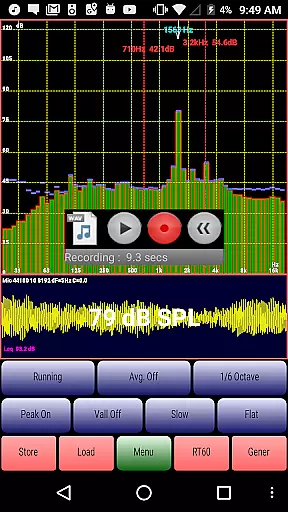
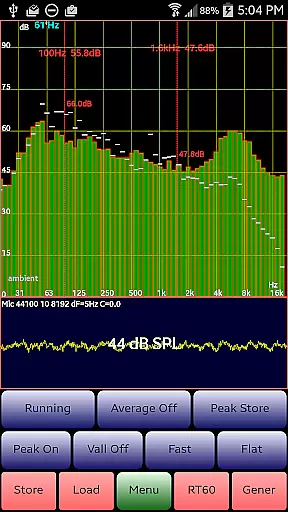
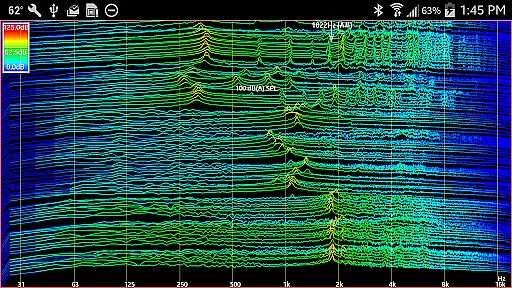
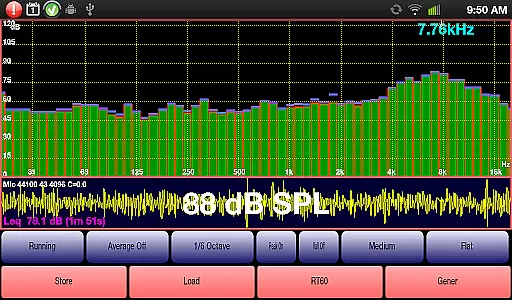
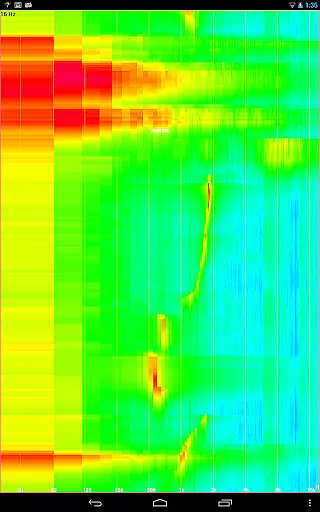
AudioTool stands out with its extensive array of professional audio measurement tools. The app's core feature is its real-time spectrum analyzer that supports multiple octave modes and advanced filtering options. Users can measure sound pressure levels (SPL) in real-time, analyze frequency responses through the spectrogram and waterfall displays, and store/load measurement data for comparison.
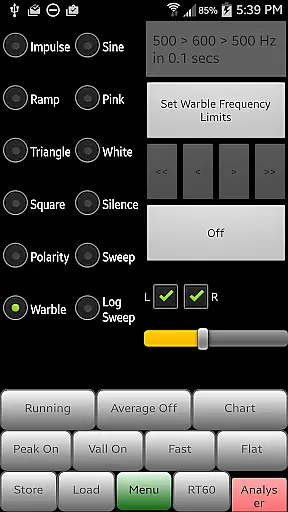
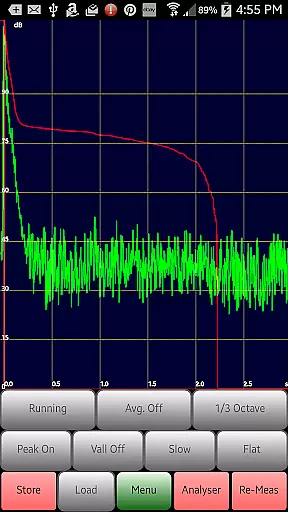
One of the app's unique capabilities is its RT60 measurement function, which helps determine the reverberation characteristics of a room using either impulse sounds or generated pink noise. The built-in signal generator produces various waveforms including white/pink noise, sine waves, square waves, and more, with frequency accuracy typically around 1%.
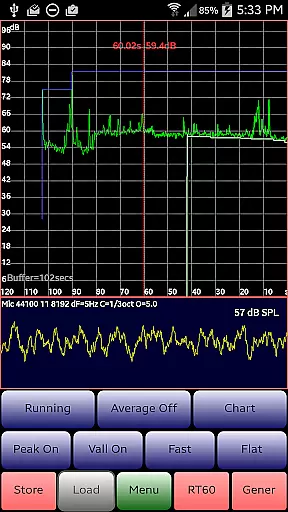
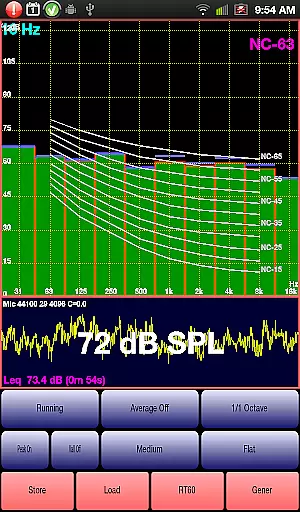
Additional notable features include a polarity checker for loudspeaker phase testing, noise criteria analysis overlaying NC contours on octave measurements, and a chart recorder showing SPL trends over time. The app also supports microphone calibration files for popular measurement microphones, pinch-to-zoom functionality, and dual cursors for precise measurement analysis.
AudioTool offers a comprehensive suite of audio measurement and analysis tools that cater to both professional audio engineers and enthusiasts. While it doesn't provide a traditional music library, its array of features such as the RTA modes, signal generator, and SPL meter offer an extensive toolkit for audio professionals. These features ensure that users have access to a wide variety of audio testing capabilities.
The app includes multiple octave RTA modes, various signal generation options including White/Pink Noise, Sine, Square, Triangle, Sweep, Log Sweep, Warble, Ramp, and Impulse signals. This diversity in signal types allows users to perform detailed audio analysis and calibration tasks, which are crucial for ensuring sound quality and system performance.
Regarding copyright authenticity, AudioTool ensures that all its functionalities are developed in-house or use widely accepted standards and algorithms. The app supports popular calibration files like those for the Dayton Audio iMM-6 and MicW i436 microphones, ensuring that users can rely on industry-standard calibrations for their measurements.
By providing these robust and diverse features, AudioTool empowers users to conduct precise audio measurements and calibrations, making it an invaluable tool for anyone involved in audio engineering or acoustics.
One of the standout features of AudioTool is its ability to deliver high-quality audio analysis through various advanced tools and options. The app provides several audio quality options that enhance the accuracy and reliability of measurements, making it a preferred choice for audio professionals worldwide.
AudioTool includes different weighting filters such as Flat, A/C Weighting, and the film industry X Curve, allowing users to tailor their measurements according to specific standards and requirements. These filters help in obtaining precise readings by compensating for the human ear's response at different frequencies and sound pressure levels.
In addition to filter options, AudioTool also offers multiple sample length settings, enabling users to set resolutions of 4096, 8192, or 16384 samples. This flexibility in resolution settings allows for more granular and accurate spectral analysis, which is essential for detailed audio work.
Furthermore, the app's implementation of Hann windowing reduces aliasing effects, ensuring cleaner and more reliable FFT calculations. With these advanced audio quality options, AudioTool provides users with the tools necessary to achieve professional-grade audio analysis and calibration, enhancing the overall quality of their audio projects.
Comprehensive feature set
Regular updates
Professional-grade tools
Microphone calibration support
Wide industry recognition
Complex for beginners
Hardware-dependent performance
No iOS version available
Advanced features require knowledge
Interface could be overwhelming

The Cubase remote control app
 3.60
3.60
10-Band Audio Equalizer, Sound / Bass Booster for Spotify Users & Music Players
4.40
Background pads for your band
3.80
Most Advanced AI Song Generator and Music Creator. Rap, Pop, Rock, Gospel & more
4.70
Simple & Intuitive Metronome
4.70
More downloads than any other metronome. Includes drum machine & tempo trainer.
4.80
Music Streaming suite for Ampache, Nextcloud Music and compatible backends.
4.2
Let your Android device with the sound effects you want
4.50
Versatile MP3 recorder with auto-backup to Dropbox and Google Drive
4.10
Tune in to the greatest hits on UK Radio | The home of Capital, Smooth & Heart.
4.90
Walkout Song DJ is the most intuitive app to manage your sports music.
4.70
Over 100 million tracks available for high quality streaming and download
4.60
The best music and audio player, with beautiful UI, music search and equalizer.
4.60
Network/Cloud Streaming, Visualization, Graphic Equalizer and Sound Effects.
4.20
Smart piano keyboard, Classical to Pop, Real-time multiplayer connection!
4.20
Next generation modular control surface
4.10
Turn your Android phone into a professional audio analyser with up to 120 bands.
4.00
Powerful beat maker & DJ mixer to remix tracks, make music, & perform DJ mix
3.70
The Skullcandy App Experience
3.20


User Reviews