
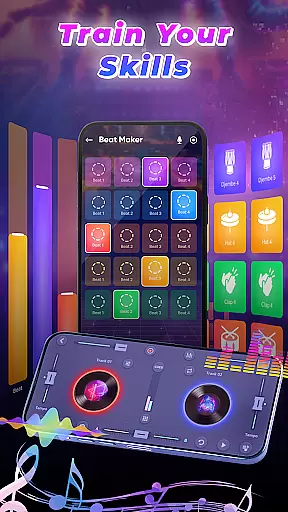
DJ Music Mixer - Beat Maker is a versatile mobile application designed for both amateur and professional DJs. This app provides an all-in-one solution for music mixing, beat making, and live DJ performances. With advanced tools like Equalizer, Bass Booster, and various sound effects, users can create high-quality remixes and beats directly from their mobile devices.
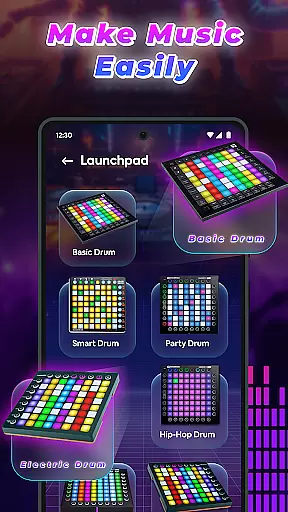
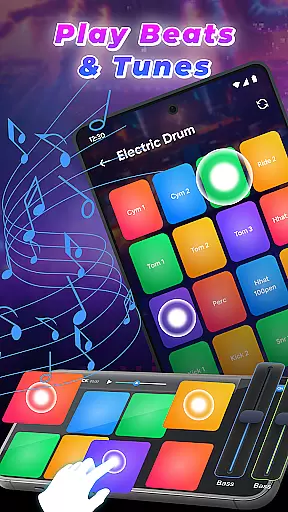
The app features a professional beat maker with multiple drum kits, a DJ mixer with built-in launchpad samples, and supports high-quality audio recording. Whether you're creating music in the studio or performing live, DJ Music Mixer - Beat Maker offers the essential tools to produce outstanding mixes and beats.
Perfect for music enthusiasts who want to experiment with sounds and rhythms, this app allows users to access their full music library, apply real-time effects, and optimize beat detection for smooth transitions. The intuitive interface and powerful features make it suitable for both beginners and experienced DJs.
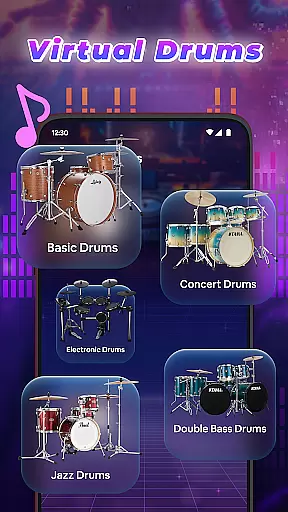
DJ Music Mixer - Beat Maker stands out with its comprehensive feature set tailored for music creation and mixing. The app includes a professional beat maker that supports multiple drumming styles, from classic to modern beats, using diverse drum kits such as Ludwig, Electronic, Jazz, and African drums.
One of the key highlights is the built-in Remix Launchpad, which offers various samples including Party Drum, Acoustic Drums, and Hip-hop Drum. The app's interface is available in both horizontal and vertical modes, providing flexibility during live performances. Users can also colorize their music for a more vibrant auditory experience.
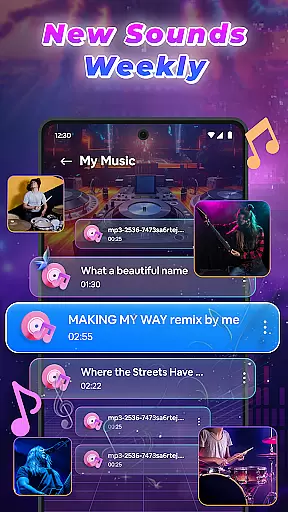
The app enables high-quality beat making and recording, allowing users to save their mixes in HD audio. It features an advanced music mixer that accesses full music libraries by tracks, artists, albums, and folders. Real-time effects and optimized beat detection ensure seamless mixing and transitions, making it ideal for live events and everyday music creation.
In the realm of digital music creation, having access to an extensive music library is crucial for unleashing creativity. DJ Music Mixer - Beat Maker offers a vast array of tracks, artists, albums, and folders at your disposal, ensuring that your creative process is not hindered by limited resources. This extensive library allows you to experiment with different genres and styles, from classic to modern beats, providing endless possibilities for your mixes.
Copyright authenticity is another cornerstone of DJ Music Mixer - Beat Maker. The app provides legitimate access to its music library, ensuring that all tracks are properly licensed and legal to use. This commitment to copyright compliance gives users peace of mind, knowing they can create and share their music without infringing on intellectual property rights. By prioritizing copyright authenticity, DJ Music Mixer - Beat Maker fosters a safe and responsible environment for music creation.
The integration of various drum kits such as Ludwig, Electronic, Jazz, and African beats further enriches the music library. These kits are not only diverse but also authentic, offering realistic sound samples that enhance the quality of your mixes. Whether you're crafting a soulful jazz number or an energetic electronic track, these high-quality samples ensure your creations sound professional and polished.
Audio quality is paramount when producing music, and DJ Music Mixer - Beat Maker excels in delivering pristine sound output. The app supports HD audio recording, allowing users to capture their mixes in exceptional clarity and detail. This feature is particularly beneficial for DJs who demand the highest standards in sound quality for their live performances and recordings.
Beyond just high-definition recording, DJ Music Mixer - Beat Maker offers multiple audio format options for saving your projects. This flexibility ensures compatibility across various devices and platforms, making it easier to share and play your music wherever you go. Whether you prefer MP3 for its balance of quality and file size or WAV for uncompressed audio fidelity, the app caters to your specific needs.
Additionally, the inclusion of advanced audio effects such as Equalizer and Bass Booster elevates the auditory experience. These tools allow for precise sound customization, enabling you to fine-tune every aspect of your mix. From adjusting bass levels to applying real-time effects, DJ Music Mixer - Beat Maker empowers you to craft a sonic masterpiece that resonates with your unique style and vision.
User-friendly interface
Wide range of drum kits
Real-time sound effects
High-quality audio recording
Flexible UI options
Limited free features
Occasional bugs
Ads in free version
Steep learning curve
Heavy on resources

The Music Journey in Your Hands
 4.30
4.30
Control your MIDI USB or Bluetooth devices in app and avoid some trampling
3.30
Enhance the sound quality of your devices, listen to what you want
4.50
Guzheng Master supports many playing techniques as an acoustic Guzheng
4.50
Offline Music Player & MP3 Player.Powerful equalizer, Lyrics, Themes, Tag Editor
4.80
A complete sound package for the sound engineer or enthusiast
4.60
The iconic iOS metronome app is now on Android.
3.70
Travel To The Music Universe
3.40
Play your music offline without limits
4.80
Music, News & Sports Radio Tuner App. Tune in Live FM & AM Radio Stations.
4.80
DJ Music Mixer - DJ Remix: remix songs, make beat music & record mix of DJ.
4.40
Smart piano keyboard, Classical to Pop, Real-time multiplayer connection!
4.20
The original SP-1200 experience on your iPad
4.20
Offline and always ad-free - stream in the highest quality available.
4.10
Versatile MP3 recorder with auto-backup to Dropbox and Google Drive
4.10
The only true audiophile music player with Hi-Fi audio rendering and DSP engine
3.90
Learn to play the piano using falling notes!
3.80
MilkDrop for Android TV
3.00
Music Streaming suite for Ampache, Nextcloud Music and compatible backends.
4.5


User Reviews