
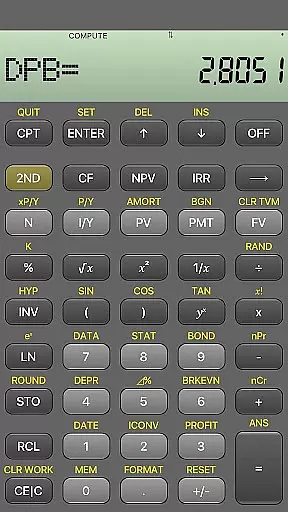
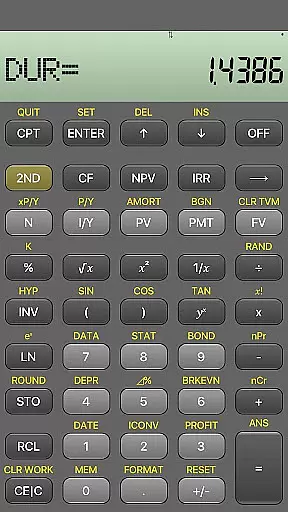
BA Financial Calculator PRO is a comprehensive mobile application designed specifically for finance professionals, CFA/FRM candidates, and students. This app fully emulates the TI BAII Plus financial calculator, offering identical functionality in a clean and user-friendly interface.
The calculator includes advanced financial functions such as PB, DPB, DUR, and MIRR, making it an essential tool for anyone preparing for professional finance exams like CFA, FRM, or CPA. With no ads or in-app purchases, users can rely on its fast and accurate performance for all their financial calculations.
One of the standout features of BA Financial Calculator PRO is its complete replication of the TI BAII Plus Professional calculator. Every function and formula has been meticulously implemented to ensure accuracy and reliability.
The app offers a streamlined experience with no distracting advertisements and provides regular updates to maintain optimal performance. Its intuitive design makes it easy for both students and professionals to use, whether they are studying for exams or managing real-world financial scenarios.
For any financial application, ensuring the security of user accounts and funds is paramount. BA Financial Calculator PRO addresses this by implementing a clean and ad-free environment, which significantly reduces risks associated with malicious ads or unauthorized transactions. The app is regularly tested and updated to maintain a reliable and secure operational framework.
The absence of in-app purchases further enhances account security by eliminating potential vulnerabilities linked to payment processing. This design choice ensures that users can focus on their financial calculations without worrying about data breaches or unauthorized access to sensitive information.
Additionally, the app's dedicated developer provides consistent support and feedback mechanisms through direct contact options like cfa.calculator@gmail.com. This personalized approach guarantees that any security concerns or questions are promptly addressed, offering users peace of mind while managing complex financial computations.
A seamless transaction experience is crucial for financial applications, and BA Financial Calculator PRO excels in delivering this through its intuitive interface and robust functionality. The app replicates all features of the TI BAII Plus Professional calculator, including PB, DPB, DUR, and MIRR functions, ensuring that users have access to comprehensive tools required for accurate financial analysis.
Designed specifically for CFA/FRM candidates and finance professionals, the app offers fast and reliable performance. Its user-friendly design allows for efficient input and calculation processes, making it ideal for both students and seasoned professionals preparing for critical exams or managing real-world financial scenarios.
Furthermore, regular updates and rigorous testing ensure that the app remains up-to-date with the latest standards and requirements in finance. This commitment to quality and precision enhances the overall transaction experience, enabling users to perform complex calculations with confidence and ease.
User-friendly interface
No ads or in-app purchases
Accurate financial functions
Regular updates and support
Ideal for exam preparation
Limited to financial calculations
No physical buttons for tactile feedback
Requires device compatibility
Dependent on developer updates
Premium price point

Retirement plan, IRA, retail and HSA customers serviced by Empower.
 3.10
3.10
All your crypto & stocks in one secure and trusted app.
4.40
Your Big Financial Friend
4.70
Simple & secure international money transfers - for personal & business needs.
4.80
Put crypto to work & earn rewards. Stake crypto like Ethereum, Solana & Cardano
4.40
BTC, Crypto, Stocks & Options.
4.20
Get up to 500, get paid early, earn interest and find work with no hidden fees.
4.40
StockTiles lets you view prices & charts of your favorite stock assets
2.30
Powerful Money Manager, Expense & Savings Tracker, Budget Planner - Pro Version
4.70
PayMe helps you claim money from settlements on companies that harmed you.
4.80
The Citi Mobile® App lets you manage your accounts virtually anytime, anywhere
4.80
Managing your money just got easier. Get the new Mobile app.
4.70
Get 250$ Cash Advance to solve emergencies instantly in loan app called LendMe
4.70
Currency Converter (200+ currencies) with live exchange rates and offline mode.
4.70
The simplest way to budget, bank, save and invest.
4.50
Make Real Cash by Playing Games! Fetch Playful Rewards, Win & Triumph
4.50
Registration of your debts and Mdionatk and assembled, as well as a significant reports
4.30
Earn money as a tester with Testerup, get cash testing apps and games
4.20
Bill Manager is a simple app to help you keep track of your upcoming bills.
4.3


User Reviews