
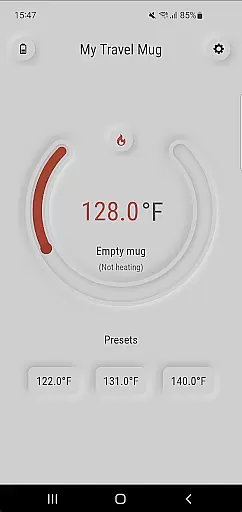
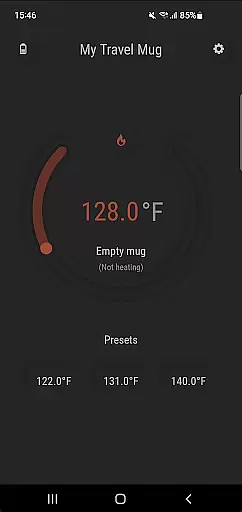
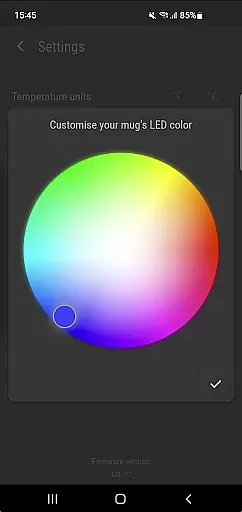
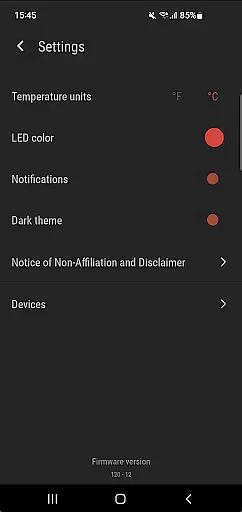
Ember Supreme is a feature-rich companion app designed for users of Ember smart mugs. This application allows you to control and customize various settings of your Ember mug, including setting the target temperature in your preferred unit, changing the LED color, and even naming your mug. With support for multiple versions of Ember products, this app ensures that your drinking experience is personalized and optimized.
The app's intuitive interface makes it easy to adjust settings on-the-go, ensuring your beverage stays at the perfect temperature. Whether you're at home or in the office, Ember Supreme enhances your smart mug experience by providing seamless control over your device's features.
Ember Supreme offers a comprehensive set of features tailored for Ember smart mug users. The primary functionality includes precise temperature control, allowing users to set their desired drinking temperature with ease. Additionally, users can switch between Fahrenheit and Celsius units according to their preference.
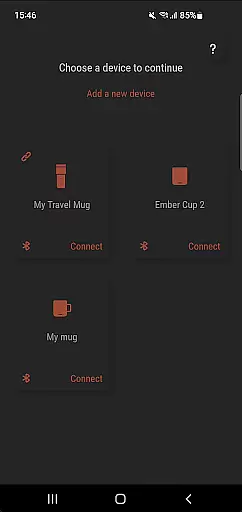
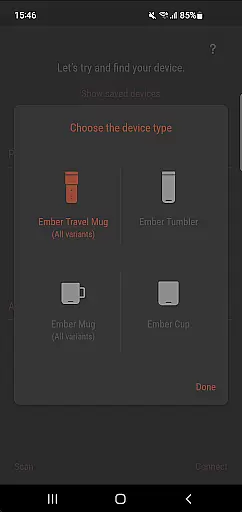
Beyond temperature settings, the app provides customization options such as LED color changes and mug naming, adding a personal touch to each device. Supporting a wide range of Ember products, including Ember Mug 1 & 2, Ember Cup 1 & 2, Ember Travel Mugs, and Ember Tumblers, Ember Supreme ensures compatibility and convenience across different models.
Ember Supreme offers a comprehensive lifestyle solution by integrating with various Ember smart mug models, including Ember Mug 1 & 2, Ember Cup 1 & 2, Ember Travel Mugs, and Ember Tumblers. This wide compatibility ensures that users can manage different types of mugs under one unified platform.
The app allows users to set the target temperature for their beverages, catering to individual preferences whether you enjoy your coffee piping hot or tea at a lukewarm level. By providing this personalized experience, Ember Supreme enhances daily routines and supports a modern, convenience-driven lifestyle.
Beyond basic temperature settings, the app also lets users customize LED colors and assign unique names to their mugs. These features add an element of personal flair and make each mug easily distinguishable in households or offices with multiple Ember devices.
With Ember Supreme, content authenticity is guaranteed through its direct integration with Ember smart mugs, ensuring all functionalities are genuine and specifically designed for these products. The app's features like setting precise temperatures and customizing mug settings are developed based on real user needs and feedback.
Expertise behind Ember Supreme is evident in its reliable performance and well-thought-out design. Developed by GCodestudios, known for creating high-quality applications, this companion app reflects deep understanding and technical proficiency in smart home technology.
Moreover, regular updates and support from both GCodestudios and Ember ensure that users receive accurate information about their deviceu2019s status and benefit from new features over time. This ongoing commitment reinforces trustworthiness and positions Ember Supreme as a credible tool within the Lifestyle category.
User-friendly interface
Wide device compatibility
Precise temperature control
Customizable LED colors
Personalized mug naming
Limited to Ember products
No advanced scheduling
Requires constant connectivity
Basic design aesthetics
Occasional syncing issues

Countdown to Christmas 2025 with festive games & activities in a virtual village
 4.80
4.80
Digital watch face design. Modern looking, hi-res & battery friendly.
4.00
Premium floor cleaning robots
4.50
Discounts, savings, and rewards
4.20
Colorful selection floral watch face with gyro for Wear OS
4.60
A smart Siddur with halachic times
4.50
The Miracle Box includes methods used by Steve Huff of Huff Paranormal.
3.20
Remotely monitor the time and temperature of food cooking on your grill.
4.60
Create slime on your phone and enjoy satisfying and relaxing ASMR games
4.50
Get roadside help, discounts, travel tools & more — AAA is with you everywhere.
4.80
My Diary - Daily Journal with lock: Diary journal app and secret diary with lock
4.80
A smart Siddur with halachic times
4.60
Crochet made easy: step-by-step tutorials, beginner patterns & projects
4.60
Cute Adorable Animals now on your wrist with our Wear OS watch face!
4.40
Earn points with every purchase with Moe Rewards.
4.20
Use your device sensors to detect energy and convert it into spoken words.
4.10
Communicate with your vehicles and Powerwalls anytime, anywhere
3.60
Smart home security protection
3.20
Futuristic watchface inspired by Back to the Future: sleek, retro, timeless
4.5


User Reviews