
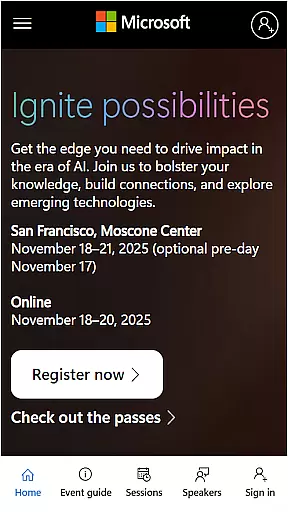
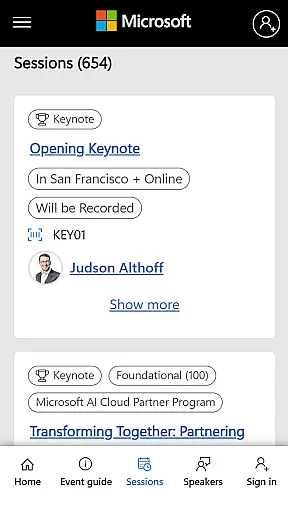
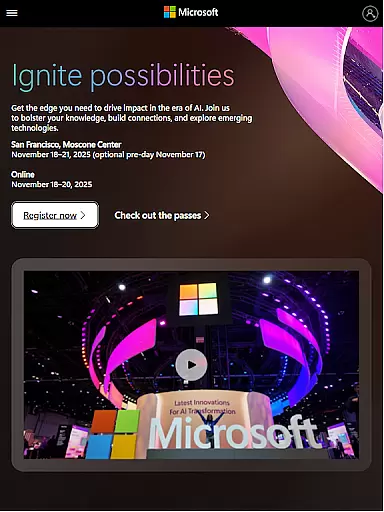
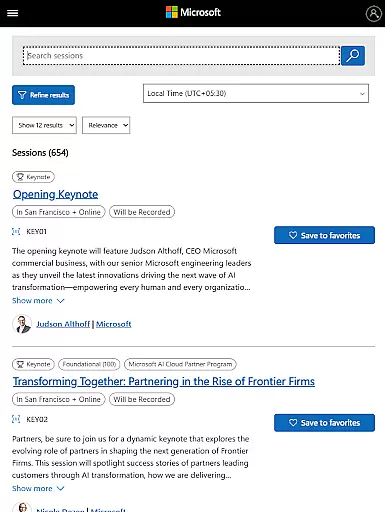
Microsoft Ignite is a premier annual event hosted by Microsoft, designed to showcase the latest advancements in technology, particularly in AI, cloud computing, and productivity tools. The event serves as a hub for tech enthusiasts, developers, and industry leaders to explore new solutions, enhance their skills, and connect with the broader tech community.
Key highlights of Microsoft Ignite include innovations and announcements, networking opportunities, sessions for learning, and social engagement. Attendees can expect to gain valuable insights into cutting-edge technologies and practical applications that can be implemented in their own organizations.
Whether you're looking to stay ahead of industry trends or seeking professional development opportunities, Microsoft Ignite offers an unparalleled platform for growth and innovation in the tech world.
Microsoft Ignite features a comprehensive lineup of activities tailored for tech professionals. The event showcases groundbreaking innovations and announcements across various domains such as AI, cloud computing, and productivity tools. These announcements often set the stage for future technological trends.
In addition to the exhibition of new technologies, the event provides extensive networking opportunities. Attendees can connect with peers, industry leaders, and Microsoft experts to exchange ideas and foster collaborations. A variety of sessions and workshops offer hands-on learning experiences, enabling participants to deepen their expertise.
Furthermore, Microsoft Ignite emphasizes social engagement, allowing attendees to participate in community-building activities. This blend of innovation, education, and networking creates a dynamic environment conducive to professional growth and technological advancement.
Task creation and detail customization are essential features for any event application, allowing users to tailor their schedules according to personal or professional interests. Microsoft Ignite excels in this area by offering a comprehensive platform where attendees can create tasks based on the sessions they wish to attend.
The app provides detailed information about each session, including time, location, speaker bios, and topics covered. This enables participants to make informed decisions when planning their day at the event. Moreover, users can set reminders for upcoming sessions, ensuring they never miss out on important discussions or workshops.
Customization options extend beyond simple scheduling. Attendees can filter sessions by technology track, expertise level, or session type, making it easier to find relevant content. The ability to add notes or personal comments to each task further enhances the user experience, allowing for personalized engagement with the event material.
Reminder settings play a crucial role in ensuring that attendees make the most of their event experience. In Microsoft Ignite, these settings are designed to keep participants informed and engaged throughout the event. By enabling push notifications, users receive timely alerts about upcoming sessions, changes in schedule, or important announcements.
The flexibility of reminder settings allows users to choose how and when they want to be notified. Whether it's a one-time alert 15 minutes before a session starts or daily summaries of the next dayu2019s events, the app caters to various preferences. This ensures that all attendees, regardless of their schedules, can stay updated without feeling overwhelmed by constant notifications.
Additionally, the integration of reminder settings with the overall task management system enhances productivity. Users can seamlessly transition from receiving a reminder to accessing session details or joining virtual meetings directly from the notification panel. This streamlined approach not only saves time but also enriches the overall event participation experience.
Cutting-edge technology showcases
Extensive networking opportunities
Expert-led sessions and workshops
Community building and social engagement
Future trend insights
High attendance cost
Limited virtual participation options
Overwhelming content volume
Advanced topics may not suit beginners
Intense schedule

It is an Event Planning Application.
 4.5
4.5
Create Wedding Invitation and Wedding Anniversary Cards using our app
4.60
Rocket Monkey - Space rocket launch schedule for launch sites around the world
4.20
Clubs, Festivals, Discounted Tickets, Guest Lists & VIP Tables
4.90
Track birthdays, habits & goals. Unlimited countdowns and count-ups
4.20
The Official App
3.70
ETH Mining provides secure way to mine Ethereum & earn ETH in Cloud mining app
3.50
Design Invitations & Cards for Any Occasion
4.80
Save money on concert, sport, and theater tickets, and discover upcoming events.
4.80
Plan your wedding for free on the go: vendors, budget, website and checklists!
4.80
The Ultimate Tournament Hub
4.70
Here you can choose tickets for films, performances, concerts and other events
4.60
Listen Full Quran MP3 Offline - Qibla Compass, Salah Timing & 99 Names of Allah
4.60
Events, Meetings, Photo Shoots
4.50
Octrober 2025: We've updated the MyGenMobile App with a new look and feel!
4.40
Introducing the official Magic: The Gathering app for mobile.
4.20
Buy tickets for any event!
3.90
Manages display and transfer of tickets from the Mundo Tickets platform
3.80
Soft Proxy for Your Online World
4.1


User Reviews