
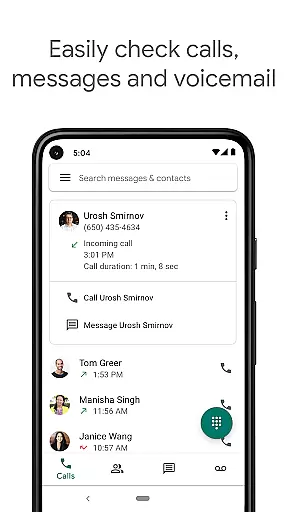
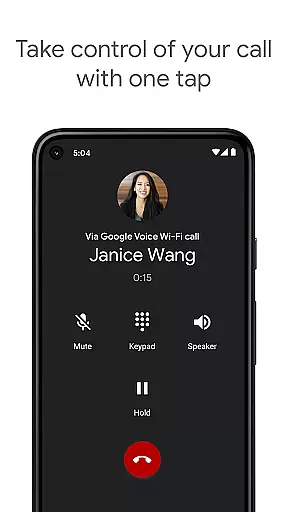
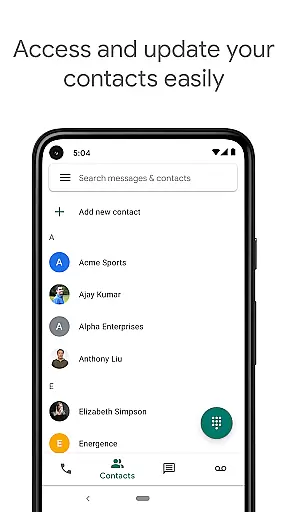
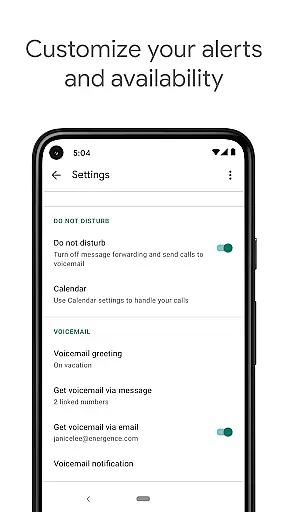
Google Voice is a communication app that provides users with a dedicated phone number for calling, text messaging, and voicemail services. It seamlessly syncs across smartphones and computers, ensuring accessibility whether you're at home, in the office, or traveling. The app offers advanced features like automatic spam filtering, personalized call management settings, and voicemail transcription, making it an all-in-one communication solution.
One of the standout aspects of Google Voice is its ability to store and back up calls, messages, and voicemails, allowing users to search their communication history effortlessly. Additionally, it supports sending and receiving SMS messages from multiple devices and offers cost-effective international calling rates. While primarily available in the US, it provides significant value for users looking to streamline their communication channels.
Google Voice stands out with its comprehensive feature set tailored for modern communication needs. The app automatically filters spam calls and allows users to block unwanted numbers, ensuring a hassle-free experience. Its personalized settings enable users to forward calls, texts, and voicemail based on their preferences, offering flexibility in managing availability.
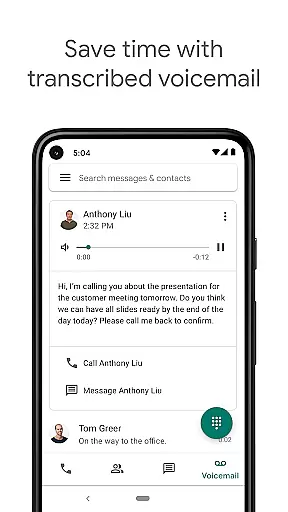
The app also transcribes voicemails, providing readable transcripts directly within the app or via email. Another notable feature is its support for sending and receiving group SMS messages across synced devices, enhancing cross-platform communication. Moreover, Google Voice offers competitive international calling rates, helping users save on expensive carrier charges while maintaining high-quality connections.
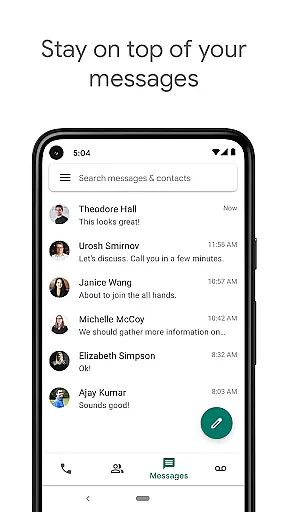
Real-time messaging speed and reliability are crucial for any communication app, ensuring that messages are delivered instantly and consistently. Google Voice excels in this area by providing seamless integration across multiple devices, allowing users to send and receive text messages without delay.
The app's infrastructure is designed to maintain high-speed message delivery even during peak usage times. This ensures that whether you're at home, in the office, or on the go, your messages will reach their destination promptly. The synchronization across devices means you can start a conversation on your smartphone and continue it on your computer without missing a beat.
Google Voice also filters out spam automatically, which enhances the reliability of your messaging experience. By blocking unwanted numbers, the app ensures that your real-time communications remain uninterrupted and relevant. This feature not only saves time but also improves overall productivity.
In summary, Google Voice offers a robust platform for real-time messaging, backed by reliable infrastructure and smart features like spam filtering. These capabilities make it an excellent choice for users who prioritize speed and dependability in their communications.
Media sharing support is an essential feature for modern communication apps, enabling users to share photos, videos, and other files effortlessly. Google Voice provides comprehensive media sharing capabilities, allowing users to enrich their conversations with multimedia content.
The app supports various file formats, making it versatile for different types of media sharing needs. Whether you need to send a quick snapshot, a detailed video, or an important document, Google Voice ensures that your media is delivered smoothly and efficiently. This versatility enhances the user experience by catering to diverse communication scenarios.
Moreover, Google Voice stores and backs up all calls, text messages, and voicemails, including those with media attachments. This feature not only makes it easy to search your history but also provides peace of mind knowing that your shared media is securely stored. Users can access their media anytime, anywhere, from any synced device.
In conclusion, Google Voice stands out with its robust media sharing support, offering users a seamless way to enhance their communications with rich media content. Its ability to handle various file formats and provide secure storage adds significant value to its overall functionality.
User-friendly interface
Spam call filtering
Voice mail transcription
Multi-device syncing
Cost-effective international calls
Limited to select markets
No MMS support
Restricted business use
Dependent on cellular minutes
Occasional transcription errors

 3.90
3.90
Messenger for SMS - texting message app, faster, simpler & safer, for you.
4.70
Our Black Friday sale is here. Unlock special discounts on Proton Mail now.
4.30
Fast and mini browser with Ad Blocker,Video Downloader and Video Player
4.40
This app enables the phone to receive and send FT8 traffic!
3.80
Messenger, an MMS & SMS messages app with Blockers, Driving mode & Private box
4.60
HD Video Meeting app is a fast & unlimited video conferencing app across world.
4.30
Comprehensive and powerful scan tool app with enhanced functions
3.00
SMS Messenger is a lightning-fast messaging app.
4.20
A browser that does more than load page, like keeping your privacy safe.
4.70
Stay in touch with the people who matter most.
4.60
Say “hello” to privacy.
4.60
An agentic AI browser for Android, built by Perplexity
4.50
Talk & text free with a second phone number plus unlimited 5G data, no fees.
4.50
Manage your data, talk & text - affordable phone plans & data usage made simple
4.30
BE PRIVATE
Anonymous. No Trace. Fast.
4.20
Threema is the messenger with the most consistent focus on security and privacy.
4.00
Quickly and easily identify and block unknown callers
3.70
Manage and Fund Calling Accounts and Schedule and Join Video Sessions
3.60


User Reviews