

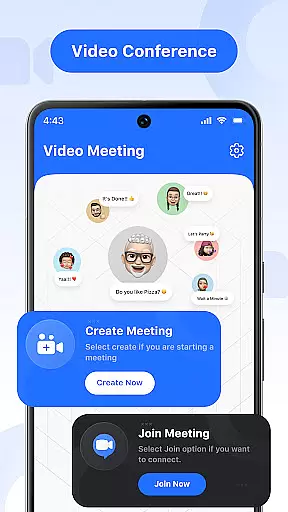

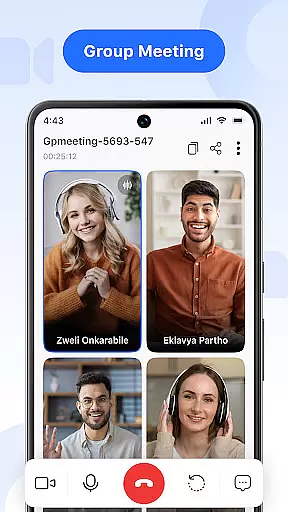

Video Meeting is a cutting-edge video conferencing app designed to enhance virtual communication and collaboration. With features like HD video calls, real-time team interaction, and seamless screen sharing, it ensures productive and secure online meetings. Whether for business discussions, educational sessions, or casual chats, this app provides a reliable platform for all your communication needs.
The app supports various meeting formats including one-on-one chats, group hangouts, and large-scale webinars. Its intuitive interface allows users to easily host, join, or manage meetings with options to mute audio, toggle video, and share screens effortlessly. Additionally, multi-language support breaks down communication barriers, making it accessible to a global audience.
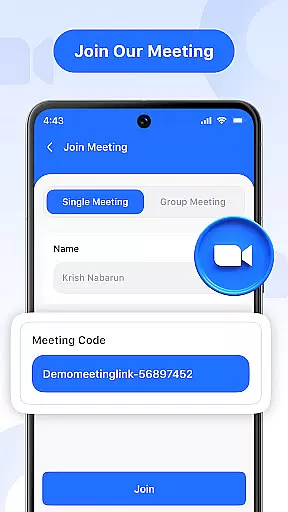
By offering encrypted access through unique meeting codes and ensuring crystal-clear audio and video quality, Video Meeting stands out as an essential tool for modern professionals and everyday users alike. It's the perfect solution for remote work, online learning, and staying connected with friends and family.
Video Meeting boasts an array of advanced features tailored to streamline virtual interactions. One of its standout capabilities is the ability to instantly host meetings, allowing users to launch video sessions and invite participants with minimal effort. The Quick Join functionality enables users to enter meetings swiftly using a shared link or secure code, eliminating unnecessary delays and enhancing productivity.
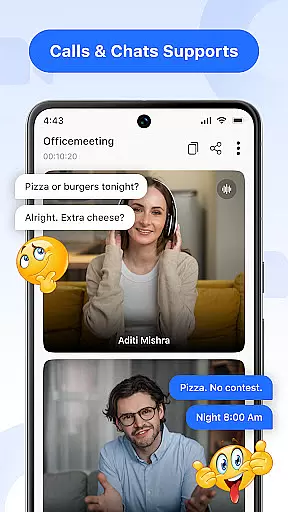
Real-time chat and communication tools further enrich the user experience. Participants can engage in instant messaging without interrupting the ongoing call, while audio controls permit muting and unmuting microphones as needed. The video toggle feature offers flexibility by letting users show or hide their camera feed based on comfort and privacy preferences.
For presentations and collaborative projects, the app provides robust screen sharing options. Users can present documents, slides, or applications live with just a single tap. Moreover, the Easy Exit and End for All functionalities ensure that meetings conclude smoothly, whether an individual participant needs to leave or the entire session is being wrapped up.
Real-time messaging speed and reliability are crucial for effective communication in any virtual meeting platform. Video Meeting ensures that messages are delivered instantly, allowing participants to communicate without delays or interruptions.
The application uses advanced algorithms and optimized server infrastructure to maintain high-speed message delivery even during peak usage times. This ensures that users can rely on the chat feature for quick exchanges of information, making discussions more dynamic and engaging.
For users, this means seamless interaction whether they are in a business meeting, classroom setting, or casual conversation with friends. The ability to send and receive messages in real time enhances collaboration and helps keep all participants on the same page.
By prioritizing real-time messaging performance, Video Meeting provides a dependable communication tool that supports both professional and personal interactions, ensuring that no message is ever delayed or lost.
Media sharing support is an essential feature for modern video conferencing applications, enabling users to share various types of content during their meetings. Video Meeting offers robust media sharing capabilities, allowing participants to exchange images, videos, documents, and other file formats effortlessly.
The app supports multiple file formats and integrates seamlessly with cloud storage services, providing flexibility and convenience when sharing media. Users can quickly present slideshows, showcase videos, or distribute important documents without leaving the meeting interface.
This functionality benefits businesses by facilitating presentations and collaborative projects, while also enhancing educational settings where visual aids are crucial. Additionally, social interactions become more engaging as users can easily share multimedia content with friends and family.
With reliable media sharing support, Video Meeting empowers users to communicate more effectively and creatively, enriching the overall meeting experience across different scenarios and use cases.
User-friendly interface
HD video and audio quality
Secure meeting access
Multi-language support
Effortless screen sharing
Limited free features
Occasional connectivity issues
High resource consumption
Requires stable internet
No offline functionality

Manage your data, talk & text - affordable phone plans & data usage made simple
 4.30
4.30
Save 10% automatically on your first international mobile top up.
4.60
Welcome to the future of phone service.
4.60
Send SMS and chat messages easily with a fast text messaging app for Android.
4.10
Experience real private browsing without tracking, surveillance, or censorship.
4.50
Federated instant messaging for your mobile device (Jabber, XMPP, Snikket)
4.10
Call & Text Anywhere With A Canadian Number.
3.60
Say “hello” to privacy.
4.60
Share the moment!
4.10
A browser that does more than load page, like keeping your privacy safe.
4.70
Messenger, an MMS & SMS messages app with Blockers, Driving mode & Private box
4.60
Fast and mini browser with Ad Blocker,Video Downloader and Video Player
4.40
Phone Dialer with Caller ID, Address Book & Contacts Manager.
4.30
Call Blocker app: Identify unknown callers, block spam calls, fraud & robocalls
4.30
Group Chat That’s Fun & Games
4.30
Google's fast and secure browser
4.10
Tether to Windows, OS X, Linux PCs or Android tablets. No root. No tether fees.
3.90
A Browser with powerful ad blocker to help focus on what really matters.
3.00
Chat on the Jabber network (XMPP protocol); support for SMS and other gateways
2.10


User Reviews