
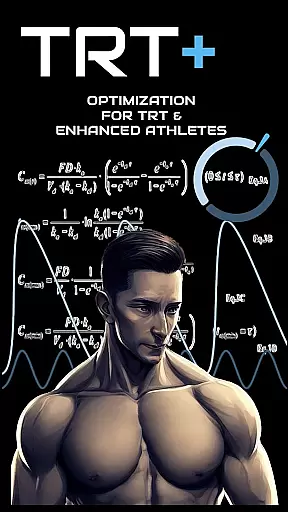
TRT Plus is a comprehensive health and fitness app designed specifically for individuals undergoing Testosterone Replacement Therapy (TRT) and those pursuing peak physical conditioning. The app offers an all-in-one solution to manage every aspect of your TRT journey, from tracking protocols and analyzing bloodwork to optimizing medication schedules.
With advanced features like pharmacokinetic modeling, compound half-life charting, and dynamic inventory tracking, TRT Plus ensures you stay organized and informed throughout your treatment. Whether you're managing ancillary medications or preparing for a competition, this app provides the tools necessary to maintain optimal health and performance.
TRT Plus is particularly beneficial for athletes seeking enhanced insights into their biomarkers and hormonal balance. By integrating with pathology partners and offering tailored recommendations based on your bloodwork, it empowers users to make data-driven decisions about their TRT protocols.
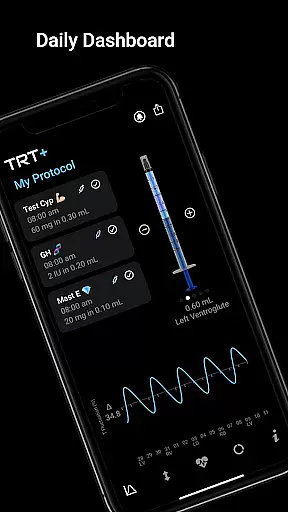
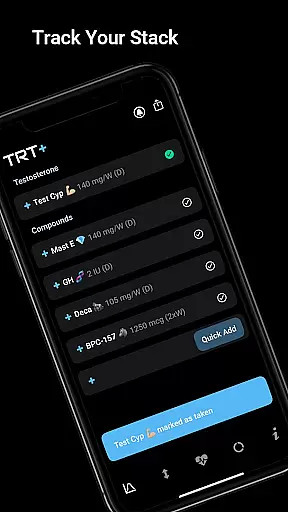
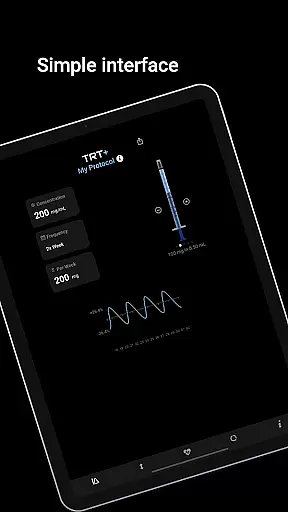
TRT Plus stands out with its robust set of features tailored for TRT management. The protocol tracker allows users to visualize daily schedules and track completion through checkboxes, while the visual syringe tool simplifies injection stacking. With over 80 pre-configured compounds available at a tap, users can effortlessly build and modify their regimens.
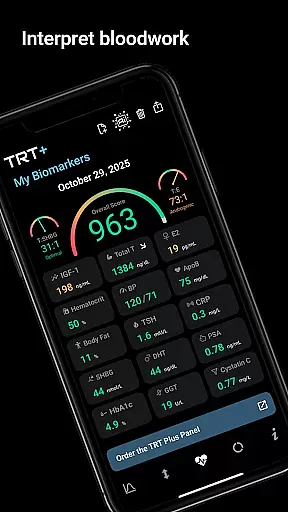
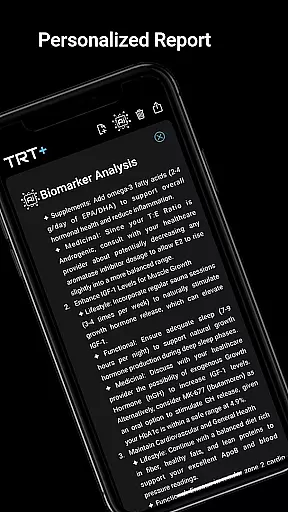
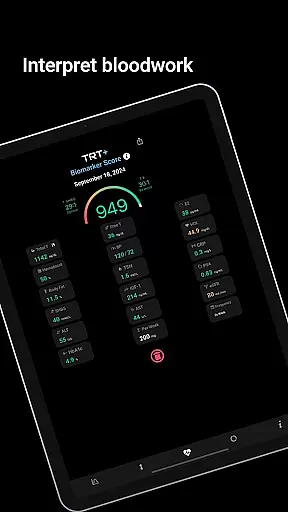
The app's bloodwork analysis capabilities are unparalleled, offering enhanced reference ranges and personalized recommendations. Users can upload their lab results to receive detailed reports that include muscle-building potential, hormonal balance assessments, and responder type evaluations. These insights help fine-tune protocols for maximum effectiveness.
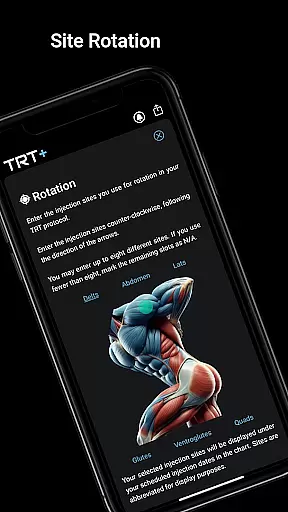
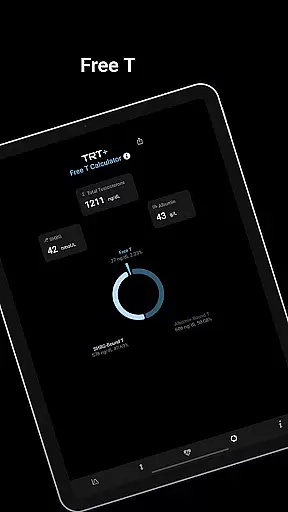
Additional standout features include automated reminders for medications and retesting, rotation planning for injection sites, and an advanced Free T calculator supporting multiple methods. The integration of knowledge resources backed by clinical studies ensures users have access to reliable information for managing their therapy effectively.
Personalized planning in TRT Plus is a cornerstone feature designed to optimize the user's testosterone replacement therapy and overall athletic performance. This functionality leverages advanced algorithms to create tailored protocols based on individual biomarkers, ensuring that each user receives a plan specifically suited to their needs.
The app offers an extensive compound library with over 80 pre-configured options, allowing users to incorporate classic to cutting-edge substances into their regimen easily. The inclusion of pharmacokinetic modeling provides visual insights into how these compounds behave over time, empowering users to make informed decisions about their treatment plans.
Users benefit from dynamic inventory tracking and automated reminders, which ensure they never miss a dose or run out of essential supplies. These features collectively contribute to maintaining consistency and adherence to personalized protocols, ultimately enhancing the effectiveness of the therapy.
By integrating detailed bloodwork analysis with optimization-focused reference ranges, TRT Plus delivers actionable insights that refine personalized planning further. Recommendations for lifestyle adjustments, supplements, and medicinal options stem from this data, guiding users toward achieving peak physical condition safely and effectively.
Progress visualization in TRT Plus serves as a critical tool for users engaged in testosterone replacement therapy and athletic enhancement. By transforming complex data into clear, visual formats, the app enables users to monitor their progress effectively and understand the impact of their personalized plans.
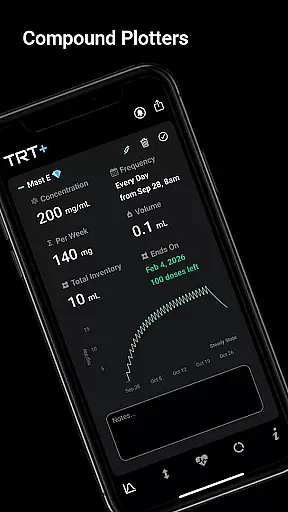
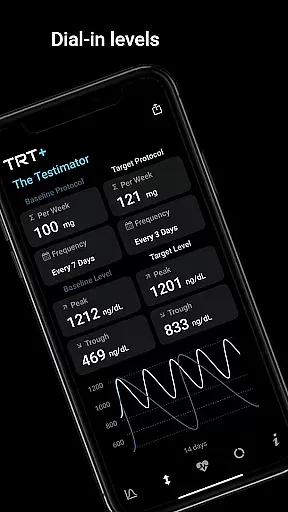
One of the standout features is the Compound Half-Life Charting, which visually maps the behavior of each compound over time. Users can see peak levels, steady-state timing, and clearance patterns, providing a comprehensive view of their protocol's dynamics. This visualization aids in fine-tuning dosages and schedules for optimal results.
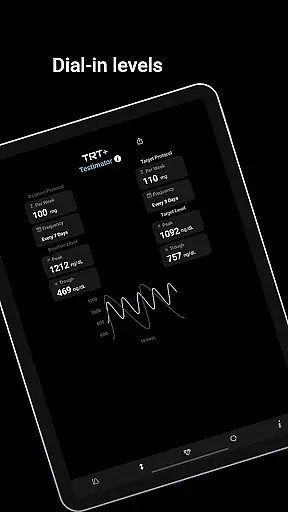
The Testimatoru2122 tool adds another layer of progress visualization by predicting testosterone levels across different protocols. With dynamic reference ranges based on individual biomarker results, users can dial in their ideal testosterone range and track fluctuations accurately. This empowers them to adjust their regimens proactively.
Additionally, TRT Plus offers detailed bloodwork reports that break down key markers into red, amber, and green categories. This intuitive color-coding system highlights areas of concern and improvement, making it easier for users to grasp their current health status and measure advancements over time. Such clarity not only motivates but also guides users toward sustained progress in their TRT journey.
User-friendly interface
Comprehensive protocol tracking
Advanced bloodwork analysis
Personalized recommendations
No subscription required
Limited to TRT users
Premium pricing
Complex for beginners
Bloodwork region dependent
Requires manual input

Build Healthy Habits!
 4.60
4.60
Binaural Beats - Fully Customizable Waves - Pure Sound - No Loops
4.50
Interval timer for High Intensity Interval Training, Tabata and Circuit Training
4.20
The Sleep Miracle Sound Machine: Soothes baby to sleep with a gentle "Shhh"
3.00
Measure real-time wrist & ambient temperature with your Galaxy Watch (Wear OS)
3.20
Protect your healthy sleep
4.80
3D Body Measurement System
3.60
Looking to take control of your health? Our psychology-based programs can help.
4.10
beat yesterday.
4.00
Weight loss app: home workout for women to lose weight & burn calories.
4.80
Easy access to health benefits
4.70
Mind on steroids - relaxation, productivity, meditation and sleep!
4.60
Relax. Sleep Better. Feel Better.
4.50
Personal step counter for you, private and accurate
4.50
Relax to calm sounds, white noise, music, guided meditation and bedtime stories
4.40
50 HD sounds to help you relax during the day and sleep great at night!
4.40
Track heart rate & HRV in 30s! Get live health insights and anomaly alerts
4.40
Understand your body’s most meaningful messages and transform your health.
3.90
Dexcom G7 Continuous Glucose Monitoring
3.70


User Reviews