
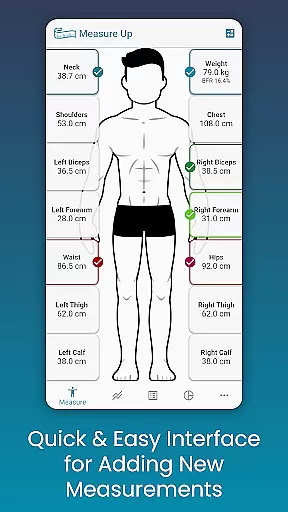
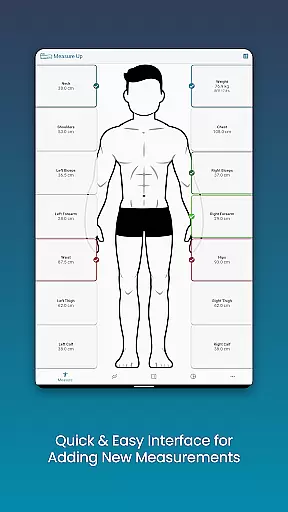
Body Measurement Tracker is a streamlined health and fitness application designed to help users monitor their weight loss or muscle gain journey with ease. The app offers a simple, no-fuss interface that allows for quick recording of body measurements, ensuring users can efficiently track their progress without the need for complex spreadsheets or notes.
With features like integration with Google Fit, users can sync their data with other health apps, providing a comprehensive view of their fitness journey. The app also includes chart analysis, body composition tracking, BMI calculation, and customizable measurement options, making it a versatile tool for anyone focused on improving their physical health.
Whether you're preparing for a fitness competition or simply aiming to maintain a healthier lifestyle, Body Measurement Tracker provides the necessary tools to stay motivated and informed about your progress.
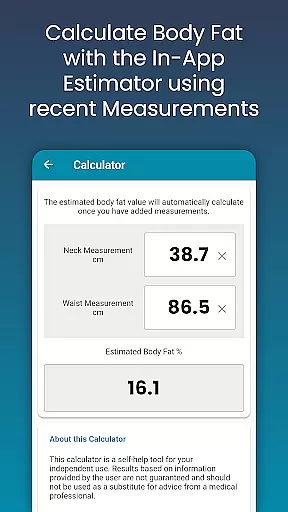
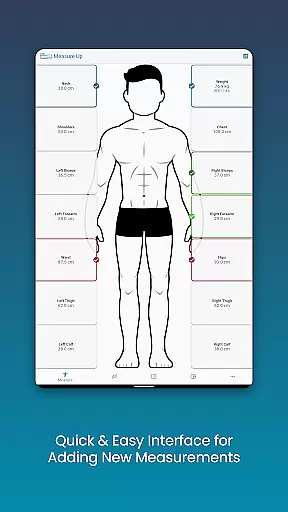
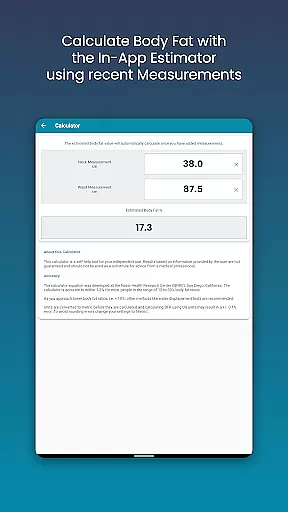
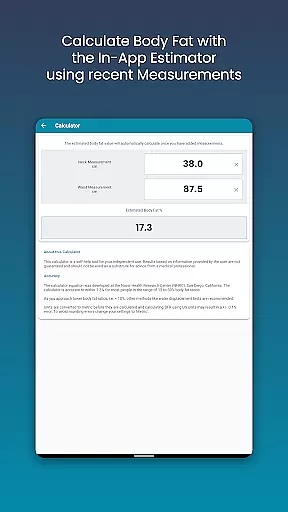
The Body Measurement Tracker stands out with its unique set of features tailored to enhance user experience in managing personal health metrics. One of its key functionalities is the easy measurement recording system, which allows users to swiftly input data and even add past measurements by adjusting the date. This feature is complemented by an in-app body fat calculator, simplifying the process of estimating body fat percentage.
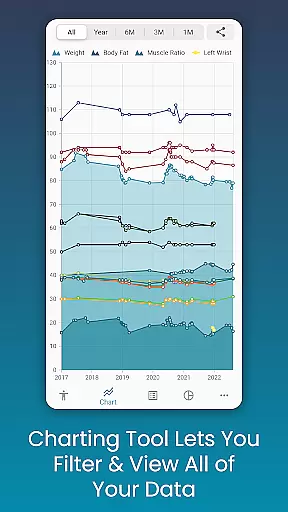
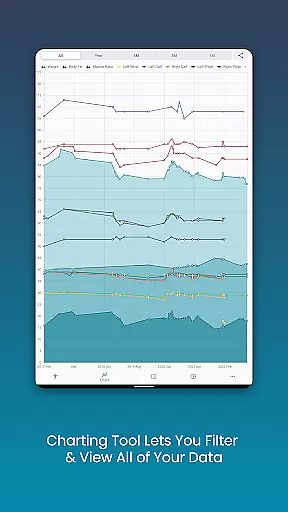
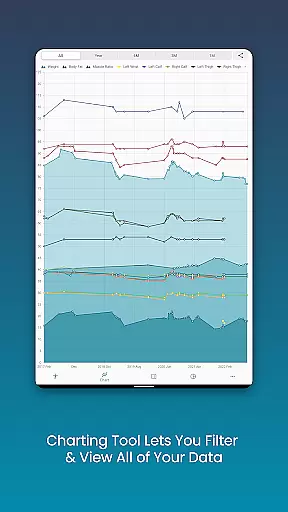
Another highlight is the app's chart analysis capability, offering a visual representation of the user's progress. Users can toggle different measurements on and off from the legend toolbar, stack lean mass, body fat, and muscle data, and export these charts as PNG images to share across platforms. This analytical approach empowers users to understand their fitness journey better.
Additionally, the app provides extensive customization options, enabling users to create custom length, weight, or percentage measurements and personalize chart colors. Coupled with data backup and restore functionality, Body Measurement Tracker ensures users have a reliable and adaptable tool for long-term health management.
Personalized planning in fitness applications refers to the ability to tailor workout and measurement plans according to individual user needs. Measure Up excels in this area by allowing users to add custom measurements for different body parts, set goals for weight loss or muscle gain, and track progress over time.
The app provides a comprehensive interface where users can quickly input their data using simple-to-use tools. By adjusting dates and utilizing built-in calculators like the body fat calculator, users can estimate and record changes efficiently. This personalized approach ensures that each user's plan is specifically suited to their fitness journey.
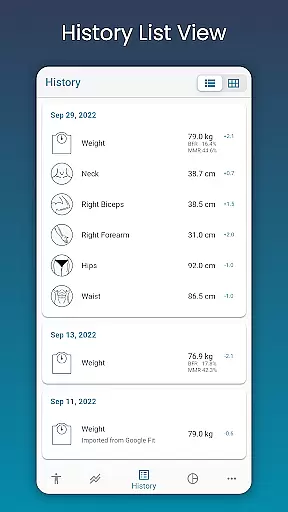
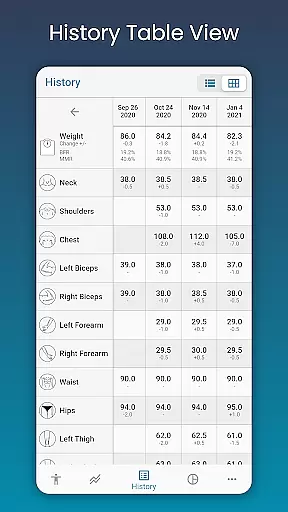
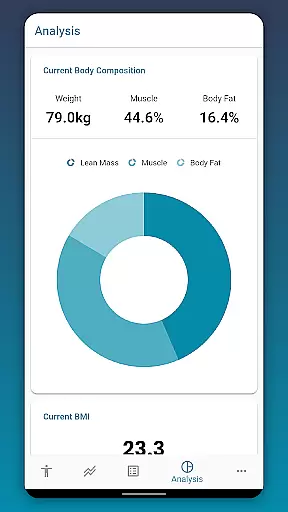
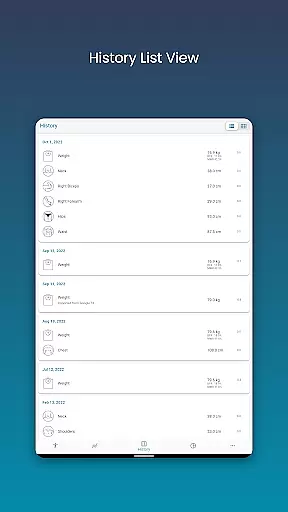
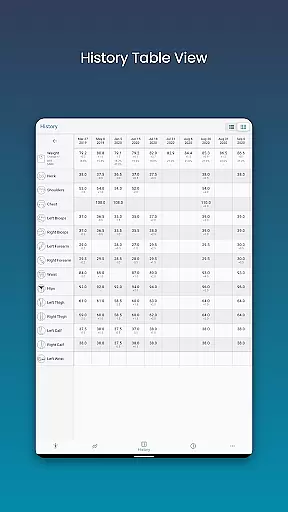
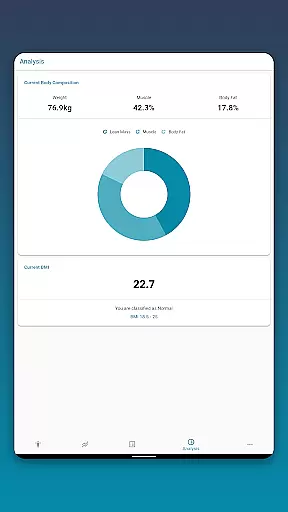
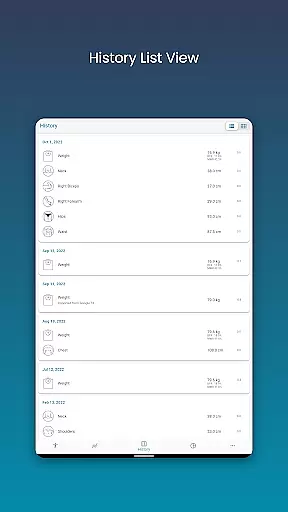
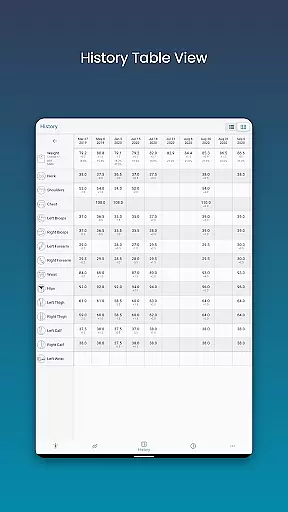
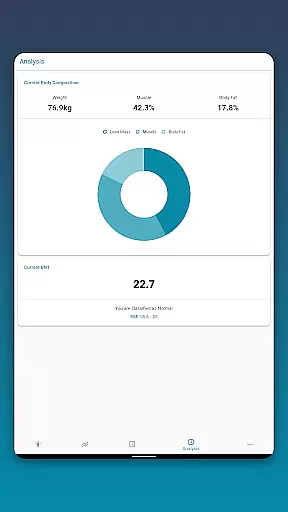
With features such as viewing body composition and BMI, users receive detailed insights into their progress. The app allows toggling between various viewsu2014chart, table, and listu2014to analyze data in ways that best suit individual preferences. This flexibility enhances the personalization aspect, making it easier for users to follow their unique paths.
Ultimately, personalized planning in Measure Up empowers users to take control of their fitness goals with tailored strategies that adapt as they progress, ensuring sustained motivation and measurable outcomes.
Progress visualization is crucial in health and fitness apps as it provides users with clear insights into their achievements and areas needing improvement. Measure Up offers robust visualization tools that allow users to view all their data in one spot through unique charts.
The appu2019s chart analysis feature lets users toggle different measurements on and off from the legend toolbar. This functionality helps create a clear picture of specific progress areas, such as lean mass, body fat, and muscle gain. Users can stack these metrics to understand how each contributes to overall fitness goals.
Measure Up supports exporting charts to PNG image format, enabling easy sharing via popular apps. This feature not only enhances user engagement but also serves as a motivational tool by providing tangible evidence of progress over time.
By offering multiple data viewsu2014chart, table, and listu2014users can choose the visualization method that works best for them. This variety ensures that progress tracking remains intuitive and accessible, encouraging consistent use and fostering long-term commitment to fitness objectives.
User-friendly interface
Comprehensive chart analysis
Customizable measurement options
Google Fit integration
Data backup and restore
Limited social features
No built-in workout plans
Premium features require subscription
Occasional syncing issues
Interface may feel outdated

Easy access to health benefits
 4.70
4.70
Your plan in your pocket 24/7
3.00
Live Heart Rate Pro - Real Time Heart & Workout Data For Wear OS & Bluetooth BLE
3.20
Power-lifting, weightlifting and Wendler 531 app to track your workout program.
4.90
Beauty Care, Makeup & Skin Care Scanner | Pregnancy App For A Mom | Healthy Baby
5.00
A brain game that moves you
4.70
The Crunch Mobile app - Find a gym, manage favorites, reserve & cancel classes.
4.60
Step Counter, track steps when you walk or run
4.70
Pilates, Calisthenics, Yoga
4.50
Easy reconstitution calc for mixing peptides and creating protocols
4.70
Walk. Earn: Get rewarded for every step! Walk, move, and earn real rewards.
4.70
The OFFICIAL Couch to 5K® running training app! A 9 week walk-run workout plan.
4.50
See what's really going on inside your head! Real time EEG graphs from your Muse
4.40
Your portable blood pressure tracker. Record, monitor, and analyze BP anytime.
4.30
Monitor, analyze, track, and convert blood sugar & help you control diabetes.
4.10
Pedometer that gives you sweatcoins for steps. It pays to walk!
4.10
Create powerful subliminal audio with custom affirmations and background music.
4.00
Find Paid Clinical Trials In Your Area
3.70
Sync your activities of the most popular sports tracking services
2.70


User Reviews