
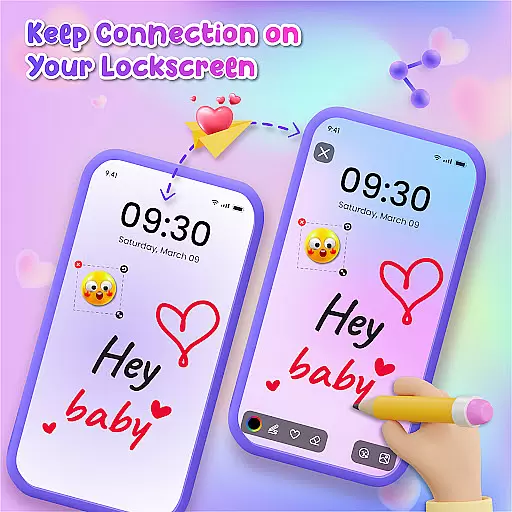
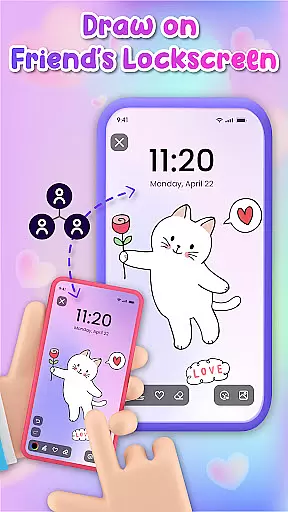
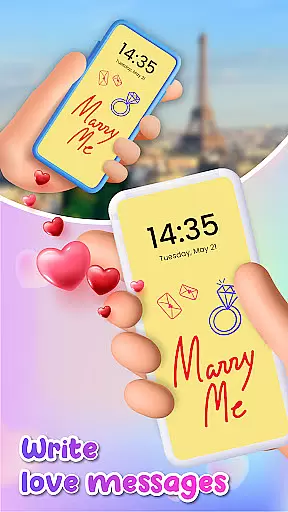
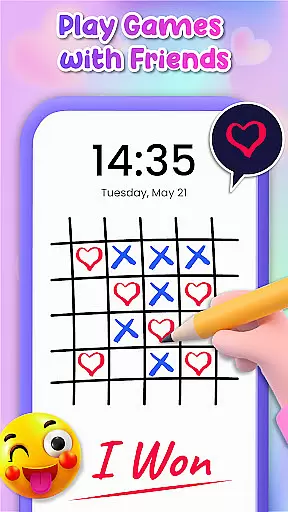
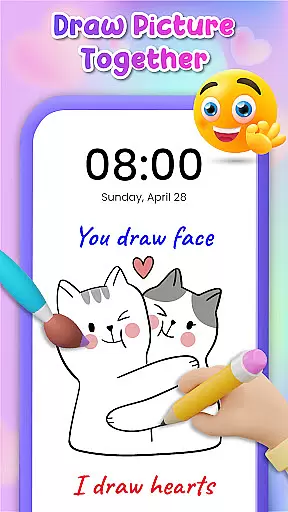
Lockscreen Drawing is a creative personalization app that transforms your phone's lock screen into an interactive canvas. This innovative tool allows users to draw directly on their lock screens, share creations instantly with friends, and collaborate in real-time.
The app offers multiple drawing options including lock screen doodling, widget art, and in-app canvas creation. With over 100 stickers and 20 themed backgrounds, it provides diverse ways to express creativity while maintaining strong social connectivity features.
Perfect for both casual fun and meaningful connections, Lockscreen Drawing enables couples and friends to exchange artistic messages and surprises, making daily phone interactions more engaging and personalized.
Lockscreen Drawing stands out with its unique live collaboration feature, allowing multiple users to draw simultaneously on their lock screens. The app supports various drawing modes including direct lock screen access, a convenient widget interface, and a full-featured in-app canvas.
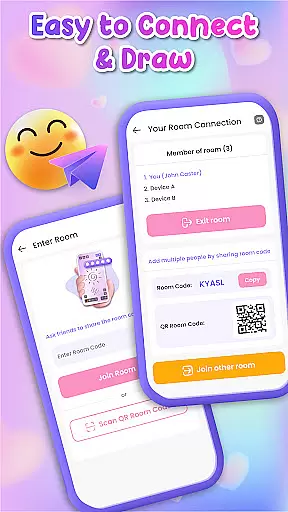
Users can choose from 20+ customizable backgrounds and utilize over 100 free stickers to enhance their creations. The app facilitates easy connection through QR codes, links, or special codes, while offering seamless content sharing and saving options.
Additional features include multi-platform synchronization, artwork preservation capabilities, and specialized tools for creating romantic or whimsical messages, making it ideal for both friendship and relationship building.
Lockscreen Drawing offers a rich array of customization options that allow users to express their creativity in unique ways. With over 100 stickers and more than 20 themed backgrounds, the app ensures that every user can find something that resonates with their personal style.
The ability to choose from various backgrounds or upload personal photos adds another layer of personal touch to each creation. This feature not only enhances the visual appeal but also makes every doodle deeply personal and meaningful.
Moreover, the app's support for live lock screen collaboration means users can share their customized creations with friends in real time. This fosters a sense of community and shared artistic expression, making customization not just an individual endeavor but a social one as well.
By providing such diverse customization options, Lockscreen Drawing empowers users to transform their device's lock screen into a dynamic canvas that reflects their personality and connects them with others through art.
Theme compatibility is at the heart of Lockscreen Drawing's design philosophy. The app seamlessly integrates with various themes, ensuring that users can maintain a cohesive look across their devices while enjoying the creative freedom it offers.
Whether you prefer a romantic, whimsical, or minimalist aesthetic, Lockscreen Drawing has a theme that will complement your style. This compatibility extends beyond just visual aesthetics; it encompasses functional elements like widgets that keep you connected to your friends' latest creations without disrupting your chosen theme.
Furthermore, the app's dedication to theme compatibility ensures that all features, from drawing tools to sticker options, are optimized for a smooth and visually pleasing experience. Users can switch between themes effortlessly, knowing that their creative workflow will remain uninterrupted.
This commitment to theme compatibility enhances user satisfaction by allowing for a personalized yet harmonious device experience, making Lockscreen Drawing a versatile tool for both personal expression and functional utility.
User-friendly interface
Real-time collaboration
Variety of creative tools
Strong social features
Free to use
Limited advanced tools
Occasional sync issues
Battery consumption
Storage requirements
Learning curve

Ultra realistic high quality analog watch face for Wear OS.
 4.60
4.60
3D, live, and moving wallpapers & themes in 4K and HD for your device.
4.50
Personalize your phone with stunning HD and 4K wallpapers!
4.70
100+ Stylish Fonts, Emojis, Symbols keyboard for Instagram & TikTok!
4.80
Unique Fonts, typefaces and stylish text. Fonts for Instagram, Whatsapp & others
4.20
Vibrant Adaptive Icons with Material You and Enhanced Monet Colors.
4.50
300+ Stunning and well-designed widgets inspired by NOTHING.
4.70
Handcrafted pixel art icons, widgets & wallpapers
4.60
Customize phone with anime themes, 3D icons, aesthetic widgets & wallpapers
4.80
A minimalist productivity launcher. One-hand-friendly. Zero ads.
4.70
Zip lock screen with magic wallpaper to decorate your phone with fun zipper lock
4.60
Customizable screen pets that play, climb, and keep you company.
4.50
Fingerprint Lock Screen & Live Animations with 4K Wallpapers as Live Wallpaper
4.40
Romantic Kiss Stickers App. Start romantic messaging now!
4.30
Your home screen, just the way you like it.
4.30
Organize and manage your photos and videos effortlessly with Photo Gallery
4.20
Magic fluids wallpaper 4D: Relax with stunning fluid simulation wallpaper app
4.20
Run multiple accounts of the same app on a single device
4.10
⭐ OneUI inspired Fluffy Icon Pack – Soft. Stylish. Standout. ⭐
4.5


User Reviews