
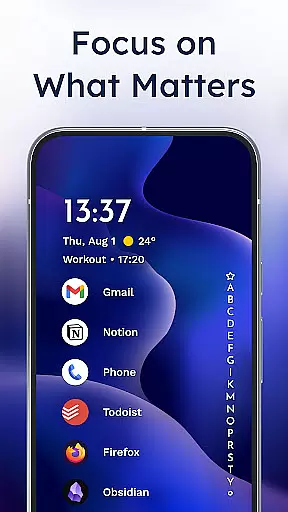
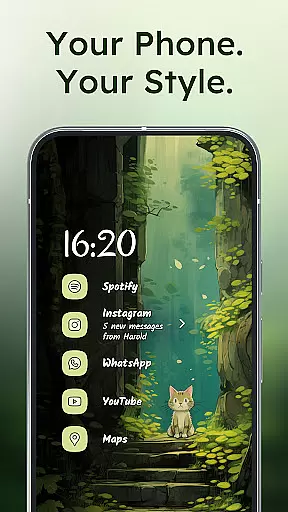
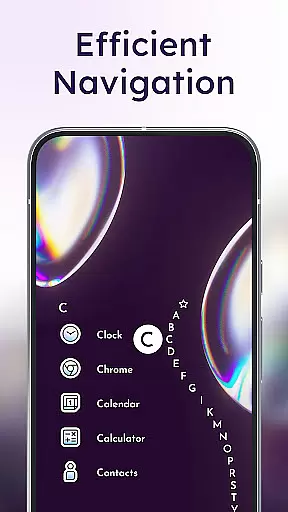
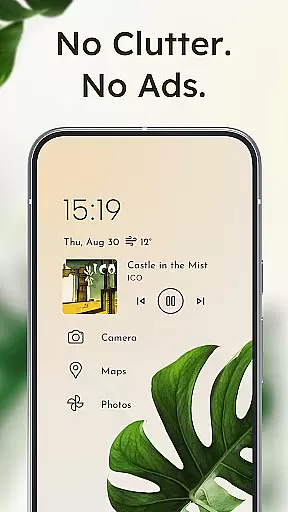
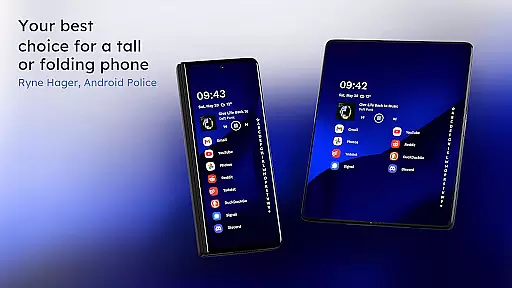
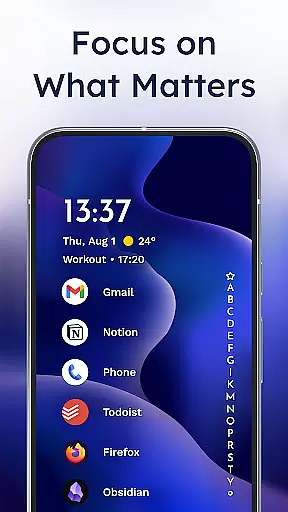
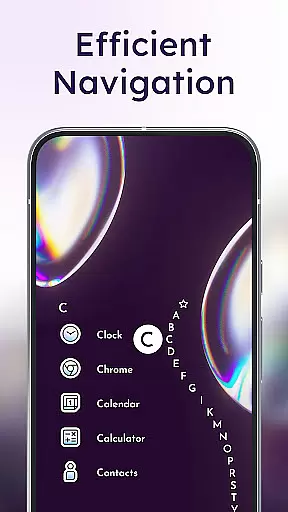
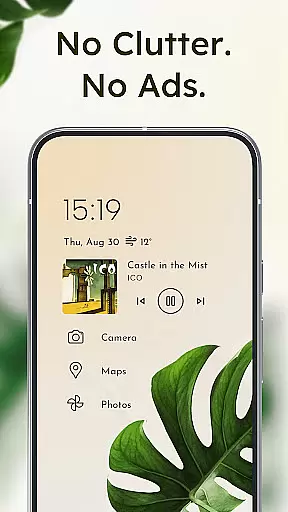
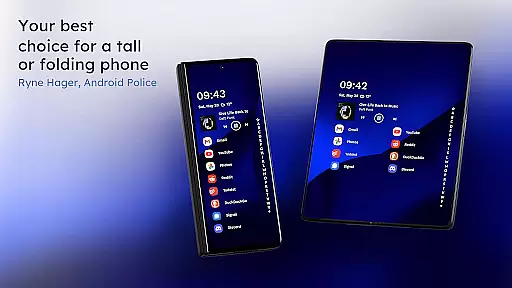
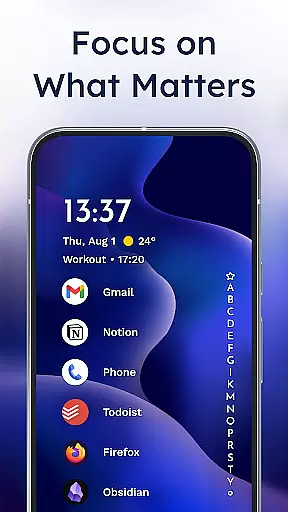
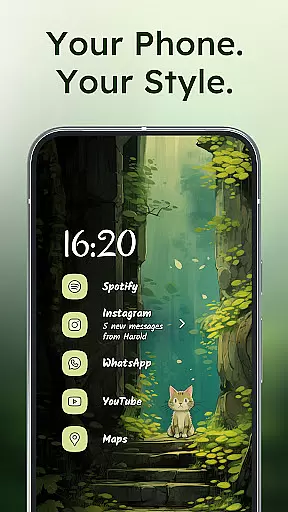
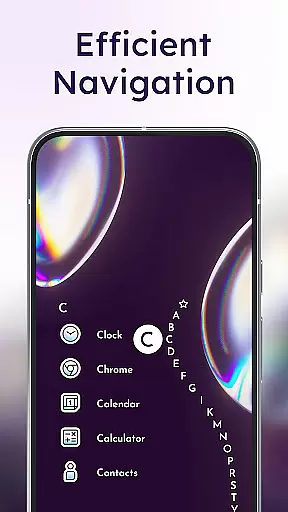
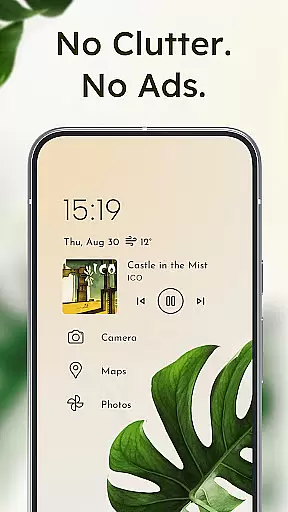
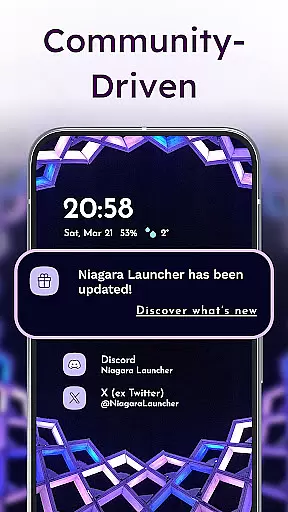
Niagara Launcher is a minimalist home screen app designed to make smartphone navigation efficient and distraction-free. It allows users to access all their apps with one hand, regardless of screen size, thanks to its unique wave alphabet feature. The launcher emphasizes simplicity, removing unnecessary visual clutter while maintaining essential functionality.
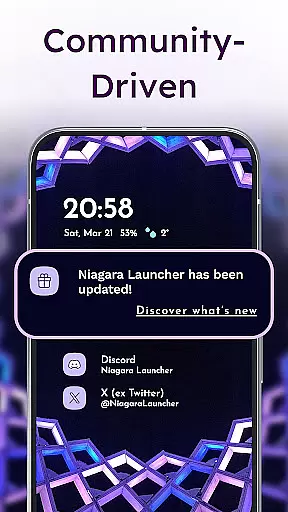
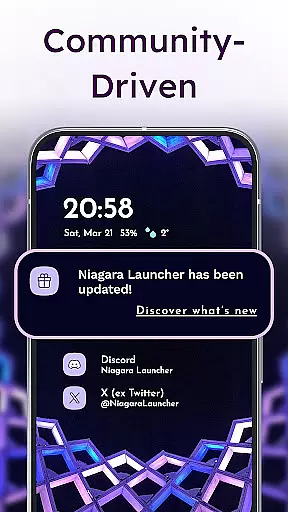
Key features include an adaptive list layout that dynamically displays important information like media controls and notifications, embedded notification management directly from the home screen, and full Material You theming support for personalized aesthetics. Niagara Launcher also stands out through its active development cycle and strong community engagement, ensuring continuous improvement and user support.
This launcher is especially useful for users who value productivity and clean design. By decluttering the home screen and providing smart accessibility options, it helps streamline daily phone usage while maintaining a modern and visually appealing interface.
Niagara Launcher offers several innovative features that set it apart from traditional launchers. Its hallmark is the wave alphabet navigation system, which lets users reach any app efficiently without needing an app drawer. This ergonomic design ensures single-handed operation even on larger devices, addressing modern smartphone usability challenges.
The adaptive list layout dynamically integrates functional elements such as media players, calendar events, and notifications into the home screen. Unlike rigid grid-based launchers, this approach creates a fluid and context-aware interface. Additionally, the launcher embeds notification management, allowing users to read and respond to messages directly from the home screen.
Customization is another strong suit; Niagara Launcher supports Material You theming, enabling users to personalize their experience with custom wallpapers, fonts, and icon packs. Despite these rich features, the app remains lightweight, occupying only a few megabytes, and runs smoothly across all Android versions. This combination of performance, personalization, and usability makes Niagara Launcher a compelling choice for those seeking a modern Android experience.
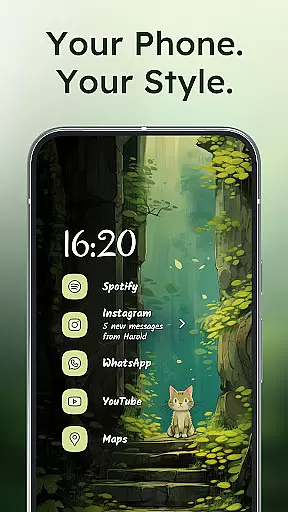
In today's digital age, personalizing your device is more important than ever. Niagara Launcher offers a wide array of customization options that allow users to tailor their home screen to fit their unique style and needs. With integrated icon packs, various fonts, and customizable wallpapers, the launcher provides an unmatched level of personalization.
One of the standout features of Niagara Launcher is its adoption of Material You Theming. This expressive design system makes your home screen truly yours by theming around any wallpaper you choose. Whether you prefer a minimalist look or something more vibrant and dynamic, Niagara Launcher adapts to your preferences seamlessly.
Moreover, the launcher allows for further personalization through its adaptive list layout. Unlike traditional grid layouts, Niagarau2019s approach ensures that essential elements like media controls, messages, or calendar events appear when needed. This flexibility not only enhances usability but also keeps the interface clean and focused on what matters most to you.
The ability to impress friends with a customized yet clean look sets Niagara Launcher apart from other launchers. By offering these diverse customization options, it empowers users to create a personalized and efficient home screen experience that declutters their digital life while reflecting their individuality.
Theme compatibility is crucial for users who want a cohesive and visually appealing device interface. Niagara Launcher excels in this area by ensuring seamless integration with various themes, thanks to its adoption of Material You Theming. This system allows the launcher to automatically adjust colors and styles based on the wallpaper you set, creating a harmonious visual experience across your device.
Niagara Launcher takes theme compatibility a step further by backporting Material You to all Android versions. This means that regardless of the device or Android version you are using, you can enjoy a modern and consistent look that enhances your overall user experience. Such inclusivity ensures every user benefits from top-notch theming capabilities without needing the latest hardware.
Beyond automatic theming, Niagara Launcher supports extensive manual customizations. Users can select from different icon packs, fonts, and wallpapers to fine-tune their home screens. These options ensure that whether you prefer a sleek professional appearance or something more playful and colorful, the launcher has you covered.
Ultimately, Niagara Launcheru2019s commitment to theme compatibility results in a highly adaptable and aesthetically pleasing home screen environment. By combining advanced theming technologies with user-driven customization features, it delivers a personalized and engaging experience that meets the diverse needs of its users.
One-handed usability
Adaptive list layout
Embedded notifications
Material You theming
Lightweight performance
Limited widget support
No default grid view
Fewer visual effects
Steeper learning curve
Less suited for tablets

A Colorful and Minimal icon pack in an Outline Style - Over 13,600 icons!
 4.70
4.70
Glass style colourful icons with a One UI look and feel
4.60
Sparkle your screen with Glitter Wallpapers For Girls and Cute Backgrounds!
4.80
100+ Stylish Fonts, Emojis, Symbols keyboard for Instagram & TikTok!
4.80
Unleash Your Creativity and Connect with Loved Ones with Lockscreen Drawing!
4.20
300+ widgets inspired by Material You and Material 3 expressive design.
4.60
Create unique, fun emojis with Funny Emoji Maker! Unlimited creativity!
4.00
Enjoy a variety of amazing live wallpapers and colorful EDGE lighting borders!
4.80
Amazing letter fonts in your messages and social statuses
4.70
Wallpaper HD 4K Live - Thousands of high-quality Anime backgrounds for you.
4.80
Bring adorable pets to life on your screen. Playful, interactive and full of fun
4.60
Want to make your phone more special than ever?
4.60
Stylish Pink Cute Hippo keyboard with 10000+ customized keyboard themes!
4.60 4.50
4.50
Color phone with cool effects for call screen, flash alert & ringtones music
4.50
Transform your device in a game console
4.40
Run multiple accounts of the same app on a single device
4.10
Interactive Miniature Painting Catalogue
3.30
Turn your lock screen into fun with smile live wallpapers & animated wallpapers!
2.50


User Reviews