
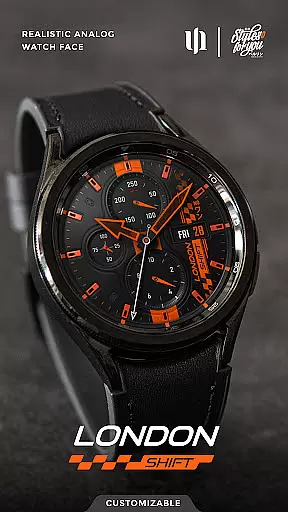
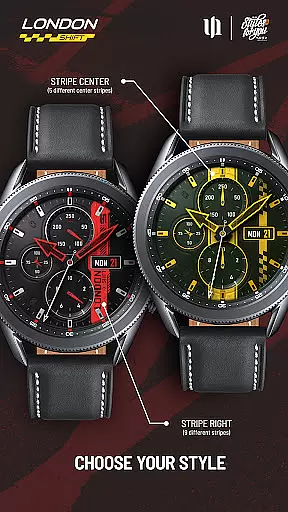
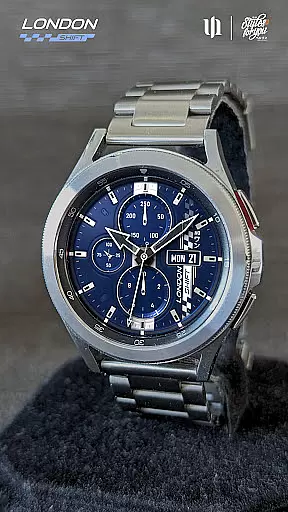
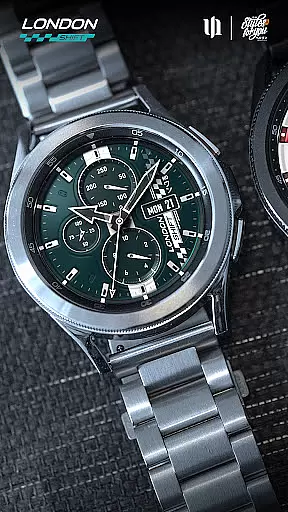
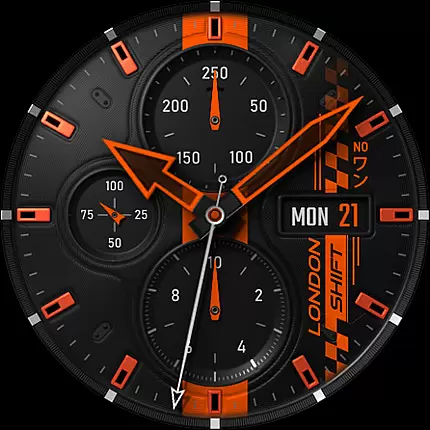
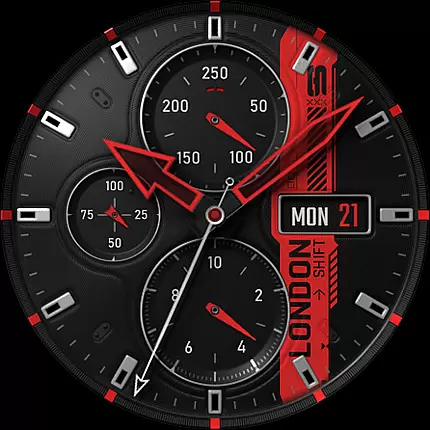
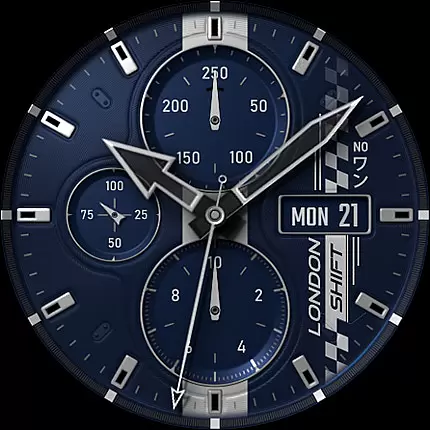
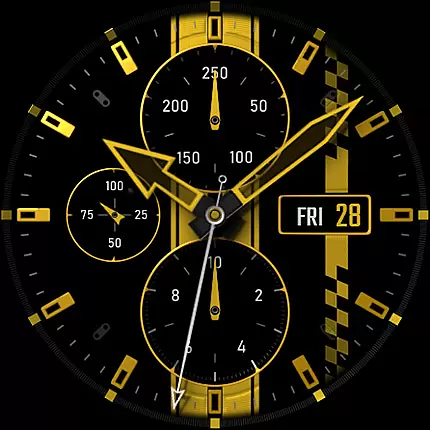
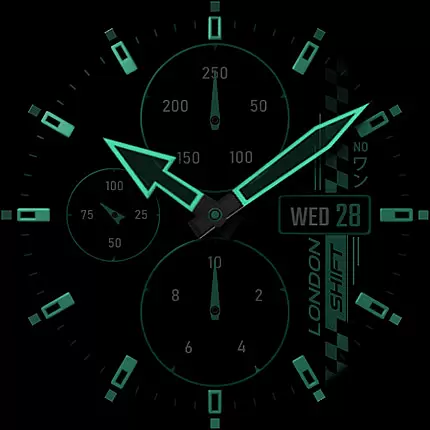
S4U Shift - Analog watch face is a premium Wear OS watch face designed for smartwatches running Wear OS 5 or higher. This highly customizable analog dial offers an ultra-realistic watch experience with its detailed 3D effect and massive color options.
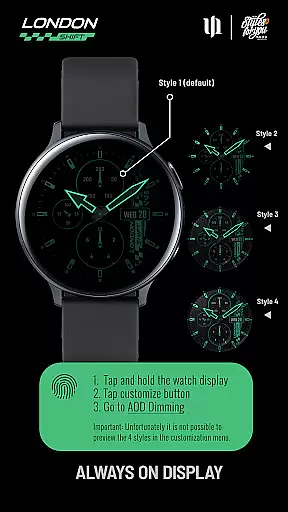
Key features include multiple display zones showing day, date, battery status, heart rate, and pedometer readings. The always-on display (AOD) provides four dimming options while supporting battery efficiency. With seven customizable shortcuts, users can access favorite widgets instantly.
Ideal for fitness enthusiasts and professionals who value both aesthetics and functionality, this watch face transforms your smartwatch into a sophisticated timepiece that mirrors the look and feel of a traditional analog watch.
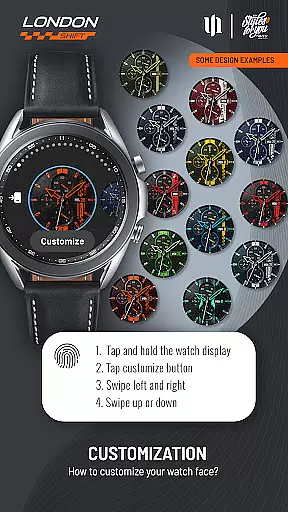
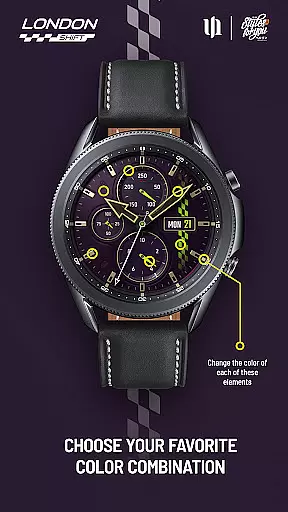
The S4U Shift watch face stands out with its extensive customization capabilities. Users can adjust colors across 13 different elements including background, hands, indexes, and dials border, offering thousands of possible combinations.
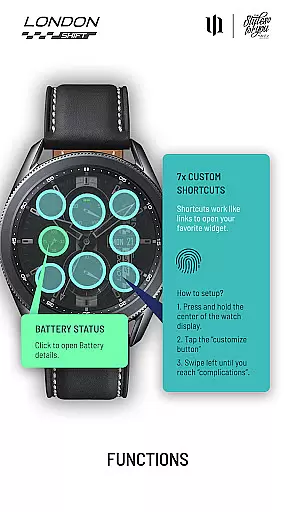
Practical functionalities are seamlessly integrated. The left display shows battery percentage with a clickable details option, while the bottom features an analog pedometer. Heart rate monitoring has been upgraded to automatic intervals through health settings.
Advanced usability features include seven customizable shortcuts for quick access to frequently used functions. The AOD synchronization ensures consistent appearance between active and standby modes, though preview limitations exist in the customization menu.
Customization is at the heart of the S4U Shift - Analog watch face, offering users an extensive range of personalization choices to tailor their smartwatch experience. With multiple color options available for various elements such as Background, Hands Main and Small, Indexes, Dials Border, and more, users can adjust nearly every visual aspect of the watch face.
The level of detail provided in customization allows for a unique blend that matches individual style preferences or mood. For instance, one could choose from 8 different background colors and pair it with any of the 9 hand styles for both main and small hands. This vast array ensures that no two watches need look alike unless desired.
Moreover, this app goes beyond mere aesthetics by providing functional customizations too. Users have access to 7 custom shortcuts which they can set up to reach their favorite widgets quickly. Such thoughtful features enhance not only the appearance but also usability, making daily interactions smoother and more efficient.
The S4U Shift - Analog watch face has been meticulously designed for seamless integration across compatible Wear OS devices. Ensuring theme compatibility means that regardless if you're using a Samsung Galaxy Watch series or Google Pixel Watch models, your chosen design will appear consistently stunning on all supported platforms.
This consistency extends into its Always-On Display (AOD) functionality where four dimming options are synchronized with normal viewing modes. Although previewing these AOD styles isn't possible within the customization menu itself, rest assured knowing each option maintains visual fidelity while conserving battery lifeu2014a testament to its adaptive theming prowess.
By prioritizing cross-device harmony without compromising performance or aesthetic appeal, S4U Shift guarantees users enjoy a cohesive wearable technology ecosystem. Whether adjusting color schemes or setting shortcut functionalities, expect uniformity in operation alongside striking visuals tailored perfectly for your wristwear companion.
Highly realistic analog design
Extensive customization options
Seven shortcut widgets available
Automatic heart rate monitoring
Professional aesthetic appeal
Wear OS specific compatibility
No AOD style preview
Limited to compatible devices
Premium price point
Complex setup for beginners

Vertically oriented rectangular icons
 4.70
4.70
Ultra realistic gold analog watch face with lots of customization options.
4.50
Wear Os Watch Face - Seasonal - Animated Snow Effect - 9 Animals
4.20
Make your phone look simple & luxury, like iDevice
4.60
Design your screen with unique, vibrant clocks
3.80
Icons made of colorful linear lines
4.60
Modern Glass Icon Pack with glossy icons, clean minimal theme & aesthetic style
4.2
350+ widgets with a premium glass-style finish, perfect for home & lock screens.
4.70
Custom ringtones songs, music ringtones for Android phones
4.60
Unique Android Launcher
4.60
Over 28,000 high quality icons to bring color & homogeneity to your phone.
4.60 4.50
4.50
Adult video chat, dating, making friends, random matching
4.20
Transfer your live wallpapers from Windows to Android using Wallpaper Engine!
4.00
Crystal-clear, square icon provides a sleek and sophisticated visual upgrade
4.00
Ultimate widget creator. Design custom widgets for a truly unique home screen!
3.90
Interactive Miniature Painting Catalogue
3.30
Turn your lock screen into fun with smile live wallpapers & animated wallpapers!
2.50
Capture moments that pass like a storm, second by second.
4.5


User Reviews