
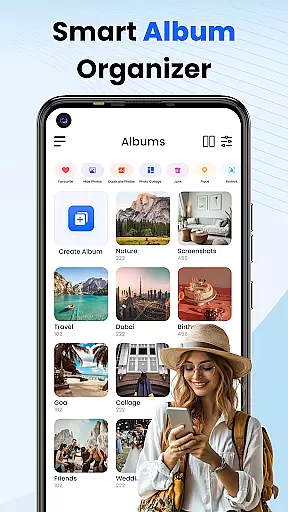
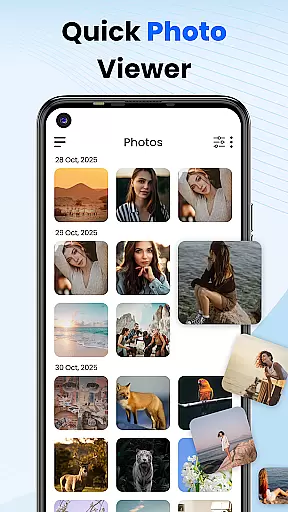
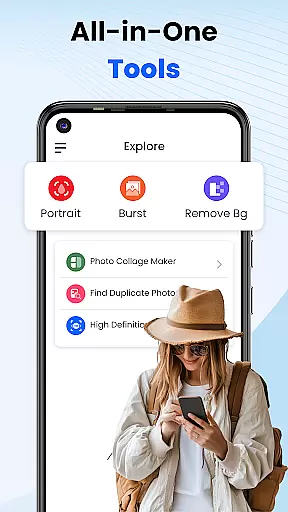
Gallery 2025 is a feature-rich photo management app designed to streamline the organization and enhancement of your photos and videos. With its smart organization tools, it automatically categorizes media by timeline, location, and path, making file management effortless. The app also supports easy copying and transferring of files to and from SD cards, ensuring seamless accessibility.
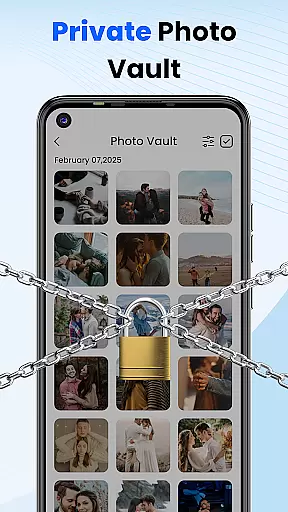
In addition to its organizational prowess, Gallery 2025 offers robust privacy features. Users can safeguard their private photos and videos in a secure vault, protected by a PIN, pattern, or security question. This ensures that sensitive media remains confidential. Whether you're looking to manage personal memories or confidential images, Gallery 2025 provides a comprehensive solution for all your photo management needs.
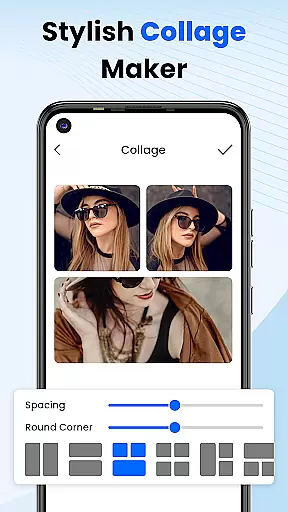
Gallery 2025 stands out with its powerful editing tools and customization options. The built-in photo editor allows users to enhance their pictures effortlessly, while the collage creation feature lets you design creative layouts for your photos. Additionally, the app supports video playback, providing an all-in-one media management experience.
The app's recovery options are another key feature, allowing users to restore accidentally deleted photos or videos from the recycle bin. Its lightweight design ensures smooth performance without compromising on functionality. From album locking to secure sharing, Gallery 2025 offers a full suite of features that cater to both casual users and photography enthusiasts alike.
Gallery 2025 offers a wide array of customization options that cater to the personal preferences of its users. The app allows for the automatic organization of photos and videos by timeline, location, and path, ensuring that your media library is always well-structured and easy to navigate.
In addition to smart organization, the app provides effortless search functionalities. Users can quickly locate specific photos or videos using powerful search features sorted by places or dates. This ensures that no matter how large your collection grows, finding a particular item remains quick and hassle-free.
For those who accidentally delete their media, Gallery 2025 includes recovery options. The recycle bin feature allows users to easily recover deleted photos and videos, providing peace of mind and protection against accidental loss.
Overall, these customization options not only enhance user experience but also ensure that personal media management is both flexible and secure, giving users control over their digital memories.
Theme compatibility in Gallery 2025 ensures that users can enjoy a personalized and visually consistent experience across their devices. With a lightweight design, the app offers full functionality including album locking, photo editing, collage creation, and video playback without compromising on performance.
The Private Vault feature adds an extra layer of security by safeguarding confidential media with a numeric PIN, pattern, or security question. This ensures that sensitive content remains private while maintaining seamless integration with the app's overall aesthetic.
Gallery Lock further enhances theme compatibility by securing personal images and videos with a password or pattern. This means that users can protect their media while still enjoying a cohesive look and feel throughout the application.
By combining robust security features with customizable themes, Gallery 2025 delivers a unique blend of privacy and personalization, making it the ultimate tool for managing and organizing your digital life.
User-friendly interface
Advanced privacy protection
Comprehensive editing tools
Efficient file management
Reliable recovery options
Limited cloud integration
Occasional performance lags
Ads in free version
Complex settings for beginners
Frequent update prompts

Glass style colourful icons with a One UI look and feel
 4.60
4.60
Transform your phone with Launcher iOS 26 - Smooth & elegant iOS experience
4.50
Bring adorable pets to life on your screen. Playful, interactive and full of fun
4.60
Transfer your live wallpapers from Windows to Android using Wallpaper Engine!
4.00
Romantic Kiss Stickers App. Start romantic messaging now!
4.30
Turn text & photos into stunning AI videos, art, and creative visual stories.
4.50
Stylish Pink Cute Hippo keyboard with 10000+ customized keyboard themes!
4.60
Transform your phone with stunning video wallpapers and a unique, personal touch
3.80
Customize phone with anime themes, 3D icons, aesthetic widgets & wallpapers
4.80
Enjoy a variety of amazing live wallpapers and colorful EDGE lighting borders!
4.80
A Colorful and Minimal icon pack in an Outline Style - Over 13,600 icons!
4.70
Unique Android Launcher
4.60
Ultimate Gallery Lock App - Hide Pictures, Videos and Lock Apps Instantly!
4.60
Vibrant Adaptive Icons with Material You and Enhanced Monet Colors.
4.50
Adult video chat, dating, making friends, random matching
4.20 4.10
4.10
Customizable flower power digital watch face for Wear OS watches.
4.00
Emoji Maker app - Design custom emojis and effortlessly blend them with Mixer
3.80
Struggling to find apps? Use this app to locate and open any app on your phone!
2.20


User Reviews