
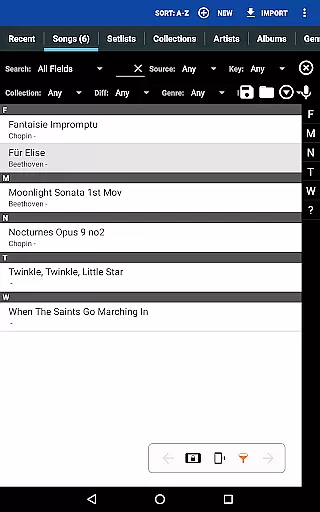
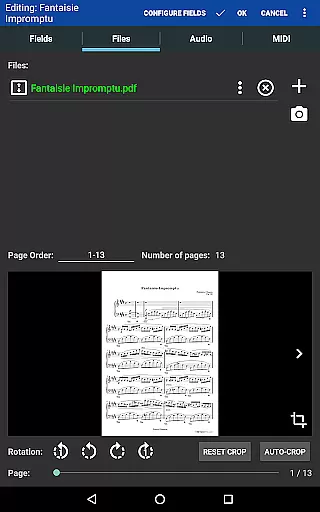
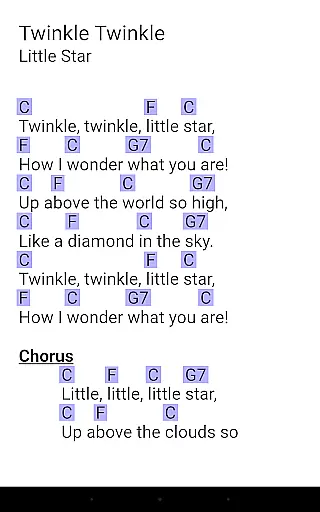
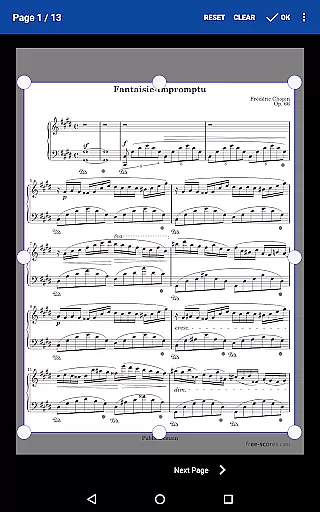
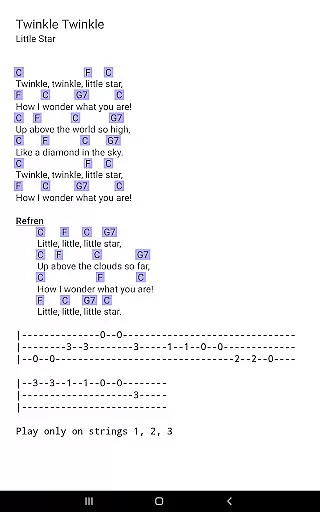
MobileSheets is a premier sheet music viewer designed specifically for Android tablets, offering musicians an efficient and versatile solution to manage their music library. This application eliminates the need for physical sheet music by providing instant access to any score within its digital library. With support for multiple file types including PDFs, images, and chord pro files, MobileSheets ensures compatibility with a wide range of musical scores.
Beyond basic viewing, MobileSheets boasts a suite of advanced features tailored for musicians. These include hands-free page turning via Bluetooth or USB devices, automatic scrolling, and even face gesture controls. The app also supports annotations, custom audio playback with A-B looping, and MIDI device communication, making it an indispensable tool for practice and performance.
Ideal for both amateur and professional musicians, MobileSheets enhances productivity and convenience. Its powerful library management system, combined with setlists, collections, and metadata support, allows users to organize their music efficiently. Whether preparing for a concert or practicing daily, MobileSheets provides a seamless experience that transforms how musicians interact with their sheet music.
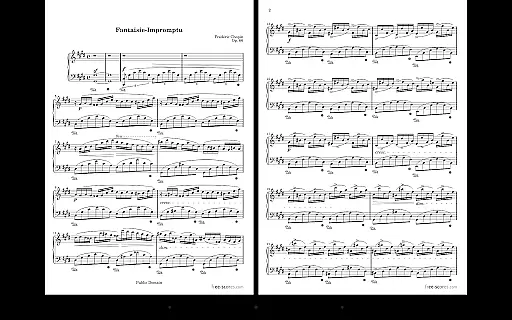
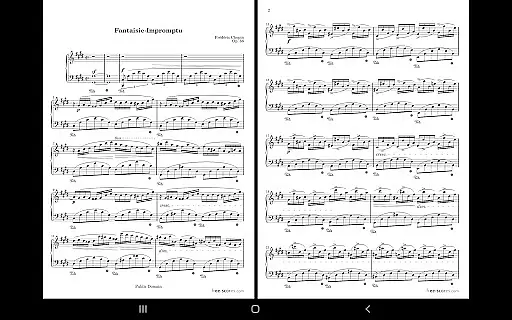
MobileSheets stands out with its comprehensive feature set designed to meet the diverse needs of musicians. One of its core strengths is the multiple modes of operation, which include side-by-side pages, half-page turns, and vertically scrolling pages. This flexibility ensures optimal readability and comfort during performances or practice sessions.
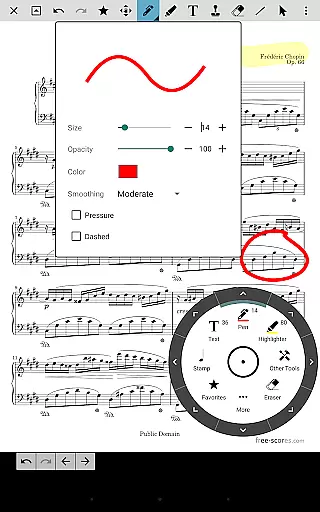
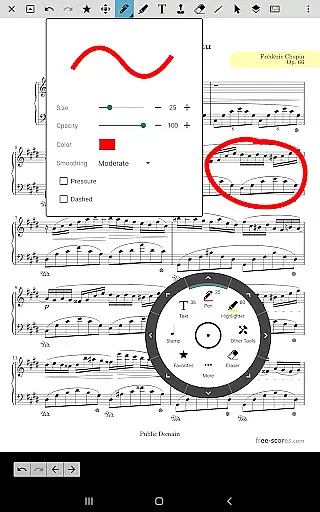
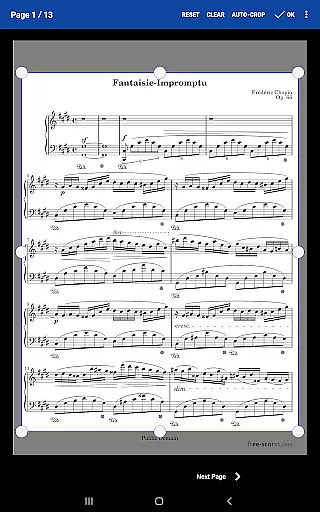
The app's annotation capabilities are particularly robust, supporting freeform drawing, shapes, text, and stamps. This allows musicians to mark up their scores just as they would with traditional sheet music. Additionally, the built-in metronome with various display modes and sound effects, along with smart buttons for triggering actions, enhances the practice experience.
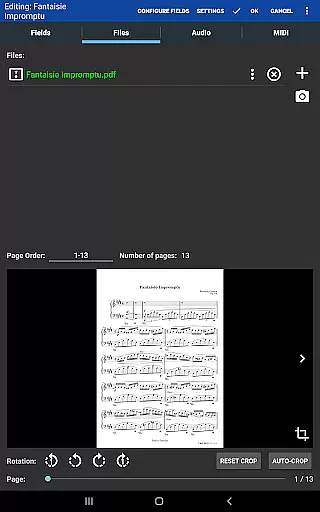
MobileSheets excels in organization and accessibility. Users can create custom page orders, bookmarks, and link points for easy navigation through complex scores. The app's support for setlists and collections, combined with its companion PC application for creating and editing songs, makes managing large music libraries effortless. These features collectively provide a level of control and efficiency unmatched by other sheet music viewers.
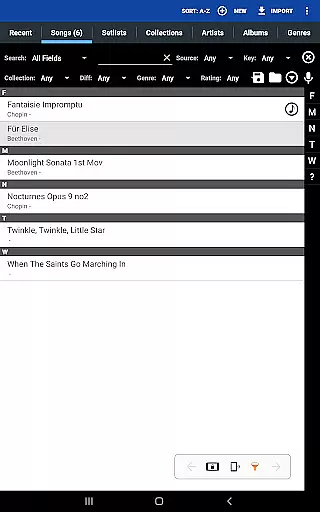
MobileSheets offers an extensive music library management system that allows musicians to store and organize a wide variety of file types including PDFs, images, text files, and chord pro files. This ensures that users can access a vast collection of sheet music and audio tracks directly from their Android tablets.
The application supports importing CSV index files to break up large PDF songbooks, making it easier for musicians to manage extensive collections. With the ability to handle multiple file formats and advanced library management features, MobileSheets provides a comprehensive solution for maintaining a diverse and rich music library.
Regarding copyright authenticity, MobileSheets respects intellectual property rights by allowing users to import only legally acquired sheet music and audio files. The app does not include any pre-loaded content, ensuring that all materials are provided by the users themselves, thus maintaining copyright compliance.
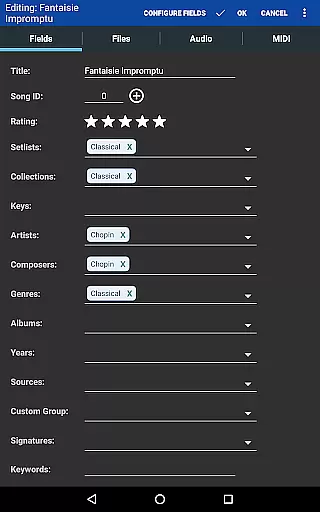
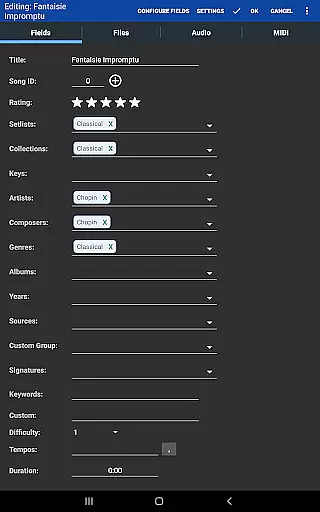
By offering powerful metadata fields and customizable organization options, MobileSheets empowers musicians to curate their libraries with precision and ease. This functionality not only enhances accessibility but also ensures that users maintain a legitimate and personalized music repository.
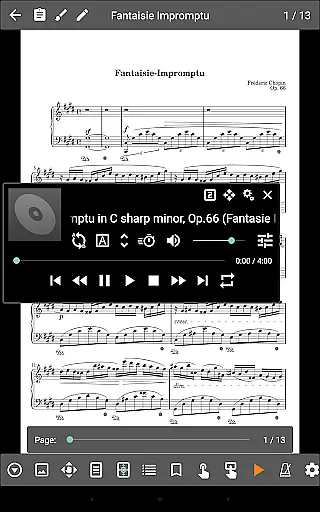
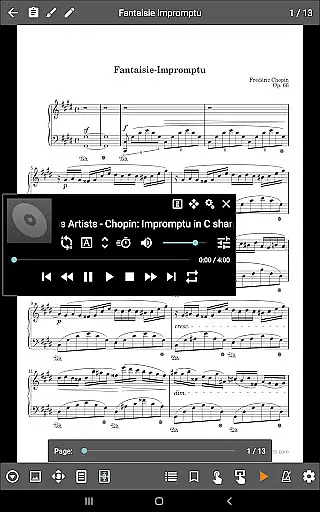
MobileSheets includes a custom audio player designed specifically for musicians who need high-quality playback of audio tracks alongside their sheet music. The player supports a-b looping, which is essential for practice sessions where musicians need to repeat specific sections of a track.
With multiple display sizes for the audio player, users can adjust the interface to suit their preferences and device screens. This flexibility ensures that musicians can focus on their performance without being distracted by inadequate or cluttered visuals.
While MobileSheets does not play back PDFs, images, or text/chord pro files, its dedicated audio capabilities guarantee that accompanying tracks are reproduced with clarity and precision. This separation of audio and visual content maintains optimal performance and reliability.
Overall, MobileSheets' audio features provide musicians with the tools they need to enhance their practice routines and performances. By focusing on quality and user control, the application ensures that audio playback is both professional-grade and highly customizable.
User-friendly interface
Extensive file compatibility
Powerful annotation tools
Versatile page-turning options
Comprehensive library management
No built-in playback for PDFs
Requires manual file organization
Limited free features
Device-specific optimizations
Separate e-ink version needed

Remove ads permanently from Music Visualizer
 4.0
4.0
Simple & Intuitive Metronome
4.70
Ultimate Sonos Controller
4.70
The best music and audio player, with beautiful UI, music search and equalizer.
4.60
A sleek, no-frills player designed for true music lovers.
4.20
Play your hearts out on TouchTunes jukeboxes & connect with fellow music lovers.
4.80
Learn and play 2M+ music tabs & chords on guitar, ukulele, bass, and more
4.30
Get alarms that fit your lifestyle and wake up to the sounds you love.
4.80
Customize Your Favorite Songs and Videos with booster.
4.70
24,000 free audio books and no ads!
4.90
Make songs with AI! Any genre, custom lyric, song generator for music creation!
4.80
Listen to live FM radio stations, sports, music and news on global radios online
4.70
Recording studio w/ 10k beats, pro vocal FX and a network of 20M rappers & fans!
4.60
Let your Android device with the sound effects you want
4.50
Advanced 10-Band Audio Graphic Equalizer Sound Booster Pro
4.30
Powerful 10-Band equalizer pro with sound booster improves Android audio quality
4.30
A High-Precision Audio Spectrum Analysis App
4.20
The ultimate media player for Android devices
3.90
Offline Tunes, Unlimited Vibes
3.90


User Reviews