
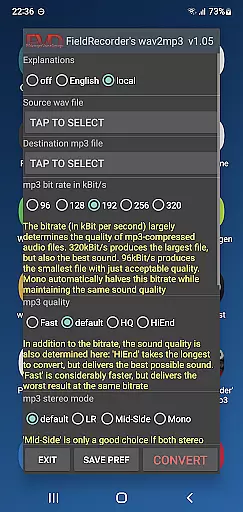
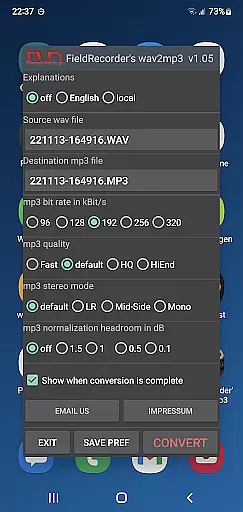
FieldRecorder's wav2mp3 is a streamlined audio conversion tool designed specifically for users who need to convert WAV files to MP3 format without any hassle. The app eliminates common frustrations such as intrusive ads, rating prompts, and confusing options that often clutter similar applications. With its minimalist one-screen interface, users can effortlessly select source and destination files and initiate the conversion process with a single tap.
What sets this app apart is its commitment to user privacy and efficiency. It operates without collecting user data, contacting external servers, or embedding hidden spyware. Its compact download size of under 1.3MB reflects the developers' dedication to native code optimization, making it significantly lighter than comparable apps which average around 20MB. Additionally, the app offers seamless integration with 'Field Recorder,' allowing for invisible remote control functionality when used together.
This app is ideal for professionals and casual users alike who prioritize simplicity, speed, and security in their audio conversion tasks. Whether you're managing large volumes of audio files or simply converting one file at a time, FieldRecorder's wav2mp3 ensures an intuitive and reliable experience.
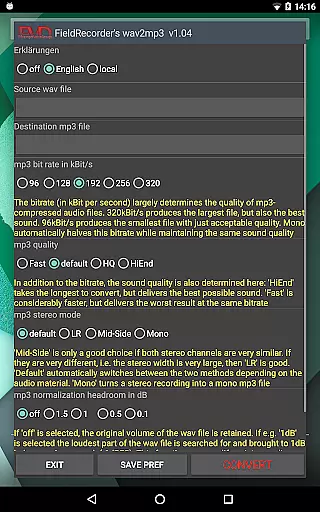
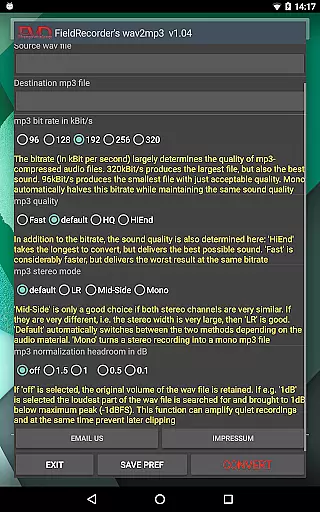
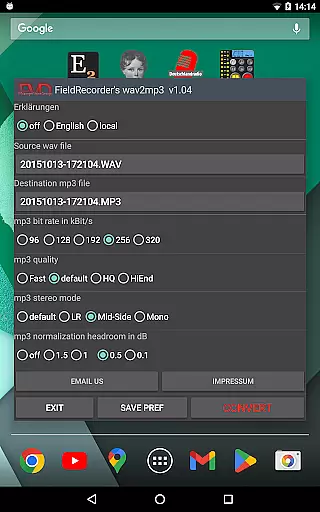
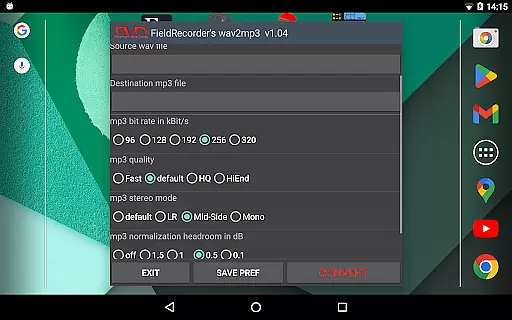
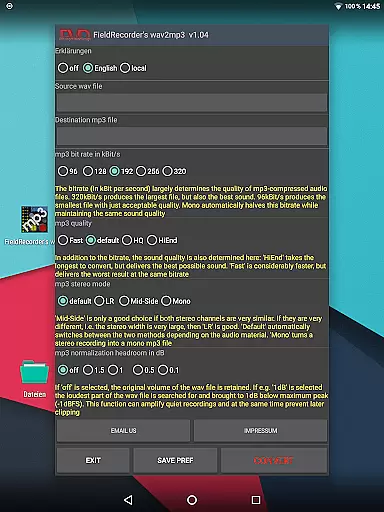
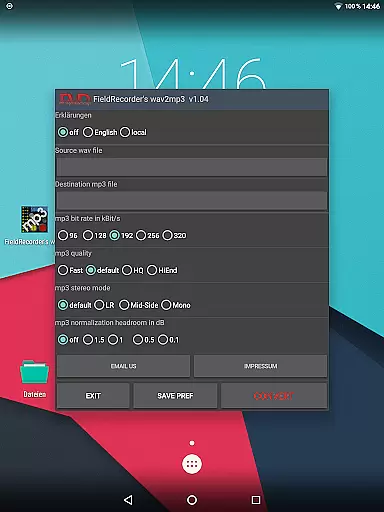
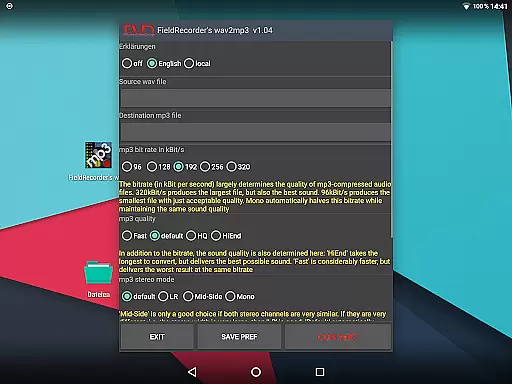
FieldRecorder's wav2mp3 stands out due to its array of practical features tailored for efficient audio file conversions. One notable feature is the ability to customize various encoding parameters according to your specific needs. Users can choose from five preset bit rates, specify stereo modes (LR, Mid-Side, Default), and adjust complexity settings to balance between conversion speed and sound quality.
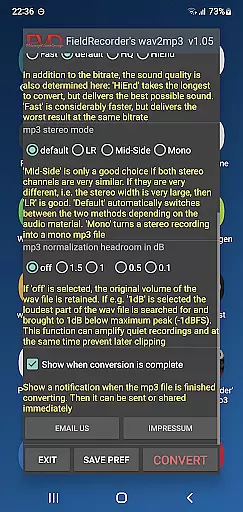
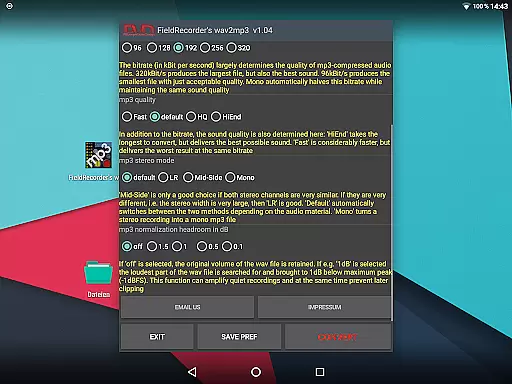
The app also provides flexible options for handling audio levels during conversion. You have the choice to maintain the original volume or maximize it while ensuring no clipping occurs by setting decibel thresholds below full level. Furthermore, explanatory texts within the app can be displayed in multiple languages or hidden entirely based on user preference.
Additional conveniences include automatic notifications upon completion of the conversion process, enabling immediate sharing or further processing of the resulting MP3 file. These features collectively ensure that FieldRecorder's wav2mp3 delivers both versatility and ease-of-use, catering to a wide range of user requirements in the music and audio domain.
FieldRecorder's wav2mp3 may not boast an extensive music library, but it excels in providing a streamlined and efficient conversion process from WAV to MP3 formats. This app focuses on quality rather than quantity, ensuring that each file you convert retains its audio integrity and is free from any copyright infringements.
The application does not collect data or bombard users with ads, which speaks volumes about its commitment to user privacy and authentic content creation. The developers have ensured that the app remains lightweight, under 1.3MB in download size, while still delivering powerful functionality without unnecessary bloat.
Users can rest assured that their converted files are safe for personal and professional use, thanks to the absence of hidden fees or data mining practices. With FieldRecorder's wav2mp3, you receive clear error messages when issues arise, allowing for quick resolution and reliable performance.
When it comes to audio quality options, FieldRecorder's wav2mp3 offers a range of customizable settings that cater to audiophiles and casual users alike. You have the ability to choose from five common bit rates, which effectively halve in mono mode, giving you control over the balance between file size and sound fidelity.
The app allows you to determine the complexity of the MP3 encoding process. By selecting higher complexity levels, you can achieve better sound results, albeit with increased conversion time. This feature ensures that your audio files meet your exacting standards and preferences.
Stereo mode selection further enhances the audio output by letting you decide how channels are encoded. Whether you opt for separate channel encoding or a combined approach, the app adapts to your needs. Additionally, volume normalization features help prevent clipping, maintaining a consistent listening experience across all converted tracks.
User-friendly interface
No ads or data collection
Compact download size
Customizable encoding options
Seamless integration with Field Recorder
Limited advanced features
No batch processing
Basic UI design
Fewer language options
Requires manual updates

JBL PartyBox APP works with 110/310/710/120/320/520/Encore/Encore 2/Encore Ess 2
 4.80
4.80
Save hundreds of dollars for a physical strobe tuner and instead use this app.
4.50
Ultimate Sonos Controller
4.70
The best music and audio player, with beautiful UI, music search and equalizer.
4.60
Record, Mix & Master with all n-Track effects, 64-bit audio and Stem Separation.
4.70
Super Sound Editor, Song Maker & Mixer, Vocal Remover, Voice Recorder & Changer!
4.60
Make songs with AI! Any genre, custom lyric, song generator for music creation!
4.80
The official Sonos app
4.10
A complete sound package for the sound engineer or enthusiast
4.60
Performance-Synthesizer & Multi-Track-Sequencer, polyphonic + multi timbral!
4.70
Walkout Song DJ is the most intuitive app to manage your sports music.
4.70
DJ Music Mixer - DJ Remix: remix songs, make beat music & record mix of DJ.
4.40
Your HD audio recorder on the go for music, meetings, ambience, animal sounds…
4.30
The Music Journey in Your Hands
4.30
Advanced 10-Band Audio Graphic Equalizer Sound Booster Pro
4.30
Bass Booster Pro takes auto-equalizing to the next level!
4.30
No wifi music app. Mp3 offline. Tuner radio, young radio music. Music downloader
4.20
Slow music down without changing pitch.
3.70
The Skullcandy App Experience
3.20


User Reviews