

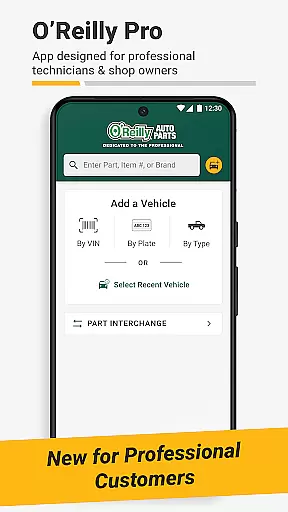
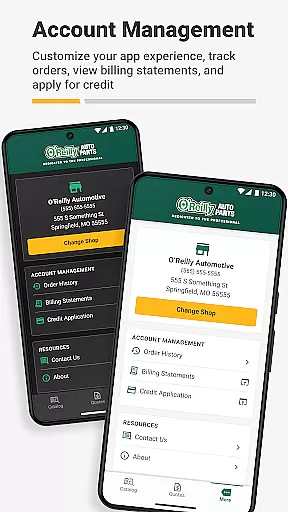
O'Reilly Pro is a comprehensive mobile solution tailored for automotive repair professionals, streamlining parts management and vehicle service operations. The app offers efficient tools like VIN scanning and license plate decoding, enabling quick identification of vehicles and accurate parts ordering.
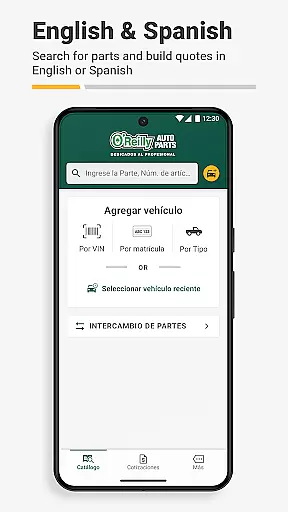
With support for both English and Spanish languages, users can toggle between preferences effortlessly. Its interchange feature allows cross-referencing part numbers from OEMs or other brands, ensuring precision in every job. Additionally, the app provides seamless order placement and tracking, professional quotes, and robust customer support, making it an indispensable tool for auto repair businesses.
The O'Reilly Pro app boasts a variety of advanced features designed to enhance productivity for automotive professionals. One standout capability is its dual-language support, automatically aligning with the user's phone settings while allowing manual toggling via the 'More' tab. This ensures accessibility and convenience for a broader audience.
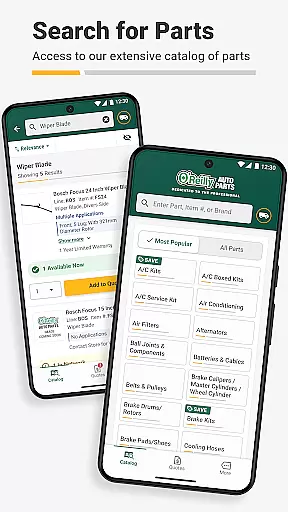
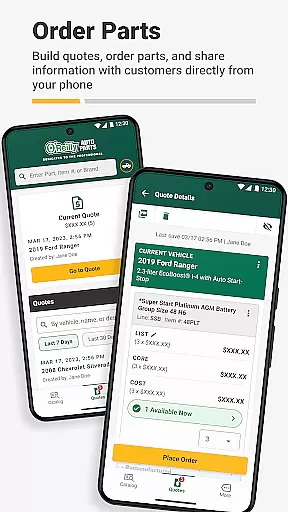
Its powerful parts lookup system supports keyword and part number searches, alongside an intuitive catalog navigation. The app also integrates real-time inventory checks and syncs data across devices, empowering users to manage orders efficiently. Furthermore, features like quote generation via text or email help minimize delays, improving overall customer service and operational efficiency.
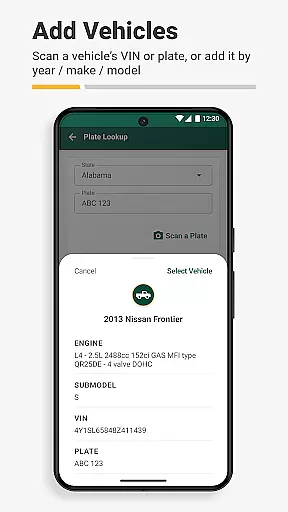
Access to detailed vehicle information is crucial for automotive professionals who need to ensure they are ordering the correct parts and servicing vehicles accurately. The O'Reilly Pro app excels in this area by offering efficient tools such as a VIN scanner and license plate decoder.
These features allow users to quickly decode comprehensive vehicle details, which aids in ordering parts with precision. By simplifying the identification process, mechanics and shop owners can focus more on their core tasks without wasting time on manual lookups or guesswork.
The app's seamless integration with desktop systems further enhances its utility, enabling users to sync decoded data across platforms. This ensures that all team members have access to the same accurate vehicle information, improving collaboration and service quality.
Ultimately, the ability to swiftly and accurately identify vehicles translates into faster service times and increased customer satisfaction, giving users of the O'Reilly Pro app a competitive edge in the auto repair industry.
Price transparency is essential for automotive repair professionals who must manage costs effectively while providing high-quality service. The O'Reilly Pro app addresses this need by offering clear visibility into part pricing and availability.
Through its intuitive interface, users can easily search for parts using keywords or part numbers and view real-time inventory data. This ensures that professionals always know the cost of parts upfront, allowing them to make informed purchasing decisions.
In addition to displaying prices, the app provides insights into local store, hub, and distribution center stock levels along with delivery times. This level of transparency helps businesses plan their work schedules and manage customer expectations more effectively.
By empowering users with accurate pricing and availability information, the O'Reilly Pro app enables automotive professionals to maintain profitability while delivering exceptional service to their clients.
User-friendly interface
Real-time inventory access
Efficient VIN scanner
Dual-language support
Professional customer support
Limited to auto parts
Account setup required
No offline functionality
Region-specific availability
Premium feature costs

On the CarShield app, you can view contracts, make payments, & request roadside.
 4.40
4.40
Practice the drills within MotoJitsu Master Riding Program Volume 1 & 2!
4.80
App Mirroring for Tesla Car's Browser
2.80
CVT diagnostics with ELM327 for Nissan-based vehicles
4.40
DMV Test Pro offers all the updated FREE DMV tests online.
4.60
Discover new and used cars in Syria easily! Browse ads and connect with sellers.
3.70
Boost profits and hit your goals faster with GigU's amazing tools for gigworkers
4.00
Shop cars & see your financing
4.60
Your go-to app for car, truck & SUV parts, DIY tools, and expert repair help.
4.70
Get more out of your AAWireless adapter with this companion app | aawireless.io
4.80
The ExtraMile App allows you to pay for fuel from the comfort of your car!
4.70
1M+ high-quality auto parts at your fingertips. Fitment guaranteed.
4.70
Quick and easy car diagnostics to get you the right fix.
4.70
OBDII - ELM327 Terminal tool for 96-00 Volvos
4.50
Launcher for use in the car
4.40
A smarter way to park and reserve your spot ahead of time.
4.40
AI Powered - Automotive Mechanic Assistant
4.30
Monitor your behind-the-wheel behavior to become a safer driver and save.
4.10
By enthusiasts, for enthusiasts
4.00


User Reviews