
PDF Reader is a versatile business application designed to streamline document management for professionals on the go. This app allows users to view, manage, and share PDF files with ease, making it an essential tool for anyone dealing with digital documents in a professional setting.
The app features a sleek and intuitive interface that simplifies navigation and enhances productivity. Whether you need quick access to important contracts or want to organize multiple PDFs efficiently, this app provides all the necessary tools. Its compatibility with various document formats including Doc, PDF, PPT, and Excel ensures seamless integration into your existing workflow.
With its robust functionality, PDF Reader is particularly useful for business travelers and remote workers who require reliable access to their documents anytime, anywhere. The ability to share files effortlessly further enhances collaboration among team members, making it an indispensable asset for modern businesses.
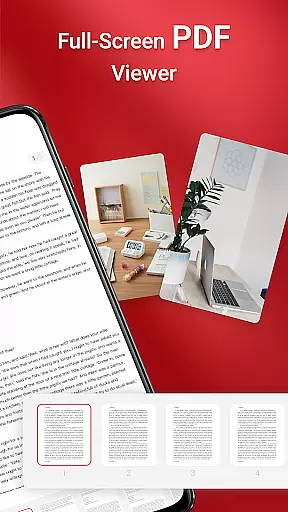
PDF Reader stands out with its comprehensive set of features tailored for business professionals. One of the key highlights is the one-click PDF reading capability, which allows users to open and view documents instantly without any hassle. This feature is complemented by the app's ability to access all PDF files stored on your device, ensuring that no document is out of reach.
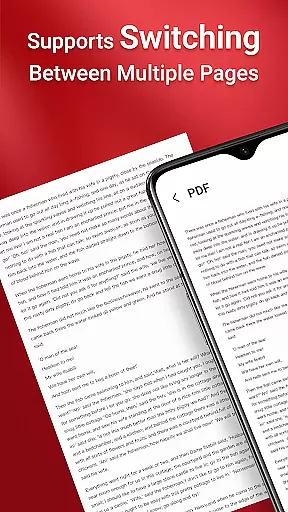
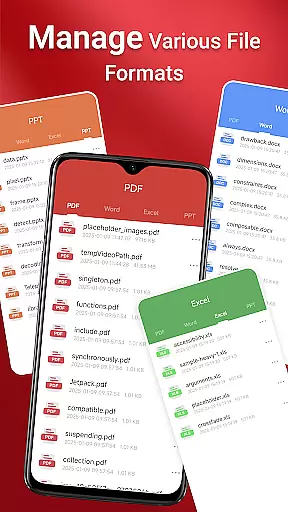
In addition to handling PDFs, the app supports various document types such as Doc, PDF, PPT, and Excel, providing a unified solution for all your document needs. The quick page navigation feature enables smooth and efficient reading, allowing users to jump between pages effortlessly. These capabilities are further enhanced by the app's seamless sharing functionality, which facilitates easy collaboration with colleagues and clients.
For users on Android 11 and later, the app requires MANAGE_EXTERNAL_STORAGE permission to ensure full access to files across different folders and storage locations. This permission is crucial for performing background operations and managing documents reliably, even when offline. Such features make PDF Reader a powerful tool for maintaining productivity in any business environment.
Collaborative work features are essential for modern business applications, enabling teams to work together efficiently regardless of location. PDF Reader excels in this area by offering integrated support for various document types, including Doc, PDF, PPT, and Excel files. This versatility allows users to access and share different file formats seamlessly within a single platform.
The app's quick page navigation feature enhances collaborative efforts by making it easy to locate specific sections of a document. Whether reviewing a contract or sharing meeting notes, users can jump to the relevant pages instantly, saving valuable time during collaborative projects.
Additionally, the ability to manage documents across folders without constant user interaction streamlines teamwork. With proper permissions, such as MANAGE_EXTERNAL_STORAGE, the app ensures reliable access to files stored in various locations, including SD cards. This functionality is crucial for maintaining productivity and ensuring all team members have the resources they need at their fingertips.
Effective task management is vital for staying organized and meeting deadlines in a business environment. PDF Reader supports this by providing robust tools for managing PDF files and other documents. Users can easily view, organize, and share their files, ensuring that important information is always accessible when needed.
The app's one-click PDF reading feature simplifies task management by allowing users to open and review documents quickly. This immediate access reduces the time spent searching for files and enables users to focus on their core responsibilities. Furthermore, the ability to navigate through pages swiftly enhances productivity during tasks that involve extensive document review.
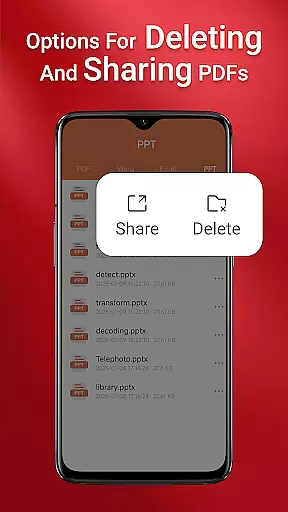
PDF Reader also facilitates task management through its seamless sharing capabilities. Users can distribute documents to colleagues or clients directly from the app, ensuring smooth communication and collaboration. By combining these features with reliable offline access, the app empowers users to manage their tasks effectively, even when working remotely or with limited internet connectivity.
User-friendly interface
Multi-format support
Quick page navigation
Seamless file sharing
Reliable offline access
Requires special permissions
Limited free features
Occasional bugs reported
Ads in free version
Large app size

Earn crypto with secure cloud mining. Monitor, track & withdraw easily
 4.40
4.40
The MyWalmart App is available for all associates in stores.
4.70
Your employer must have UKG Ready software configured for Mobile.
4.60
One marketplace. Hundreds of services. Unlimited possibilities. All on Fiverr.
4.40
Grow your business and connect with more people with Meta Business Suite.
4.60
We are a dynamic team of creatives people of design, marketing, web & apps
3.00
Job search app that finds jobs for you! Takes the work out of looking for a job!
4.90
Chat, meet, and collaborate to achieve more together, all in one place on Teams
4.60
Work happy with AI Companion
4.10
Earn free swag, G-Cards & food • Enter sweepstakes • Find stores • So much more.
4.70
Find the right fit, faster.
4.70
Manage Your Shop
4.70
Make invoices, bills, receipts & estimates on the go with Invoice Generator.
4.70
Amazon A to Z is the place to manage your work-life at Amazon.
4.50
Measure distances, surfaces and draw plans in seconds with CamToPlan!
4.40
All Your Gig Work. One App.
4.30
All-in-one Mobile solutions for employees & managers to succeed at work
4.30
Take the stress out of storage with the all-in-one app to manage your space.
3.70
Convert Your Lovable.dev Website into a Mobile App Instantly!
4.4


User Reviews