
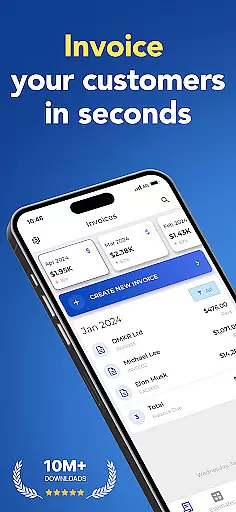
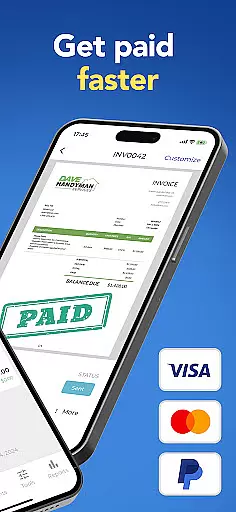
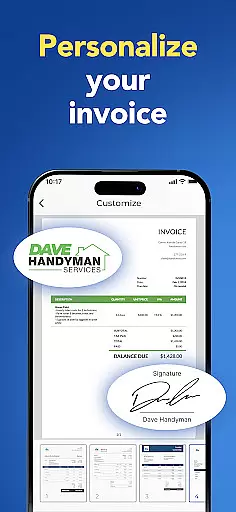
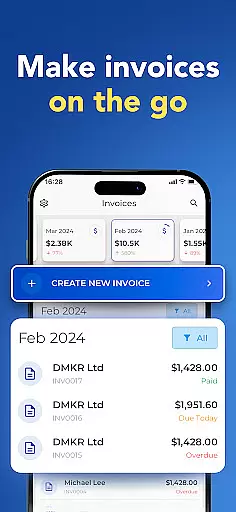

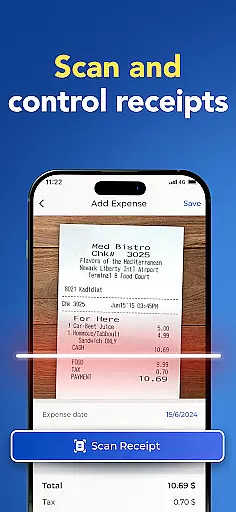
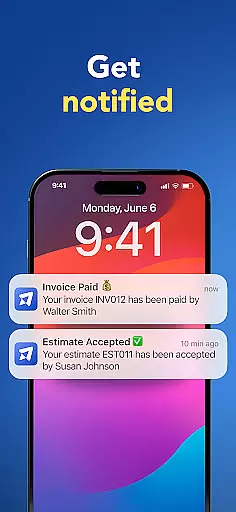
Invoice Maker is a powerful business tool designed to streamline the invoicing process for freelancers, small businesses, and contractors. This application allows users to create professional invoices quickly and efficiently directly from their mobile devices.
The app offers comprehensive customization options, enabling users to add payment details, taxes, discounts, due dates, and even signatures. With real-time notifications when clients open invoices, Invoice Maker ensures users stay informed about the status of their billing. Its intuitive interface and seamless device synchronization make it an essential solution for managing finances on the go.
Whether you're at the office or traveling, Invoice Maker provides the flexibility to generate estimates and convert them into invoices with just a few taps. The app's reporting features also help users track income and maintain organized financial records, making it an invaluable asset for any business.
Invoice Maker stands out with its robust feature set tailored for business professionals. One of its key strengths is the ability to create detailed invoices in under a minute, complete with customizable templates that suit various branding needs. Users can attach images, notes, and choose between applying discounts and taxes per item or the total amount.
The app integrates seamlessly with phone contact lists, allowing quick client setup and easy invoice sharing via email or print. Its cross-device sync functionality ensures all user data is consistently updated across multiple devices, providing a unified experience. Additionally, the app's notification system alerts users when clients view their invoices, enhancing communication and trust.
With 24/7 customer support and advanced reporting tools, Invoice Maker empowers users to manage their business finances effectively. The inclusion of features like signature addition and income tracking reports makes this app a comprehensive solution for anyone looking to simplify their invoicing process while maintaining professionalism and efficiency.
Invoice Maker offers robust collaborative work features that are essential for small businesses and freelancers who need to manage their invoicing process efficiently. The app allows multiple users to access and update invoices, estimates, and client information from different devices while ensuring all data is synced in real-time.
One of the standout functionalities is the ability to quickly set up clients directly from your phone's contact list. This feature streamlines the process of creating new invoices by pre-filling client details, thus saving time and reducing errors. Additionally, the app supports attaching images and additional notes to invoices, making it easier to provide comprehensive documentation to clients.
Users benefit significantly from these collaborative features as they enhance productivity and ensure everyone involved in the billing process is on the same page. With 24/7 support available, any issues or questions regarding collaboration can be swiftly addressed, providing peace of mind and uninterrupted workflow.
The true value lies in its seamless integration across all devices using the same account, allowing teams to collaborate effortlessly regardless of location. This ensures that whether you're at home, in the office, or on the go, managing invoices remains efficient and straightforward.
Effective task management is crucial for maintaining an organized workflow, especially when dealing with financial transactions like invoicing. Invoice Maker excels in this area by offering tools that help track incomes, manage due dates, and monitor invoice statuses through easy-to-use reports.
The app provides notifications when clients receive and open invoices, which helps keep track of pending payments and follow-ups. Users can configure various details such as payment information, taxes, withholding, due dates, discounts, and signatures, ensuring every aspect of task management is covered comprehensively.
This level of detail empowers users to stay on top of their financial obligations and deadlines without missing a beat. By having all necessary information at their fingertips, users can make informed decisions quickly, enhancing overall efficiency.
Moreover, the ability to generate invoices from estimates with just a tap simplifies the transition between different stages of project completion. This not only saves time but also reduces the complexity often associated with managing multiple tasks simultaneously, making Invoice Maker an indispensable tool for anyone looking to streamline their business operations.
User-friendly interface
Customizable templates
Real-time notifications
Cross-device synchronization
Comprehensive client management
Limited free features
Occasional syncing issues
Subscription costs
No offline mode
Advanced options require paid plan

AI-powered document scanner with auto enhance for perfect PDFs.
 4.60
4.60
Formerly Facebook Ads Manager. Manage and create ads on the go.
4.20
Create curriculum vitae, a professional cover letter creator and resume designer
4.80
TurboScan turns your phone into a full-featured PDF document scanner.
4.80
Manage work life on the go
4.50
Manage Your Shop
4.70
All your team communication in one place
4.70
On the go? Take FedEx with you.
4.00
No more passwords, easier sign-in, and greater protection for your accounts.
4.60
BuildCalc - the easiest AND the most advanced construction calculator app.
4.80
Get instant construction estimates: accurate home repair & material calculator.
4.70
Access to Paylocity, empowering employees with information they need 24/7.
4.70
Find jobs and make money fast with JobStack.
4.60
Drive and earn extra money
4.50
ADP Mobile Solutions is an employee self service app
4.50
Measure distances, surfaces and draw plans in seconds with CamToPlan!
4.40
A secure, all-in-one team collaboration app
4.30
All document reader, pdf viewer app, read docs & excel files
3.80
viewing and sharing of PDFs
3.60


User Reviews