

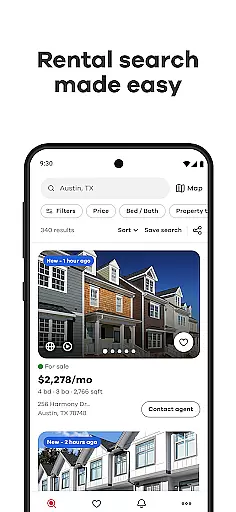
Realtor.com Real Estate & Rent is the premier app for homebuyers, renters, and sellers seeking a seamless property search experience. As the #1 trusted platform among real estate professionals, it offers customizable tools to refine your search by price, size, location, and more.
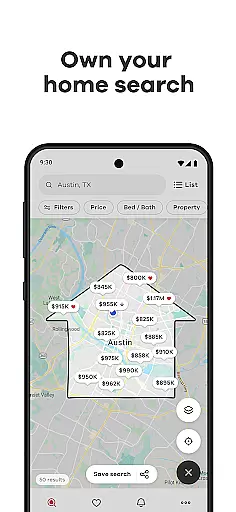
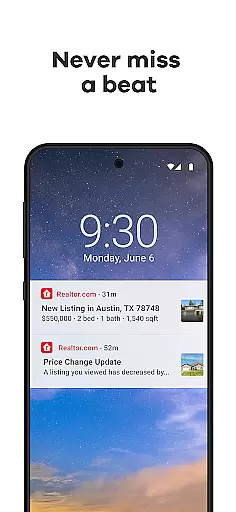
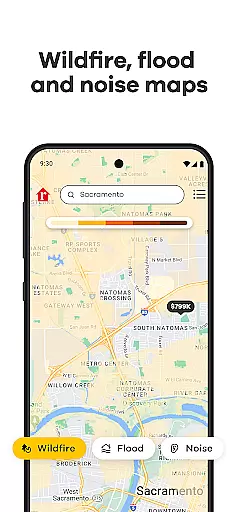
The app's advanced mapping features allow users to draw custom search areas, assess environmental risks, and explore neighborhood amenities. With collaborative tools, 3D virtual tours, and real-time alerts, Realtor.com ensures you never miss an opportunity in the competitive real estate market.
Whether you're calculating affordability or estimating mortgage payments, Realtor.com provides essential financial tools to help you make informed decisions. Its cross-device compatibility and user-friendly interface make it the ideal companion for your home search journey.
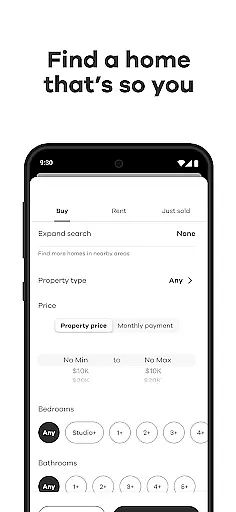
Realtor.com stands out with its comprehensive suite of innovative features designed to simplify the home search process. The app's customizable filters enable users to pinpoint properties that match their exact criteria, from bedroom count to commute time.
One of the app's most remarkable features is its interactive map functionality. Users can draw custom boundaries, view noise levels and traffic patterns, and assess natural disaster risks. The integrated neighborhood exploration tools provide valuable insights into local amenities and community characteristics.
The app's collaborative features facilitate teamwork during the home search process. Users can share listings, exchange comments, and request feedback through multiple communication channels. The inclusion of virtual tours and MLS listing videos offers immersive property viewing experiences without physical visits.
Property listing authenticity is a crucial aspect of any real estate application, ensuring that the information provided to users is accurate and reliable. The Realtor.com Real Estate app takes this responsibility seriously by offering verified listings from the MLS, which are updated in real-time to reflect the most current data available.
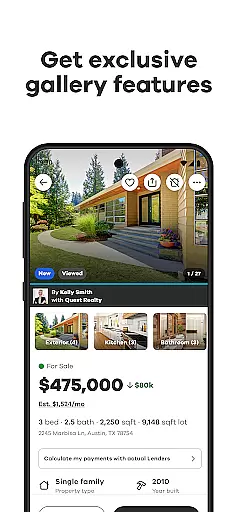
The app's dedication to authenticity is evident through its proprietary survey among real estate professionals, confirming its status as the #1 trusted app in the industry. This trust is further reinforced by features that allow users to explore homes for sale or rent with exclusive gallery features, sorted photos by room, 3D virtual tours, and video walkthroughs.
For users, this means peace of mind when searching for their future home. They can be confident that the properties they view on the app are legitimate and that the details provided, such as price, size, number of bedrooms, and bathrooms, are true representations of the available homes.
By providing authentic property listings, Realtor.com not only enhances user experience but also streamlines the home-buying process, allowing users to make informed decisions based on trustworthy information.
Home management features within a real estate app like Realtor.com go beyond just listing properties; they offer tools and resources that assist users throughout their entire home search journey. With customizable search filters, users can refine their searches based on specific criteria such as price range, size, location, and even commute times, making it easier to find a home that fits their lifestyle.
In addition to search capabilities, the app provides collaborative tools that enable users to work together with family or agents. By linking accounts, sharing favorite listings, and requesting feedback via text, email, or social media, users can ensure everyone involved in the decision-making process is on the same page.
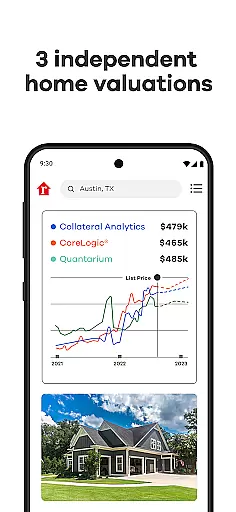
Furthermore, Realtor.com helps users stay on budget with financial calculators that estimate affordability and monthly mortgage payments. These features empower users to make financially sound decisions without needing to leave the app for additional resources.
Overall, these comprehensive home management features create an all-in-one platform that simplifies the complex process of finding and managing a new home, thus enhancing user engagement and satisfaction.
User-friendly interface
Comprehensive filtering options
Advanced mapping capabilities
Real-time property alerts
Collaborative search tools
Some features require registration
Premium tools need subscription
Occasional data delays
Limited international listings
High information volume

For all of your Airthings devices
 4.30
4.30
Technology powering many in-home services for residents across the United States
3.80
Our app allows Sunrun customers to monitor systems, pay bills, and get support.
3.80
Fully control your Philips TV with this all-in-one remote control app.
4.20
Convert your Phone to HiSense Smart TV Remote Control
4.70
Night Owl Protect helps you secure, protect, and connect your world!
4.60
Find your next home, house, apartment, condo, casa, flat, rental, studio, or bed
4.70
Turn old phones into security cameras, baby monitors, pet cams, and more.
4.70
Universal Tv Remote Control for all Tv. Cast for chromecast & all Tv Controller
4.20
MLS-powered real estate app to find homes for sale & apartments for rent
4.70
A Smarter Home in Seconds
4.70
Fire & Power Safety
4.50
The only mappable smart lights for custom decoration.
4.50
Make Renting Easy
4.40
Security App with HD Video, 2-way Audio, and event detection for Home monitoring
4.40
Samsung remote app helps control all Samsung Smartthings TVs. Fast and Stable!
4.10
This Fire TV Remote control's your Fire TV Device and Insignia Fire TV Remote
3.70
Use Home by ShowingTime to easily manage showings, tours, feedback and more
3.60
Find paints using a Color Muse & ColorSnap® Match
3.60


User Reviews