
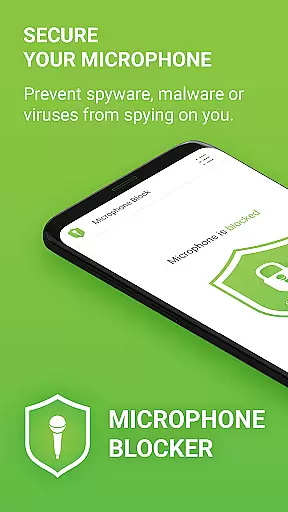

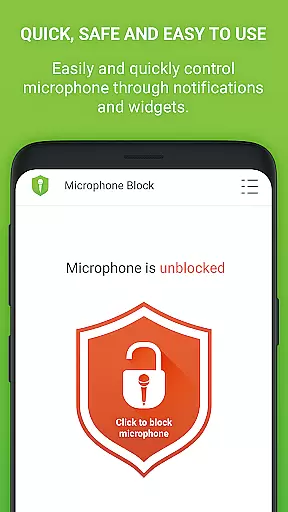
Microphone Blocker is a privacy-focused application designed to secure access to your device's microphone. The app allows users to block, disable, and monitor access to the microphone with a single click, preventing unauthorized recording or eavesdropping by spyware, malware, or other surveillance apps. It offers an essential layer of protection for personal privacy without requiring root access, ensuring that phone calls remain uninterrupted while safeguarding against digital threats.
In addition to its core functionality, Microphone Blocker provides features such as automatic blocking schedules, a microphone detector, and a microphone guard. These tools help users maintain control over which apps can access their microphone, offering peace of mind in an era of increasing digital vulnerabilities. With over 6,000 five-star ratings, this app has proven its value in protecting user privacy effectively.
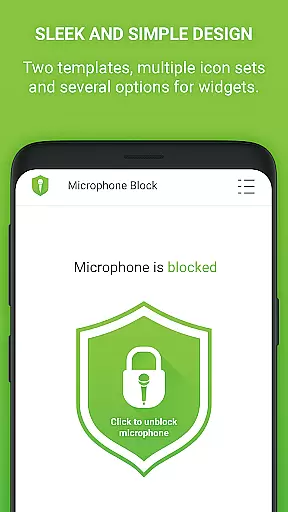
Microphone Blocker stands out with its comprehensive set of features tailored to enhance user privacy. One of its key functionalities is the one-click blocking mechanism, which disables microphone access instantly, ensuring that no malicious software can secretly record or listen to users. This feature is complemented by a monitoring system that alerts users when new apps gain microphone access, providing an additional layer of security.
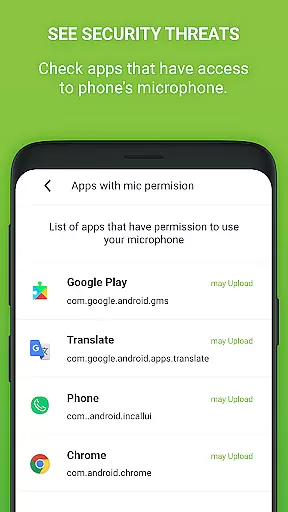
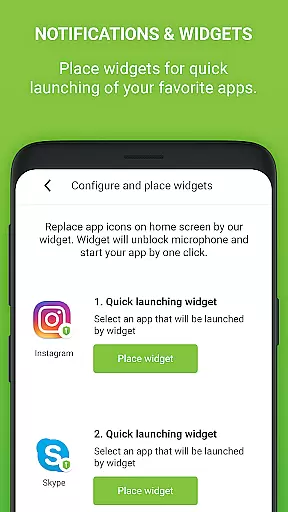
The app also includes a microphone detector and guard, which actively monitors apps permitted to access the microphone. A simple tutorial guides users through Android permissions, helping them remove unnecessary access rights. Furthermore, the app offers a home screen widget and notifications for quick access to blocking controls, alongside customization options like dark mode and various icon sets. For those seeking advanced protection, the PRO version provides unlimited 24-hour protection, removes ads, and ensures no private data collection.
Microphone Blocker offers a comprehensive suite of features designed to protect user privacy by blocking unauthorized access to the device's microphone. The app provides complete functionality for securing your microphone, including one-click blocking, automatic scheduling, and real-time monitoring.
The application covers various aspects of microphone security, such as preventing spyware and malware from secretly recording, providing detailed permission management, and offering proactive notifications when new apps gain microphone access. This extensive coverage ensures users maintain control over their audio privacy.
With its intuitive interface, Microphone Blocker makes it easy for users to manage which applications can access their microphone. The inclusion of helpful tutorials and clear permission guidelines further enhances the app's functional scope, making it accessible even to less tech-savvy users.
While the free version offers substantial protection, the PRO version extends this coverage with unlimited 24-hour protection, no ads, and enhanced privacy features, demonstrating the app's commitment to providing complete functionality across both basic and advanced user needs.
Microphone Blocker excels in usability through its straightforward, one-click operation that allows users to instantly block microphone access. The app's clean design incorporates dark mode and multiple icon sets, ensuring comfortable use across different environments and personal preferences.
The operational flow is smooth and efficient, featuring helpful elements like home screen widgets and notification shortcuts for quick access to essential functions. These usability enhancements make daily operations more convenient and accessible to users of all technical backgrounds.
Advanced usability features include automatic blocking schedules and comprehensive monitoring tools that track which apps have microphone access. The app also provides clear guidance on managing Android permissions, helping users make informed decisions about their privacy settings.
While maintaining operational efficiency, Microphone Blocker ensures reliability through its stable performance and minimal system impact. The PRO version further enhances usability by removing ads and enabling continuous protection without daily interruptions, creating a seamless user experience.
Easy-to-use interface
Effective privacy protection
No root access required
Automatic blocking schedules
Real-time monitoring alerts
Limited free version
PRO version is paid
Requires manual setup
Notifications can be intrusive
Dependent on user vigilance

If you are looking for melon playground mod that fun you deffinitely try our app
 2.70
2.70
Demo for Key Attestation feature of the Android system.
4.80
With Endoscope Camera Connector you can connect your phone with endoscope cam
3.70
Study Bible King James Version: the correct way to learn the Bible with audio
4.80
Al QURAN-القرأن الكريم app to read Quran offline just like an actual Quran book
4.30
An impressive collection of tools, characters, weapons, skins and more!
4.30
Manage apps & elevate your gaming experience with Game Launcher: Gaming Hub app.
4.30
Expo is a free & open source platform to build apps using JavaScript and React.
4.70
Unlock the hidden menus of your phone with our mobile secret codes app.
4.20
Read Holy Quran Feel Like Real Quran & Listen Al Quran Mp3 Audio Online Offline.
4.70
MirrorLink for connecting your Android phone to your car’s infotainment screen.
4.50
Game booster GFX may reduce interruptions and improve gaming experience.
4.50
Wireless reverse charging using phone now is possible
4.30
Android secret code for smart phone, mobile codes, with secret codes app
4.20
Do you want to drive easy ? do you wanna full mirror link Mobile with your car
4.10
Connect and find your Smart Tag 2 devices through our app.
3.60
CloudEye 365 is a easy-handling APP
3.60
Mobs maker Minecraft help MCPE creators make their own mob by using Blockbench
3.50
Now Available on Android ™
3.40


User Reviews