
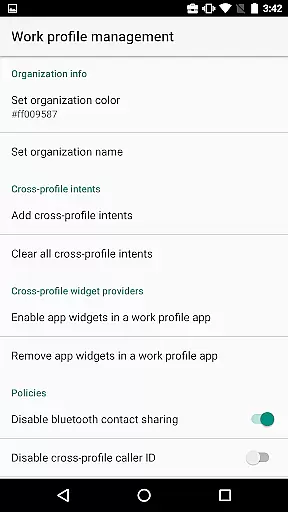
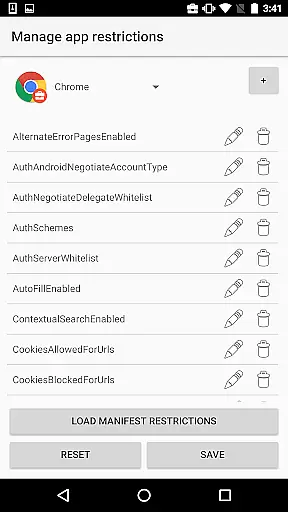
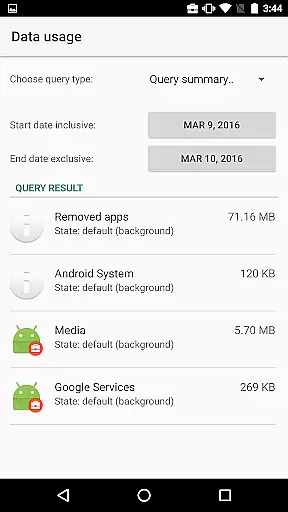
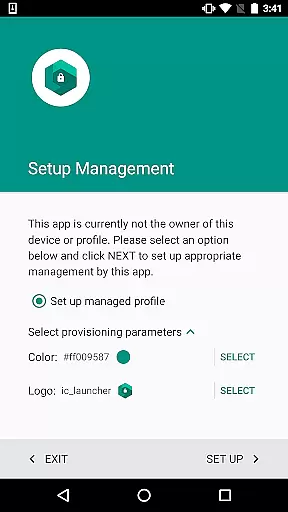
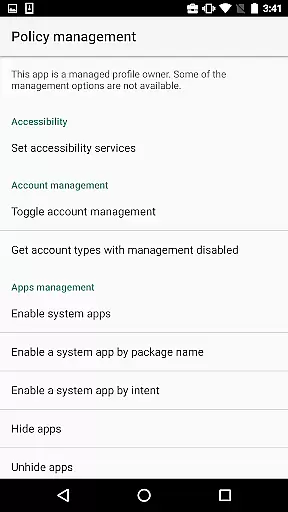
Test DPC is a specialized development tool designed exclusively for Android Enterprise management testing. This app serves as a sample device policy controller, enabling developers to simulate managed environments such as device owner mode or managed profiles.
With Test DPC, users can create work profiles, implement application restrictions, and manage security policies. The app provides comprehensive features for enterprise mobility management testing while also serving as an open-source reference implementation for other DPC developers.
This application is particularly useful for enterprise mobility managers and Android developers who need to test their applications in controlled environments. It allows them to verify app behavior under different enterprise policies before deployment in real-world scenarios.
The application offers a complete set of enterprise management features for Android devices. Developers can experiment with various device management functions including setting application-specific restrictions, configuring security policies, and managing user accounts.
Test DPC supports essential enterprise features such as lock task mode, certificate management, and permission control. The app also demonstrates how to implement common enterprise functionalities like app blocking and network security configuration.
One of the key advantages of Test DPC is its open-source nature, allowing developers to study its implementation through publicly available source code. This makes it an invaluable learning tool for understanding Android's enterprise management capabilities.
Functionality completeness refers to the extent to which an application provides features that cover all intended use cases. For Test DPC, this means offering developers a comprehensive set of tools to simulate various managed contexts within Android Enterprise environments.
The app allows users to configure device policies, set up work profiles, and manage security policies. These capabilities ensure that developers can thoroughly test how their applications behave under different enterprise conditions. The inclusion of source code availability further enhances its utility as a development tool.
Developers benefit from having access to such a wide range of functionalities because it enables them to identify potential issues in their apps before deployment. This leads to more robust and reliable software when used in real-world enterprise settings.
By providing extensive functionality coverage, Test DPC serves as both a testing platform and implementation reference for other Device Policy Controllers (DPCs). This dual purpose makes it invaluable for anyone working with Android Enterprise solutions.
Usability focuses on how easily users can interact with an application's interface to achieve their goals efficiently. In the case of Test DPC, usability is crucial since it targets developers who need quick access to various configuration options without unnecessary complexity.
The app offers straightforward navigation through its features, allowing users to swiftly set up work profiles, enable work apps, and apply restrictions. Such streamlined operations contribute significantly to reducing setup times during development cycles.
Operational smoothness ensures that tasks are performed seamlessly without interruptions or delays. Test DPC achieves this by maintaining stable performance even when executing complex policy configurations or switching between different management contexts.
Ultimately, high usability combined with operational smoothness empowers developers to focus more on refining their applications rather than troubleshooting setup processes. This efficiency translates into faster development cycles and improved product quality overall.
Comprehensive policy controls
Open-source implementation
Enterprise feature demonstration
Active developer community
Regular updates and maintenance
Not for production use
Limited customer support
Complex setup process
No official warranty
Requires technical expertise

With Endoscope Camera Connector you can connect your phone with endoscope cam
 3.70
3.70
Easily evaluate the performance of Scandit's barcode and ID scanning SDK
4.10
Collection of Maps and Mods for Dmod
3.30
Looking to connect your phone to your car screen? Mirror Link is the solution.
3.20
Mirror link car connector to share your screen with car dashboard
3.80
Mobile Connect To TV - HDMI USB & WiFi Screen Mirroring
3.70
Experience virtual reality on your smartphone with Cardboard.
3.50
The best PS2 games from your childhood come to life in their mobile version!
4.00
Expo is a free & open source platform to build apps using JavaScript and React.
4.70
Enjoy Minecraft Mod Scary Neighbor Granny for Minecraft PE.
4.30
View your cameras anywhere and anytime
4.20
You can remote control and play much easier.
4.10
Demo version of the mcpro24fps manual video camera. Try and buy a full version!
4.00
Ps2 plugins for 64 bit artitechture
3.70
CloudEye 365 is a easy-handling APP
3.60
Mirror phone to TV effortlessly! Stream, share & connect with Airplay ease.
3.60
Mobs maker Minecraft help MCPE creators make their own mob by using Blockbench
3.50
Now Available on Android ™
3.40
Connect and Find your smart tag via our app.our app is compatible with smarttag.
3.30


User Reviews