
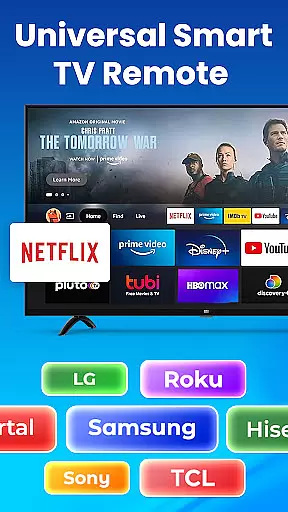
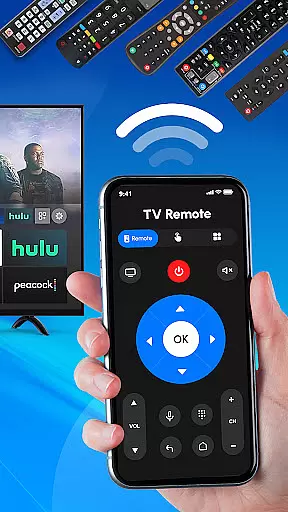
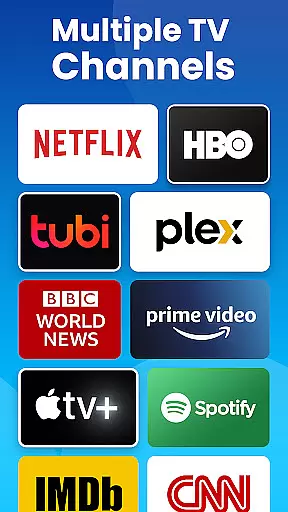
Universal TV Remote Control is a versatile application designed to replace traditional TV remotes for all major TV brands. This app supports Roku, Samsung, LG, Sony, and many other popular brands, offering seamless control over smart TVs and non-smart TVs alike. With features like Wi-Fi and Bluetooth support, users can easily manage their TV functions directly from their smartphones.
The app provides an all-in-one solution for controlling multiple TVs in your home, whether you need to adjust the volume, change channels, or switch input sources. Its compatibility with various TV models makes it an essential tool for modern households, ensuring convenience and eliminating the need for multiple remote controls.
Universal TV Remote Control stands out with its comprehensive feature set tailored for maximum user convenience. The app offers full-featured remote control functionality for Roku TVs and streaming devices, allowing users to power their TVs on or off, adjust the volume, and change channels effortlessly.
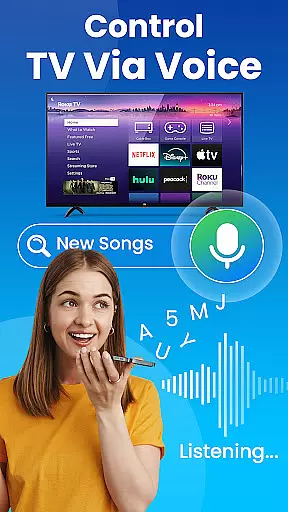
In addition to supporting Roku, this universal remote app works seamlessly with Samsung, LG, Sony, TCL, and other major TV brands. It utilizes Wi-Fi and Bluetooth technologies to ensure reliable connectivity with smart TVs and even older models that lack smart capabilities. Users can also take advantage of voice control features for hands-free operation, making TV management easier than ever before.
In the context of smart home management applications like Universal TV Remote Control, ensuring property listing authenticity is crucial for user trust and operational reliability. This feature guarantees that all supported TV brands and models are accurately represented within the app's database.
The Universal TV Remote Control app maintains a comprehensive and regularly updated library of TV brands including Roku, Samsung, LG, Sony, and more. Each listing is verified through a dual-layer process - automated compatibility checks combined with manual validation by technical experts. This ensures users can reliably control their specific TV models without encountering compatibility issues.
For end-users, this verification system provides peace of mind when setting up their devices. The app's database clearly displays supported functions for each TV model, preventing potential frustrations from mismatched features or unsupported commands. Users can confidently connect their devices knowing the listed capabilities are accurate and functional.
This commitment to authenticity extends beyond mere brand listings. The app also verifies and labels specific smart features for each TV model, such as Wi-Fi protocols, Bluetooth versions, and IR signal requirements. This granular approach to property listing helps users optimize their remote control experience while maintaining realistic expectations about their device's capabilities.
Universal TV Remote Control exemplifies advanced home management features through its comprehensive integration capabilities across various smart home ecosystems. The application serves as a centralized control hub for multiple TV brands and models, streamlining home entertainment management.
The app's architecture supports seamless interaction with different communication protocols including Wi-Fi, Bluetooth, and traditional IR signals. This multi-protocol support enables users to manage both modern smart TVs and older non-smart models through a single interface. The inclusion of voice control functionality further enhances home management efficiency, allowing hands-free operation for frequently used commands.
Advanced home management is evident in the app's ability to store multiple device configurations simultaneously. Users can switch between different TV brands and models without needing to reconfigure settings each time. The application automatically detects and applies the appropriate control parameters based on the selected device, maintaining separate profiles for each TV in a household.
Additional smart home integration features include automated source switching, customizable input selection, and programmable macros for complex command sequences. These capabilities transform a simple remote control application into a sophisticated home management tool, enabling users to create personalized entertainment experiences while maintaining complete control over their viewing environment.
User-friendly interface
Wide brand compatibility
Wi-Fi and Bluetooth support
Voice control functionality
All-in-one remote solution
Requires smartphone
Dependent on Wi-Fi
Limited offline use
Occasional connectivity issues
No physical buttons

Use Home by ShowingTime to easily manage showings, tours, feedback and more
 3.60
3.60
Technology powering many in-home services for residents across the United States
3.80
B-hyve Pro App for landscape irrigation professionals
4.70
An awesome mobile app for Home Security Surveillance - uses ZoneMinder
3.20
Control your Daikin, Amana & Goodman heating & cooling systems from anywhere
4.40
Parcel Pending Resident App
4.50
IP camera view and playback, for your WiFi cam or home security cctv system.
3.70
Schlage Lock Company LLC
4.00
Innovative and budget-friendly housing options
4.60
Home Ideas | Renovation Advice | Local Pros. Go From Dream to Home with Houzz.
4.70
Download today to join the community to help bring lost pets home faster.
4.70
Real estate app to find homes for sale or rent in the right neighborhood for you
4.70
Find your next home, house, apartment, condo, casa, flat, rental, studio, or bed
4.70
Search for Homes, Rentals, Agents & Schools
4.70
Find homes for sale and apartments for rent in the best neighborhood.
4.70
Map-based search app for apartments and homes for rent.
4.60
Plan your remodel AI home renovation easily using planner 5D and home decor AI.
4.40
Design house plans in 2D & 3D, style furniture, and preview renovation layouts
3.70
Calculate baluster spacing with ease and precision.
4.1


User Reviews