
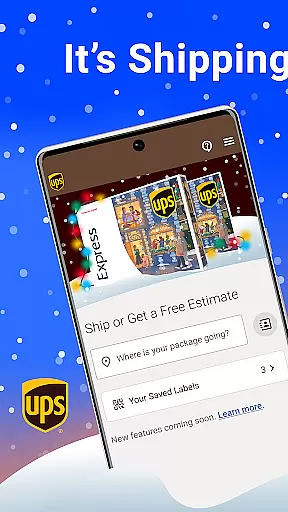
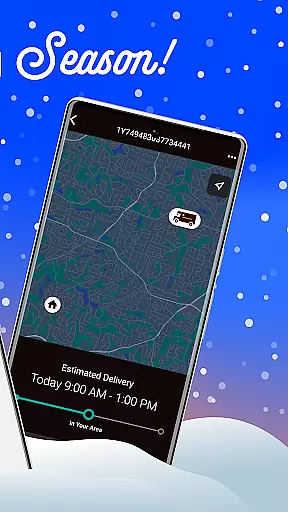
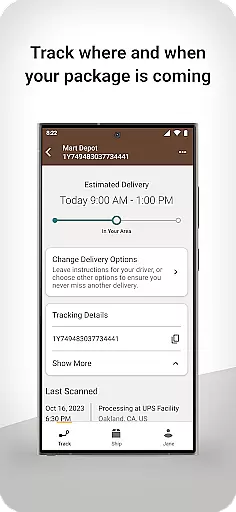
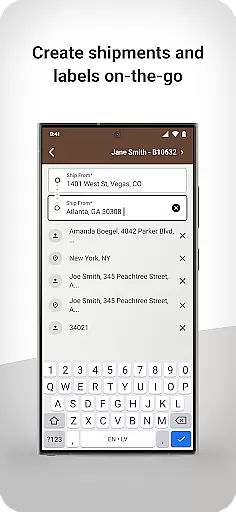
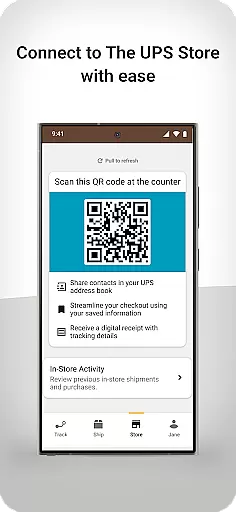
UPS is a business-oriented mobile application designed to streamline shipping and package management for users. The app provides a personalized QR code system that allows easy access to the user's UPS address book, enabling efficient package drop-offs and shipments. It also offers digital receipt storage and real-time package tracking, ensuring that users are always informed about the status of their shipments.
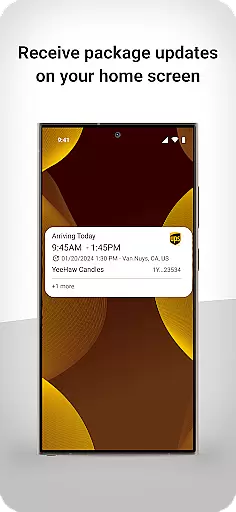
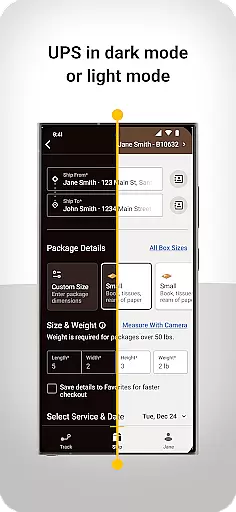
In addition to domestic shipping, the UPS app simplifies international shipping with clear guidance and support, helping users avoid potential delays. Its modern interface delivers a seamless user experience, making it easier than ever to create shipping labels, track deliveries, and receive updates directly on the home screen. This functionality brings peace of mind to businesses and individuals alike, offering an unrivaled view into package statuses.
The UPS app stands out with its innovative features tailored for both personal and business use. One key feature is the personalized QR code, which expedites the shipping process by linking directly to contacts in the user's UPS address book. This eliminates manual entry and reduces errors, saving valuable time during package drop-offs.
Another notable feature is the app’s ability to provide proactive guidance for international shipping. By offering clear instructions and removing unnecessary complications, the app ensures smooth cross-border transactions. Additionally, users can track both inbound and outbound packages in real-time, whether they're shipping domestically or internationally. With responsive design and intuitive navigation, the UPS app combines powerful functionality with a clean, modern aesthetic to enhance productivity.
Collaborative work features are essential for businesses that require seamless interaction and coordination among team members. The UPS app excels in this area by offering tools that facilitate efficient package management and communication.
With the app, users can access a personalized QR code that simplifies the process of shipping to contacts stored in their UPS address book. This feature not only saves time but also enhances accuracy in addressing shipments, ensuring that packages reach their intended recipients without delay.
Moreover, the app provides digital receipts and enables tracking of outbound packages. These capabilities ensure that all team members are informed about the status of shipments, which is crucial for maintaining an organized workflow and meeting business deadlines.
The collaborative features within the UPS app bring peace of mind to teams, allowing them to focus on their core tasks while the app takes care of the logistics, ultimately contributing to increased productivity and operational efficiency.
Effective task management is vital for businesses aiming to optimize their operations and improve productivity. The UPS app offers robust task management features that cater to the needs of modern enterprises.
Users can create shipping labels swiftly and track deliveries from anywhere, at any time. This flexibility ensures that businesses can manage their shipping tasks efficiently, without being tied to a desk or office environment.
In addition to creating labels, the app provides updates on the home screen, keeping users informed about the status of their shipments. This real-time information allows businesses to respond quickly to any changes or issues that may arise during transit.
By streamlining the task management process, the UPS app empowers businesses to maintain control over their shipping activities, resulting in enhanced customer satisfaction and a competitive edge in the market.
User-friendly interface
Efficient QR code system
Real-time package tracking
Proactive international guidance
Digital receipt storage
Limited customization options
Occasional update bugs
Requires stable internet
No offline functionality
Premium features locked

Measure distances, surfaces and draw plans in seconds with CamToPlan!
 4.40
4.40
Create curriculum vitae, a professional cover letter creator and resume designer
4.80
Manage work life on the go
4.50
Simple, Fast & Lightweight
3.90
All your team communication in one place
4.70
No more passwords, easier sign-in, and greater protection for your accounts.
4.60
Work happy with AI Companion
4.10
We help people get jobs
4.70
Make money as a delivery driver with DoorDash and work when you want as a Dasher
4.30
BuildCalc - the easiest AND the most advanced construction calculator app.
4.80
TurboScan turns your phone into a full-featured PDF document scanner.
4.80 4.70
4.70
Your employer must have UKG Ready software configured for Mobile.
4.60
Finance, Investing, Stocks, Trading and Stock news
4.60
A secure, all-in-one team collaboration app
4.30
VSD Viewer - Visio Drawings Viewer for Android Preview VSD, VDX, VSDX drawings
4.10
The All-in-One File Manager for Phone, TV, Watch, Cars, XR / VR, Chromebook
4.10
Shop, deliver, and earn with the Spark Driver™ App
4.10
Quickly open and manage PDF files on your device.
3.80


User Reviews