
Connecteam is a comprehensive employee management app designed specifically for non-desk employees. It offers an all-in-one solution that includes work scheduling, time tracking, internal communication, task management, and employee training. The platform stands out with its intuitive design and affordability, making it ideal for small to medium-sized businesses.
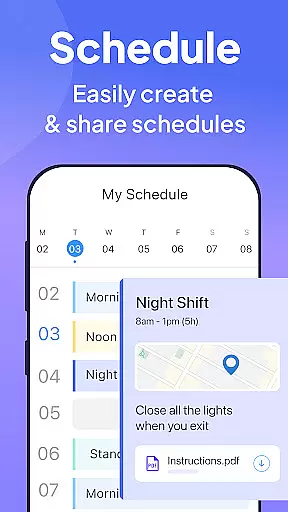
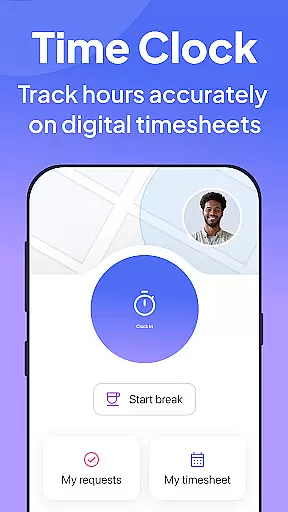
The app's scheduling tool allows for easy shift creation and GPS-based job progress updates. Its time clock feature provides precise hour tracking with geofencing and automated timesheet generation. Additionally, the internal communication platform enhances team connectivity through live chats, posts, and surveys. Connecteam also supports digital onboarding and compliance management, ensuring businesses can operate efficiently while maintaining regulatory standards.
Connecteam boasts a robust set of features tailored for effective workforce management. The scheduling module enables managers to create single or team shifts with detailed job information. The time clock functionality ensures accurate time tracking with GPS location verification and seamless payroll software integration.
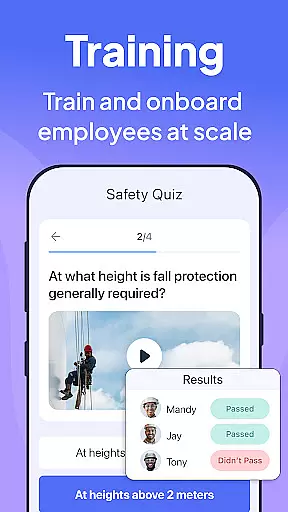
For internal communications, Connecteam offers live chat capabilities, directories, and interactive posts. Task management tools include automated checklists and customizable forms, promoting operational efficiency. Furthermore, the app facilitates employee training through accessible digital resources and quizzes, ensuring staff are always up-to-date with company policies and industry standards.
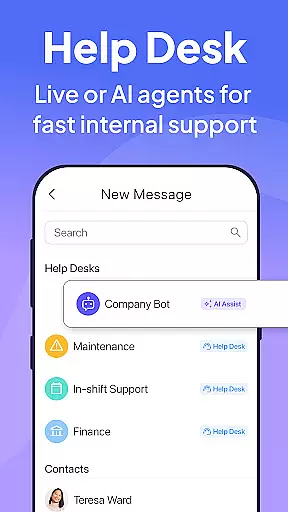
Unique to Connecteam is its internal ticketing system, which streamlines issue resolution, and digital ID cards that simplify access management. These features collectively contribute to a more organized, engaged, and compliant workforce.
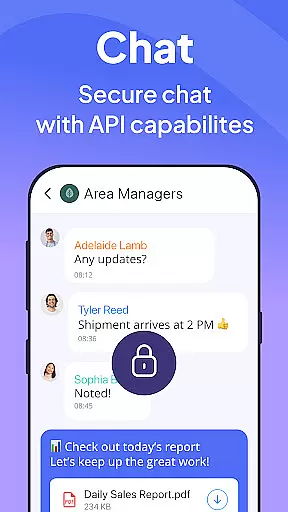
Connecteam's employee management app revolutionizes collaborative work by integrating multiple communication and task management tools into one platform. The live chat feature allows for seamless 1:1 or group conversations, while the chat API enables connection to external data sources, streamlining information flow across teams.
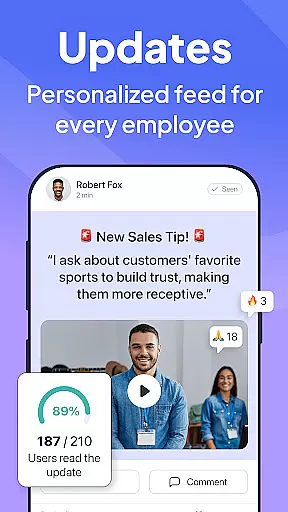
The app also includes a directory for all work contacts, ensuring that employees can easily reach out to their colleagues. Posts and updates come with comment and reaction capabilities, fostering engagement and interaction within the company. Employee feedback surveys further enhance this collaboration by providing a channel for constructive suggestions and insights.
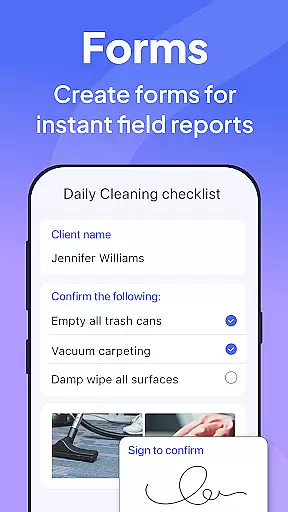
Task management is another crucial aspect of Connecteam's collaborative environment. Daily checklists with auto-reminders keep everyone on track, while online forms, tasks, and checklists with read & sign options ensure compliance and accountability. Users can upload images and report geolocation, making field operations more transparent and manageable.
By consolidating these features, Connecteam not only simplifies internal communications but also significantly boosts productivity and team cohesion. This comprehensive approach ensures that every team member, regardless of location, remains connected and informed, contributing to a stronger organizational culture.
Task management within Connecteamu2019s employee app is designed to replace traditional pen-and-paper methods, spreadsheets, and verbal instructions with a fully automated, accessible process. This transformation allows businesses to manage day-to-day tasks efficiently and maintain high levels of on-the-job compliance through advanced checklists.
The app offers daily checklists equipped with auto-reminders, ensuring that no critical task is overlooked. Online forms, tasks, and checklists come with read & sign options, which are instrumental in confirming that employees have reviewed and understood their responsibilities. This feature is particularly useful in industries where regulatory compliance is mandatory.
Connecteam also supports multimedia integration, allowing users to upload images and report geolocation. This functionality is invaluable for field operations, where visual confirmation and location tracking can significantly enhance task accuracy and accountability. Additionally, the app enables businesses to go paperless, automating daily procedures and reducing administrative overhead.
One of the standout features is the 100% customizable nature of these tools, complete with a live mobile preview. This flexibility ensures that businesses can tailor the task management system to their specific needs, enhancing usability and effectiveness. Overall, Connecteamu2019s task management capabilities streamline operations, improve compliance, and foster a more organized and efficient workplace.
User-friendly interface
Affordable pricing
Comprehensive feature set
Excellent customer support
Highly customizable
Limited advanced analytics
Occasional syncing issues
Basic mobile experience
Learning curve for new users
Fewer integrations compared to competitors

Zoom built for Chrome OS
 3.90
3.90
Get instant construction estimates: accurate home repair & material calculator.
4.70
Find work, shifts and gigs near you. Jobs lasting a few hours to a few months.
4.30
Grow your business and connect with more people with Meta Business Suite.
4.60
Mobile POS for any business: sales, invoices, retail, restaurants & appointments
4.60
Access All PDF Files
3.40
Shop, deliver, and earn with the Spark Driver™ App
4.10
The app that lets you deliver with Amazon.
4.50
Chat, meet, and collaborate to achieve more together, all in one place on Teams
4.60
The MyWalmart App is available for all associates in stores.
4.70
USPS Mobile®Access USPS.com’s most popular tools on-the-go.
4.70
Ask Accio anything about business. Alibaba-backed, built by experts, not just AI
4.60
Ship, Track, Find a Location or Get a Quote with UPS. Anytime. Anywhere.
4.60
Manage work life on the go
4.50
Deliver and earn money
4.30
Say hello to the mobile work experience built to help you thrive at work.
4.30
viewing and sharing of PDFs
3.60
We are a dynamic team of creatives people of design, marketing, web & apps
3.00
viewing and sharing PDFs and other files—anytime, anywhere!
4.2


User Reviews