
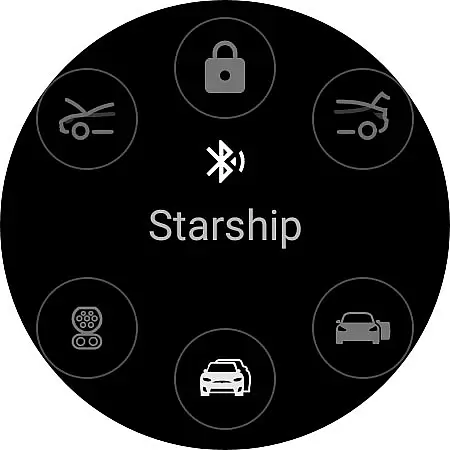
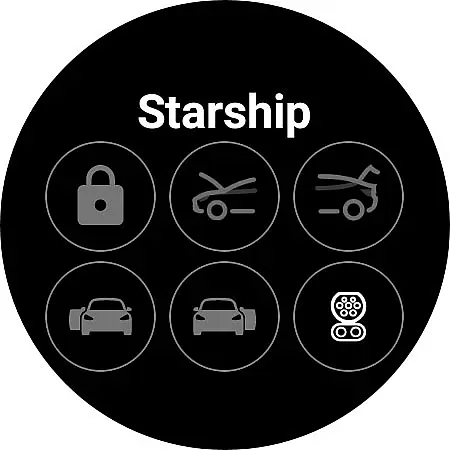
Watt Key is a cutting-edge Wear OS application that transforms your smartwatch into a key fob for Tesla vehicles. Designed specifically for Tesla models with Bluetooth key functionality, including Model 3, Model Y, and the refreshed Model S and X, this app offers seamless interaction with your vehicle.
With Watt Key, users can enjoy automatic locking and unlocking as they approach or leave their Tesla. The app also enables manual control over doors, frunk, trunk, and charge port, providing an unparalleled level of convenience. For those with Enhanced Autopilot or Full Self-Driving capabilities, the app even supports Summon features. Optimized for Samsung Galaxy Watch 4 and newer, along with Google Pixel Watch, Watt Key ensures immediate action execution without requiring an internet connection.
Watt Key stands out with its comprehensive feature set tailored for Tesla owners. The app utilizes Bluetooth to connect directly with Tesla vehicles, enabling instant actions such as automatic lock/unlock based on proximity, manual door controls, and access to frunk and trunk operations.
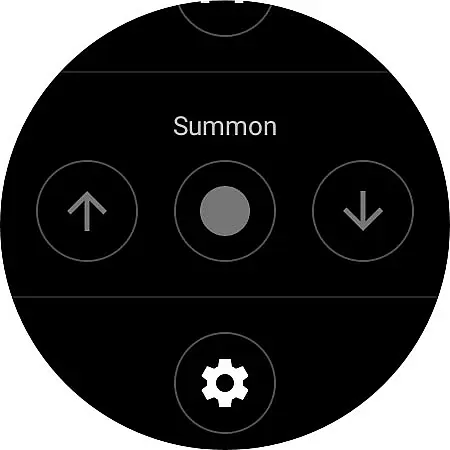
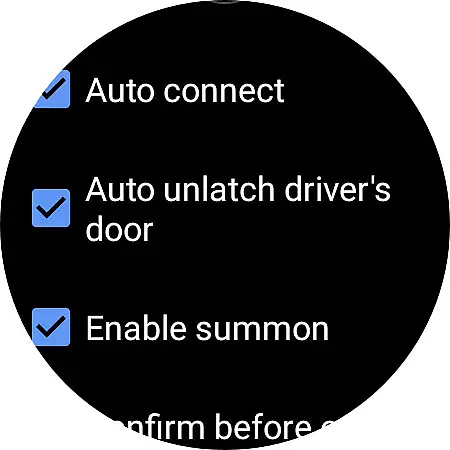
Advanced functionalities include opening and closing the charge port and initiating Summon forward or reverse commands if enabled in settings. A dedicated tile provides quick access to frequently used commands. Security is paramount, with end-to-end encrypted communication between the app and vehicle, ensuring all interactions remain private and protected. Users can manage cryptographic keys through the app's settings or Tesla's Lock menu, offering peace of mind regarding data privacy.
Watt Key offers comprehensive lifestyle functionality by transforming your Wear OS watch into a convenient key fob for Tesla vehicles. This app covers various aspects of vehicle interaction, making daily life smoother and more efficient.
The app supports multiple actions such as automatic locking and unlocking as you approach or leave your Tesla. It also allows users to unlatch any door, open the frunk, and manage the trunk and charge port. These features ensure that users have extensive control over their vehicle directly from their wrist.
In addition to basic functionalities, Watt Key includes advanced options like Summon forward and reverse, which require Enhanced Autopilot or Full Self-Driving capabilities. Such features enhance user convenience and demonstrate the app's commitment to covering a wide array of lifestyle needs.
With support for multiple languages including English, Korean, French, and German, Watt Key caters to a global audience, ensuring broad accessibility and usability across different regions.
Watt Key ensures content authenticity and expert credibility through its robust security measures and direct integration with Tesla vehicles. The app generates a secure cryptographic key for authenticating with your Tesla, stored encrypted on your watch and accessible only by the app itself.
Users can manage these keys via the Settings menu or Teslau2019s Lock menu, providing an additional layer of security and control. By supporting Tesla's end-to-end encrypted commands, Watt Key guarantees that all interactions with the vehicle are secure and reliable.
Although not officially endorsed by Tesla, Watt Key leverages official APIs and protocols to deliver seamless functionality. Users are encouraged to report any issues directly to the developer at joshendy89@gmail.com, ensuring continuous improvement and expert support.
This focus on security and privacy, along with responsive customer service, underscores the app's dedication to delivering credible and trustworthy content to its users.
Instantaneous command execution
Comprehensive security measures
Seamless user experience
Wide range of vehicle controls
Supports multiple languages
Limited to compatible watches
Requires specific Tesla models
No iOS support
Dependent on Tesla's system stability
Initial setup can be complex

Healthy eating timer app to track meal pace, improve habits, and eat slowly.
 4.0
4.0
Cute Adorable Animals now on your wrist with our Wear OS watch face!
4.40
BILT interactive 3D instructions help you get the job done right
3.50
A smart Siddur with halachic times
4.60
Material You inspired colors with BIG and Bold looks for Wear OS watches.
4.20
Discounts, savings, and rewards
4.20
Zodiac & Horoscope Launcher: Daily Sign Predictions & Astrology
4.40
Vehicle ownership simplified. Get the myChevrolet® app today.
4.60
Create slime on your phone and enjoy satisfying and relaxing ASMR games
4.50
Discover the "To Be a Christian" App: Your Guide to Deepening Faith!
5.00
Good magnifier app to see tiny things bigger and more clearly!
4.80
Colorful selection floral watch face with gyro for Wear OS
4.60
Retro animated weather with hourly forecast Watch Face for Wear OS
4.60
The all-new Cync app. The simple, connected app for Cync and C by GE.
4.50
Spiritus Ghost Box is an Audio and Visual ITC tool for paranormal research.
4.00
Communicate with your vehicles and Powerwalls anytime, anywhere
3.60
Going above and beyond known spirit communication
3.60
The cutest Autumn watchface featuring the adorable Mr. Squirrel
4.2
Celebrate the holidays with Advent Calendar: daily surprises and festive fun!
4.2


User Reviews