
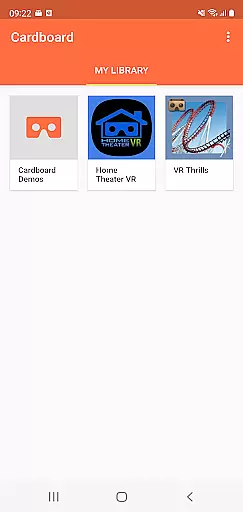
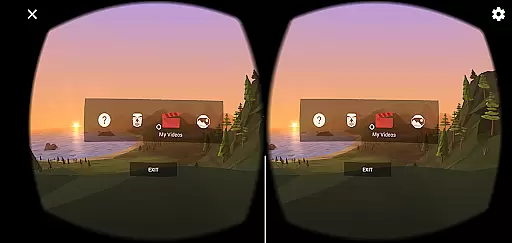
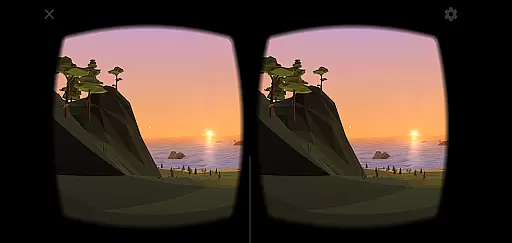
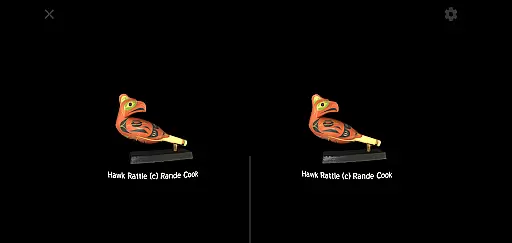
Cardboard is an innovative app that brings virtual reality to your smartphone, offering a unique and immersive experience. Developed by Google, this app serves as the gateway to launch various VR applications and discover new ones, while also assisting in setting up your Cardboard viewer. With its user-friendly interface, Cardboard makes it easy for users to dive into the world of virtual reality without the need for complex equipment.
The app's core functionality revolves around enhancing VR experiences by providing seamless access to a multitude of VR content. Whether you're exploring virtual worlds, playing games, or watching 3D videos, Cardboard ensures smooth navigation and interaction. To fully enjoy what this app offers, a compatible Cardboard viewer is required, which can be obtained from their official website. This combination of software and hardware creates an accessible entry point into VR for enthusiasts and casual users alike.
Cardboard stands out with its array of features designed to enrich the virtual reality experience on smartphones. One notable feature is its ability to launch a wide range of VR apps directly from the platform, making it a central hub for all your VR needs. Additionally, the app provides a discovery section where users can find new and exciting VR content, ensuring that there's always something fresh to explore.
Another significant aspect of Cardboard is its viewer setup assistance. The app guides users through the process of configuring their Cardboard viewer, ensuring optimal performance and compatibility. This feature is particularly beneficial for newcomers to VR, as it simplifies what could otherwise be a daunting task. By combining ease of use with a vast library of VR experiences, Cardboard delivers a comprehensive solution for mobile virtual reality enthusiasts.
Functionality completeness refers to the extent to which an application successfully delivers all the features necessary for its intended purpose. For Cardboard, this means providing users with a seamless virtual reality experience directly on their smartphones. The app not only launches VR experiences but also assists in discovering new apps and setting up viewers.
The Cardboard app achieves functionality completeness by integrating various core features essential for VR exploration. It supports launching VR applications, configuring viewer settings, and offering access to a diverse range of VR content. This ensures that users can fully immerse themselves in virtual environments without needing additional tools or apps.
For users, this translates into a comprehensive VR experience where they can explore different virtual worlds, play games, and even attend virtual events, all from their smartphone. The app's ability to maintain functionality across different devices and Android versions further enhances its appeal and usability.
Usability is a critical factor in ensuring that users can efficiently interact with an application. In the case of Cardboard, usability encompasses how easily users can navigate through the app, launch VR experiences, and configure their Cardboard viewer. Smooth operations are vital to maintaining user engagement and satisfaction.
The Cardboard app excels in usability by providing an intuitive interface that simplifies the discovery and launching of VR apps. Its operational smoothness is evident in the seamless transitions between different VR environments and the quick setup process for new viewers. These features collectively contribute to a hassle-free user experience.
Users benefit from this high level of usability and operational smoothness as it minimizes learning curves and technical difficulties. Whether they are VR enthusiasts or newcomers, users can enjoy a fluid and engaging experience, making virtual reality more accessible and enjoyable for everyone.
User-friendly interface
Wide range of VR content
Easy viewer setup
Regular updates
Accessible entry to VR
Requires separate viewer
Limited advanced settings
Occasional performance issues
Basic community features
Dependent on smartphone specs

Record with Double Camera Video Recording using Dual Camera Front and Back Video
 3.00
3.00
Do you want to drive easy ? do you wanna full mirror link Mobile with your car
4.10
If you are looking for melon playground mod that fun you deffinitely try our app
2.70
Enjoy Minecraft Mod Scary Neighbor Granny for Minecraft PE.
4.30
Test DPC is a sample device policy controller for use with Android Enterprise.
4.20
TV USB connector app provides you a seamless cast option from your phone to tv.
4.70
CloudEye 365 is a easy-handling APP
3.60
Ps2 plugins for 64 bit artitechture
3.70
The best PS2 games from your childhood come to life in their mobile version!
4.00
Explore The Holy Quran Majeed for Muslim. Listen to MP3 Quran & Al Quran Kareem.
4.80
Demo for Key Attestation feature of the Android system.
4.80
The Free Catholic Latin American Bible in complete Spanish
4.60
MirrorLink for connecting your Android phone to your car’s infotainment screen.
4.50
Al QURAN-القرأن الكريم app to read Quran offline just like an actual Quran book
4.30
Connect your phone to any endoscope camera, USB camera, or borescope with ease.
3.70
Connect and Find your smart tag via our app.our app is compatible with smarttag.
3.30
Endoscope camera an app to connect with endoscope cam or any device
3.30
Zlink Carplay Android a mirror link app with a Carplay interface style
4.3
Mirror Link Car Display to share your screen with car dashboard wirelessly
4.1


User Reviews