
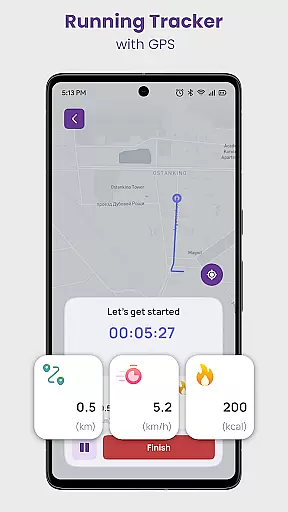
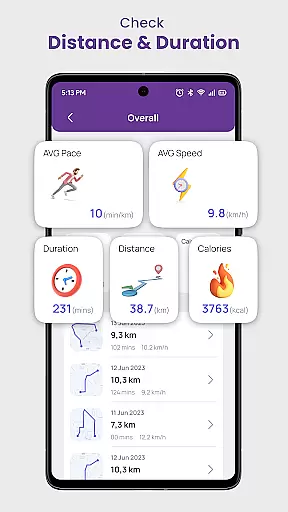
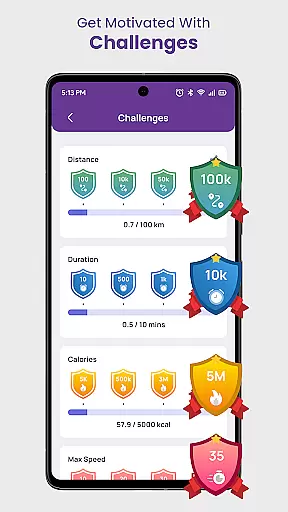
Daily Running Tracker with GPS is a comprehensive fitness application designed to enhance your running experience. This app serves as a personal running companion, utilizing GPS technology to track your route, distance, and pace in real-time. Whether you are a beginner or an experienced runner, the app provides detailed statistics on your performance, empowering you to set and achieve your fitness goals.
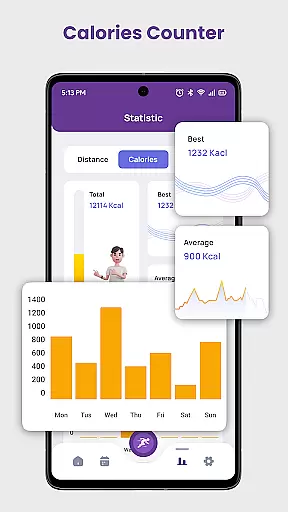
One of the standout features of this app is its ability to calculate calories burned during each session, giving you insights into your energy expenditure. Additionally, it offers training plans tailored to various objectives such as 5K or 10K preparation, weight loss, and more. With challenges and a community aspect, users can participate in virtual races and earn achievements, keeping motivation high.
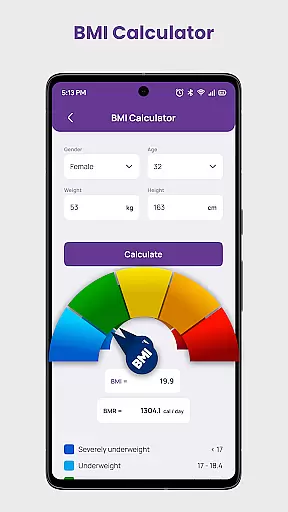
The app also includes a Body Mass Index calculator, allowing users to monitor their overall health progress. By recording key metrics like longest distance, duration, and max speed, Daily Running Tracker with GPS ensures that runners have all the tools they need to succeed. Its offline functionality means you can track your runs without needing an internet connection, making it a reliable choice for outdoor enthusiasts.
Daily Running Tracker with GPS boasts an array of features designed to support runners at every level. The app's GPS-powered tracking system accurately monitors your route, distance, and pace, providing real-time feedback to help you stay on course. This feature is complemented by detailed statistics that allow you to analyze your performance over time, helping you to set new personal records.
In addition to tracking, the app includes a calorie counter that calculates the calories burned during each run. This helps users make informed decisions about their fitness routines. The goal-setting feature enables you to define specific objectives, whether it's running a certain distance or achieving a target pace, ensuring you remain committed to your fitness journey.
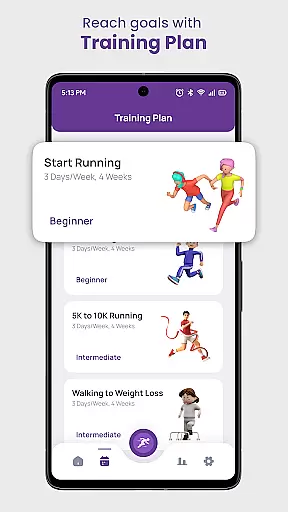
Training plans offered by the app cater to different levels and goals, from beginners to advanced runners. These structured workouts are designed by experts to prevent injury and promote steady progress. Furthermore, the app fosters a sense of community through challenges and virtual races, motivating users to push their limits and engage with fellow runners.
Personalized planning in a fitness app refers to the ability to create tailored workout schedules based on individual goals, capabilities, and progress. This feature is crucial as it caters to users' unique needs, ensuring that each person gets the most out of their fitness journey.
Daily Running Tracker with GPS offers personalized planning through its goal setting and training plans. Users can define specific objectives such as running a certain distance or achieving a particular pace. The app then provides structured workouts designed by experts, which are tailored to match these goals and the user's current fitness level.
The benefit of this personalized approach is that users receive a clear roadmap for their workouts, helping them stay focused and motivated. By following a plan that adapts to their progress, users can steadily improve their performance while minimizing the risk of injury.
This level of personalization ensures that whether you're a beginner looking to lose weight or an experienced runner preparing for a marathon, the app supports your journey with a plan that evolves as you do.
Progress visualization is a key component of any fitness application, allowing users to see their achievements and improvements over time. This visual representation of data not only motivates users but also helps them understand their performance trends.
In Daily Running Tracker with GPS, progress visualization is brought to life through detailed statistics and records. Users can view their longest distance, fastest speed, and most calories burned, among other metrics. These insights are presented in an easy-to-understand format, making it simple for users to track their milestones.
By having a clear visual of their progress, users can set new goals and strive for continuous improvement. Seeing tangible results serves as a powerful motivator, encouraging users to stick with their fitness routines and celebrate their successes.
Ultimately, the progress visualization tools within the app empower users to take control of their fitness journey, providing both the motivation and feedback necessary to achieve long-term success.
User-friendly interface
Accurate GPS tracking
Comprehensive training plans
Active community challenges
Offline functionality
Limited social features
No live coaching
Premium subscription required
Occasional GPS inaccuracies
High battery consumption

The simplest way to track your 21 Day Program containers, exercises, and water.
 4.50
4.50
Relax to calm sounds, white noise, music, guided meditation and bedtime stories
4.40
Effortlessly and naturally release anxiety by harnessing the power of your brain
4.60
Get alert about getting out of desired heart rate zone.
4.10
See what's really going on inside your head! Real time EEG graphs from your Muse
4.40
Using Recognise™ has been shown to reduce pain, and improve performance.
4.3
Pupillary distance PD with camera quick and easy, checking glasses frames on you
3.70
Walk. Earn: Get rewarded for every step! Walk, move, and earn real rewards.
4.70
Comprehensively record and manage your health
4.50
Weight loss app: home workout for women to lose weight & burn calories.
4.80
Easy to use step counter, calorie counter helps lose weight, count steps offline
4.80
Easy access to health benefits
4.70
Relax. Sleep Better. Feel Better.
4.50
Personal step counter for you, private and accurate
4.50
FODMAP, Gluten, Allergy, Vegan
4.50
Walk, track, and burn calories with step counter & GPS walking tracker
4.20
Your plan in your pocket 24/7
3.00
Optimization for TRT & Enhanced Athletes
4.3
Using Recognise™ has been shown to reduce pain and improve performance
4.5


User Reviews