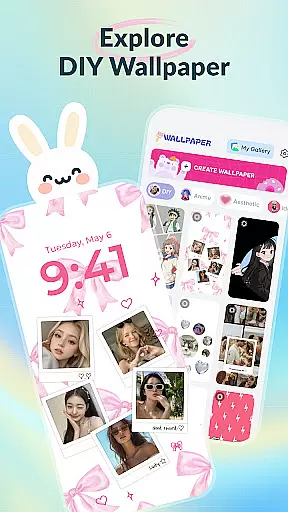
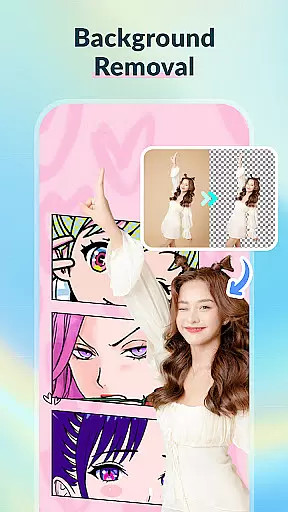
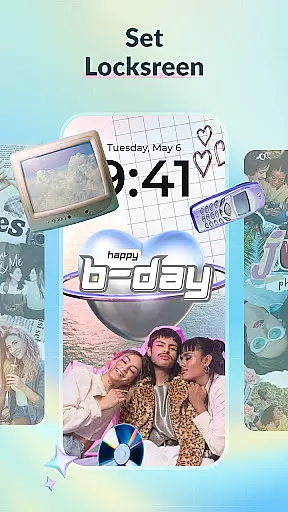
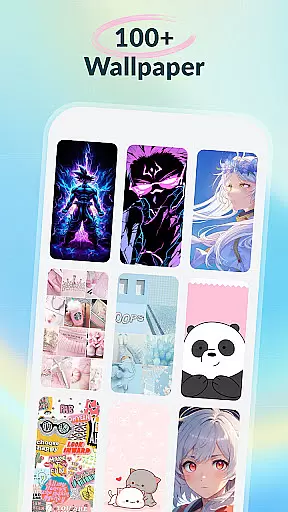
DIY Wallpaper & Collage Craft is a creative app designed for personalizing phone backgrounds. It offers users the ability to create unique wallpapers through customizable frames, collage tools, and an extensive gallery of trendy designs.
The app features three main sections: DIY Frame Wallpaper for adding stylish frames to photos, Collage Wallpaper Craft for freeform photo collages, and a Curated Wallpaper Gallery with diverse ready-to-use options. These tools cater to various styles, from aesthetics to anime and dark themes.
Perfect for those seeking self-expression, this app ensures your phone reflects your personality while staying trendy. With its user-friendly interface and free access to all features, it empowers users to transform their devices into personalized works of art.
DIY Wallpaper & Collage Craft stands out with its powerful customization tools. The DIY Frame Wallpaper section provides dynamic and static frames, custom backgrounds, and stickers, allowing users to enhance their photos with ease.
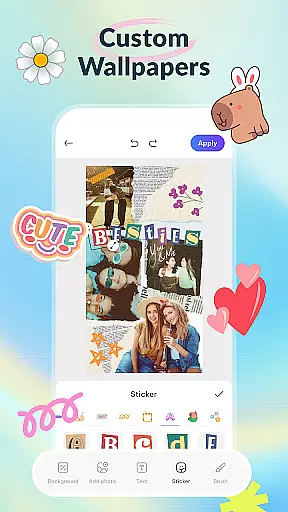
The Collage Wallpaper Craft feature offers complete creative freedom. Users can import unlimited photos, add artistic filters, text, and stickers, and utilize a brush tool for doodles. This section supports resizing, rotating, and layering images for intricate designs.
Additionally, the Curated Wallpaper Gallery offers a vast selection of pre-made wallpapers updated regularly. From cute animals to sleek dark mode themes, the gallery ensures users always have fresh and trendy options at their fingertips.
Customization is at the heart of DIY Wallpaper & Collage Craft, offering users a vast array of options to personalize their device's appearance. With features like DIY Frame Wallpaper, Collage Wallpaper Craft, and a Curated Wallpaper Gallery, the app stands out in the Personalisation category.
The DIY Frame Wallpaper section provides dynamic and static frames, custom backgrounds, and an extensive sticker library, allowing users to transform personal photos into unique wallpapers. This level of personal engagement ensures that each creation is as individual as the user.
Collage Wallpaper Craft takes user input to another level by enabling complete creative freedom. Users can import unlimited photos, add trendy stickers, incorporate text, utilize a creative brush tool, and apply artistic filters. This feature empowers users to design one-of-a-kind collages that reflect their personality and style.
Finally, the Curated Wallpaper Gallery offers ready-to-use wallpapers that cater to diverse tastes and trends. From aesthetic vibes and anime themes to adorable animals and dark mode delights, this gallery is regularly updated to keep up with current mobile culture trends. The combination of these features makes customization not just a possibility but an exciting journey for users.
Theme compatibility is crucial for personalization apps, ensuring that designs look great across various devices and screen sizes. DIY Wallpaper & Collage Craft excels in this area by providing high-quality images and flexible design options that adapt seamlessly to different themes and interfaces.
Users can experiment with colors, patterns, and textures within the DIY Frame Wallpaper feature, creating backgrounds that complement their device's theme. Whether opting for live or static frames, the app ensures that every element aligns perfectly with the overall aesthetic.
In the Collage Wallpaper Craft section, users have the freedom to arrange, resize, rotate, and layer photos without worrying about resolution or distortion. This flexibility guarantees that collages maintain their visual appeal regardless of the device's display specifications.
Additionally, the Curated Wallpaper Gallery is meticulously curated to include themes that resonate with current trends while maintaining compatibility with various devices. By prioritizing theme compatibility, DIY Wallpaper & Collage Craft ensures that every wallpaper looks stunning, enhancing the user experience across all platforms.
User-friendly interface
Extensive customization options
Free access to all features
Regular content updates
Versatile design tools
Limited advanced editing tools
Occasional performance lags
Ads may disrupt experience
Learning curve for beginners
Designs can feel repetitive

Stunningly Different look with Line Icons and Neon Colors
 4.60
4.60
Wear Os Watch Face - Seasonal - Animated Snow Effect - 9 Animals
4.20
Art & Emoji Keyboard with Cool Fonts, Cute Themes and Custom Designs.
4.40
Personalize your phone with stunning HD and 4K wallpapers!
4.70
Add cute Shimeji pets to screen, interact with them and relax with cute motions
4.60
Vibrant Adaptive Icons with Material You and Enhanced Monet Colors.
4.50
Stylish Pink Cute Hippo keyboard with 10000+ customized keyboard themes!
4.60
Yandex Browser — stylish and secure, with voice search and data compression
4.40
set a new experience for the Android mobile phone
4.20
Dark icon pack based on One 8
4.80
Wallpaper HD 4K Live - Thousands of high-quality Anime backgrounds for you.
4.80
100+ Stylish Fonts, Emojis, Symbols keyboard for Instagram & TikTok!
4.80
Glass style colourful icons with a One UI look and feel
4.60
Customize your home screen with stunning themes, blur, widgets & icons.
4.60
Beautiful realistic hybrid watch face with numerous customization options.
4.50
Transform your phone with Launcher iOS 26 - Smooth & elegant iOS experience
4.50
Crystal-clear, square icon provides a sleek and sophisticated visual upgrade
4.00
Design your screen with unique, vibrant clocks
3.80
Prank your friends with realistic broken screen and cracked HD effects!
4.2


User Reviews