
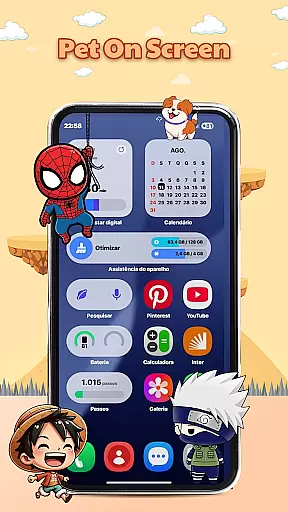
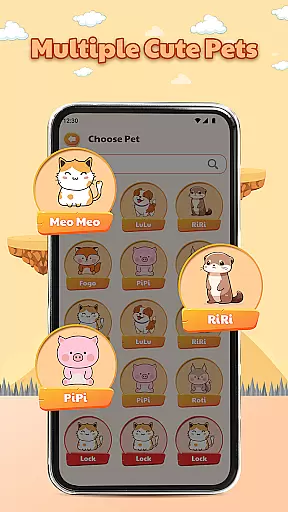
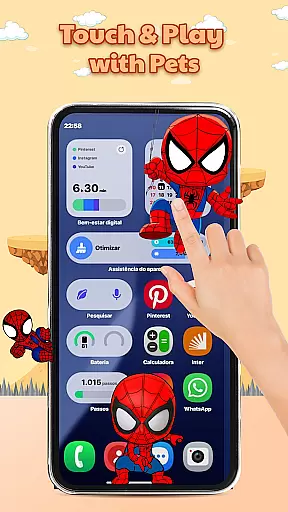
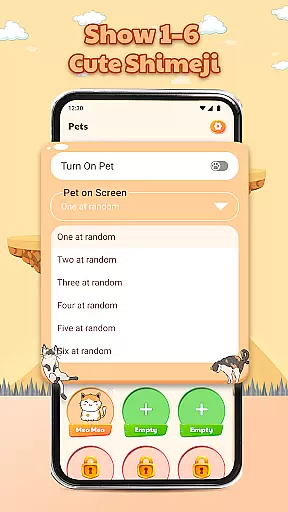
Pet On Screen - Shimeji Kawaii is a delightful personalization app that brings charm and fun to your mobile device. This app features adorable, animated Shimeji characters that move naturally across your screen, mimicking playful interactions such as walking, climbing, and reacting to touch. With a wide selection of cute pets in various styles including anime, cartoon, and chibi, users can customize their devices to match their unique personalities.
Designed for those who appreciate creativity and cuteness, this app allows you to adjust the size, speed, and behavior of your virtual companions. Whether you're looking to add a touch of whimsy to your daily routine or seeking a relaxing way to reduce stress, Pet On Screen - Shimeji Kawaii offers an engaging experience every time you use your phone.
The standout feature of Pet On Screen - Shimeji Kawaii is its collection of live mini characters that animate your screen with natural movements. These charming pets come in diverse styles, ensuring there's something for everyone. From cute and cuddly to quirky and cool, each character adds a layer of personality to your device.
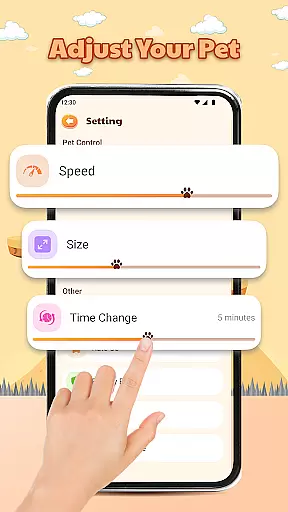
Beyond aesthetics, the app provides advanced customization options. Users can tweak settings like character size, movement speed, and interaction times, tailoring the experience to their preferences. The playful interactions extend beyond mere visuals; tapping or holding these characters triggers amusing reactions, making every encounter delightful.
Ultimately, Pet On Screen - Shimeji Kawaii transforms a standard mobile interface into a lively playground. Its ability to infuse joy and relaxation into everyday moments makes it more than just an app—it’s a source of constant amusement and stress relief.
Customization is at the heart of Pet On Screen - Shimeji Kawaii, allowing users to tailor their experience with a range of adjustable settings.
This app offers an extensive selection of cute pets in various styles such as anime and chibi, which can be resized and their movement speed altered to match personal preferences.
The ability to customize extends to timing adjustments, giving users control over when and how their chosen characters interact on-screen.
These customization options ensure that each user's device reflects their unique style and mood, enhancing personal connection and enjoyment.
Pet On Screen - Shimeji Kawaii excels in theme compatibility, seamlessly integrating with your device's existing aesthetics.
Users will find that these lively characters not only bring fun but also maintain visual harmony with their phoneu2019s current look and feel.
Whether itu2019s matching color schemes or complementing screen layouts, this app ensures its animated companions enhance rather than disrupt your personalized setup.
With this level of compatibility, you can enjoy a cohesive and charming digital environment every time you use your device.
Cute animated characters
Wide variety of styles
Customizable settings
Interactive features
Stress-relieving experience
Limited free options
May drain battery
Occasional glitches
Not suitable for all ages
Some features locked behind paywall

Customizable Glass widgets. Over 360+ stunning widgets and more!
 4.70
4.70
A Colorful and Minimal icon pack in an Outline Style - Over 13,600 icons!
4.70
Ultra realistic gold analog watch face with lots of customization options.
4.50 4.50
4.50 3.50
3.50
Nothing Icon pack with more than 3750+ highly crafted icons.
4.70
Embrace the Night. Unleash the power of darkness with Raven Dark Icon Pack
4.60
Icons made of colorful linear lines
4.60
300+ widgets inspired by Material You and Material 3 expressive design.
4.60
Dark icon pack based on One 8
4.80
Glass style colourful icons with a One UI look and feel
4.60
A retro cartoon style watch face and a punch right in the face of the copyright
4.60
Choose your keyboard with RGB colors effect, themes, fonts, emojis.
4.60
Turn text & photos into stunning AI videos, art, and creative visual stories.
4.50 4.50
4.50
Fingerprint Lock Screen & Live Animations with 4K Wallpapers as Live Wallpaper
4.40
The definitive Icon pack maker and editor
4.30
Adult video chat, dating, making friends, random matching
4.20
Adorable pets roam and play right on your phone screen!
3.30


User Reviews