
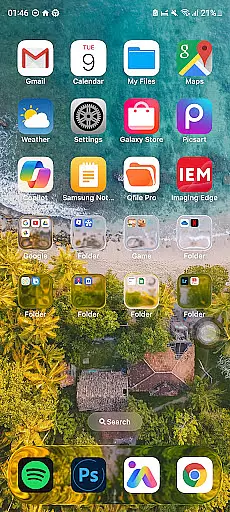
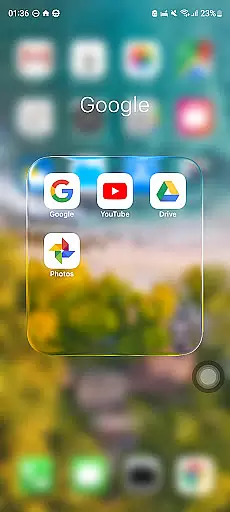
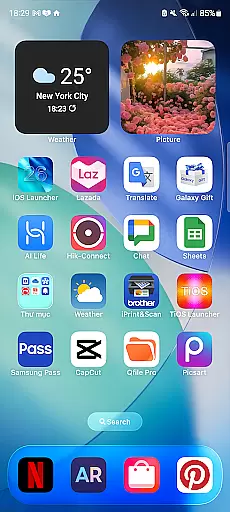
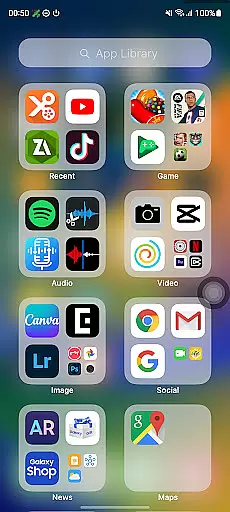
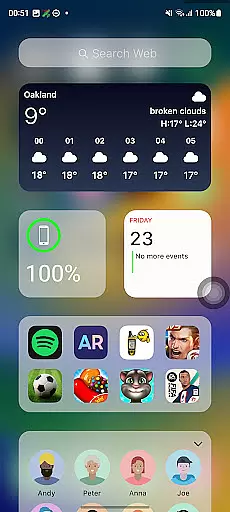
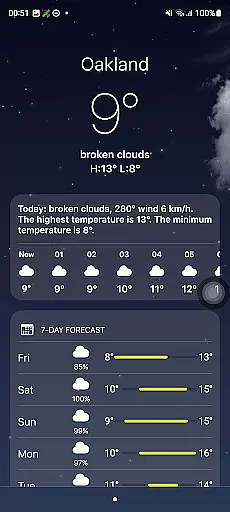
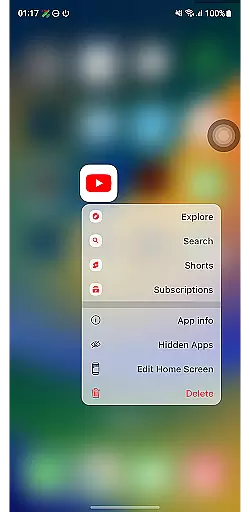
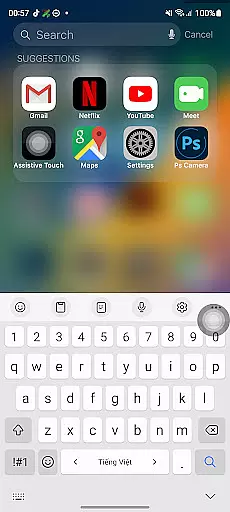
Launcher iOS 26 is a personalization app designed to bring the familiar iPhone experience to Android devices. This launcher transforms your phone's interface with a sleek and intuitive design inspired by iOS, offering users an authentic look and feel of an iPhone while maintaining Android's flexibility.
Beyond its aesthetic appeal, Launcher iOS 26 provides enhanced functionality through features like a convenient Control Center for quick access to essential functions, customizable wallpapers, and easy navigation to favorite apps. These tools simplify and personalize the Android experience, making it more user-friendly and efficient.
Ideal for those who appreciate iOS design but require Android's versatility, Launcher iOS 26 bridges the gap between operating systems. Whether you're transitioning from an iPhone or simply prefer iOS aesthetics on your Android device, this app delivers both style and substance.
Launcher iOS 26 stands out with its comprehensive replication of the iPhone experience on Android. The app meticulously recreates the iOS look and feel, ensuring that users enjoy a polished and familiar interface. Its attention to detail extends beyond visuals, incorporating functional elements such as a Control Center that mimics iPhone's own, providing quick access to essential settings.
Another notable feature is the customizable wallpaper option, allowing users to personalize their home screens just like on an actual iPhone. Quick Access functionality further enhances usability by enabling users to reach their favorite apps and actions effortlessly, akin to iPhone's AssistiveTouch.
These features collectively create a seamless and personalized user experience, empowering Android users to enjoy the best of both worlds—iOS-inspired design combined with Android's flexibility.
Launcher iOS 26 offers a rich array of customization options that allow users to tailor their Android experience to closely resemble the familiar iPhone interface. The app provides an authentic iOS look and feel, immersing users in a polished design that mirrors the aesthetic of an actual iPhone.
Beyond just visual appeal, Launcher iOS 26 enhances functionality with features inspired by the iPhone's user-friendly interface. Users can access a Control Center with a simple swipe, offering quick toggles for essential phone functions akin to the iPhone experience.
The personalization extends to being able to set wallpapers freely, allowing for a unique and individualized home screen that reflects personal style and preference. This level of customization ensures that each useru2019s device is not only functional but also distinctly their own.
Theme compatibility in Launcher iOS 26 ensures that users can enjoy a seamless integration of themes across their devices, providing visual consistency that aligns with the iPhone-inspired design. This compatibility allows for a unified appearance on all supported Android devices.
With Launcher iOS 26, users are guaranteed an intuitive theme application process that maintains high-quality graphics and smooth animations reflective of the original iOS themes. The attention to detail in rendering these themes brings the iPhone aesthetic to Android without compromising performance or visual fidelity.
Moreover, this launcher supports various customization features like Quick Access and customizable wallpapers which work harmoniously within the theme framework, ensuring that every personalized element is compatible and looks as intended. Users can thus enjoy an elevated Android experience with themes that are both flexible and true to the iOS style they admire.
User-friendly interface
Authentic iOS aesthetics
Customizable options
Enhanced functionality
Seamless navigation
Limited to iOS design
Potential performance issues
Fewer Android-specific features
May lack originality
Dependent on third-party support

Ultra realistic gold analog watch face with lots of customization options.
 4.50
4.50
Prank your friends with realistic broken screen and cracked HD effects!
4.2
AI-powered Copilot. Personalized keyboard with gifs, stickers & themes
4.40
Adaptive Dot Style IconPack with Light & Dark Theme.
3.70
Choose your keyboard with RGB colors effect, themes, fonts, emojis.
4.60
300+ Stunning and well-designed widgets inspired by NOTHING.
4.70
Modern Glass Icon Pack with glossy icons, clean minimal theme & aesthetic style
4.1
Your home screen, just the way you like it.
4.30
Enjoy a variety of amazing live wallpapers and colorful EDGE lighting borders!
4.80
Sparkle your screen with Glitter Wallpapers For Girls and Cute Backgrounds!
4.80
Dark icon pack based on One 8
4.80
A launcher for Samsung Good Lock and Good Guardians modules without ads
4.70
Nothing Icon pack with more than 3750+ highly crafted icons.
4.70
Glass style colourful icons with a One UI look and feel
4.60
Ultra realistic high quality analog watch face for Wear OS.
4.60
Color phone with cool effects for call screen, flash alert & ringtones music
4.50
Unique Fonts, typefaces and stylish text. Fonts for Instagram, Whatsapp & others
4.20
Transfer your live wallpapers from Windows to Android using Wallpaper Engine!
4.00
Transform your phone with stunning video wallpapers and a unique, personal touch
3.80


User Reviews