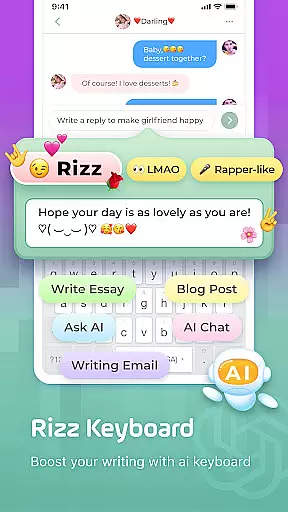
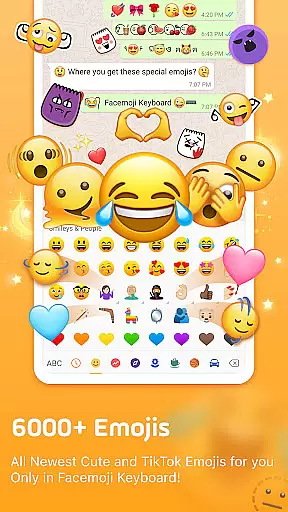
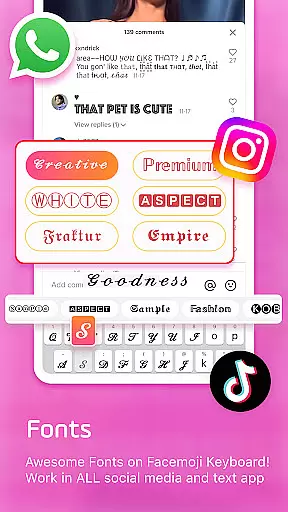
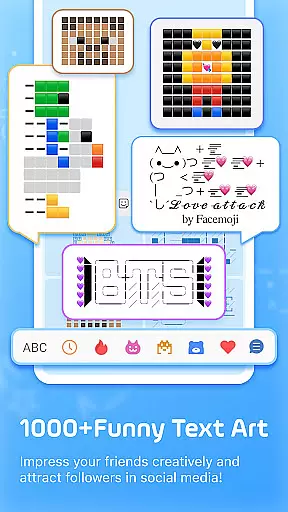
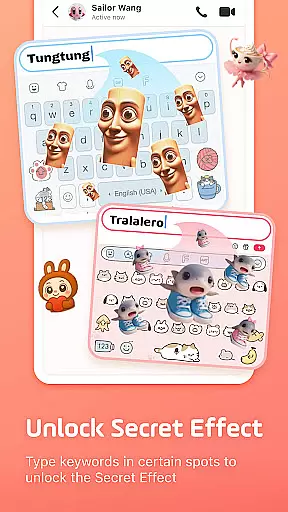
Facemoji AI Emoji Keyboard is a feature-rich personalization app that transforms your mobile typing experience. This AI-powered keyboard offers over 6000 emojis, custom emoji creation tools, and unique Genmoji-style designs based on your face. The app stands out with its extensive collection of stylish themes, fancy fonts, and creative text art options.
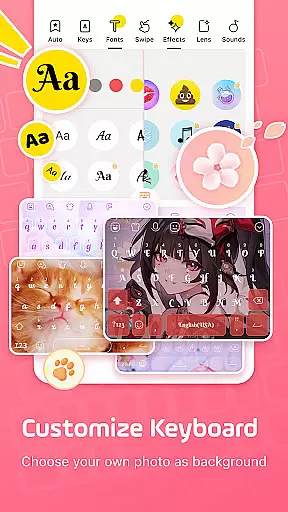
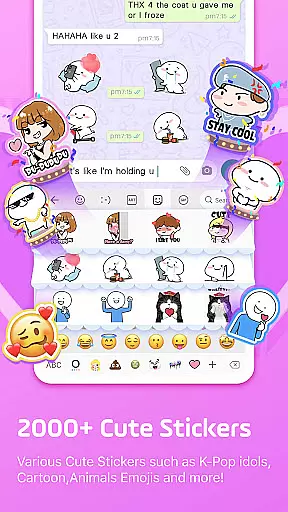
What sets Facemoji apart is its comprehensive customization capabilities. Users can personalize their keyboard with custom wallpapers, button designs, colors, and even tapping effects. The app's smart features include emoji predictions, sticker suggestions for messaging apps, and a swipe typing function that makes communication faster and more efficient.
Ideal for social media enthusiasts and creative professionals, Facemoji enhances digital communication across platforms like TikTok, WhatsApp, and Facebook. Its unique combination of aesthetic customization and practical typing tools makes it particularly valuable for users seeking both style and functionality in their mobile keyboard experience.
The Facemoji AI Emoji Keyboard distinguishes itself through innovative features that cater to modern communication needs. Its AI-powered Genmoji generator creates personalized animated stickers and emojis based on user input, while the DIY Avatar Sticker maker allows for unique custom creations that can be shared across social platforms.
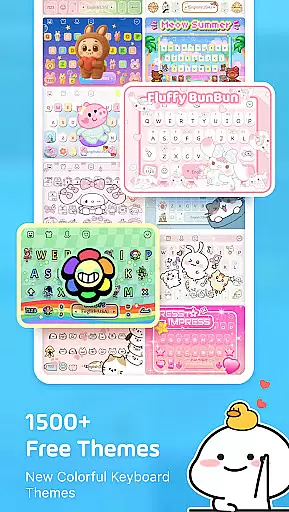
The app's customization options are exceptionally robust. Users can choose from 1500+ free themes spanning various styles, including K-Pop, anime, and trendy aesthetics. The keyboard's functional customization extends to button design, color schemes, tapping sounds, and visual effects. Notably, the app includes specialized keyboards for gaming platforms like Among Us and Roblox, enhancing the gaming communication experience.
Practical features include smart autocorrect, bilingual support for 100+ languages, and built-in translation capabilities. The app also offers creative tools like Kaomoji keyboard, text art generators, and unicode symbol libraries. These features collectively provide users with both aesthetic enhancement and functional improvements for their mobile communication experience.
Facemoji AI Emoji Keyboard offers an extensive range of customization options that cater to diverse user preferences. With over 1500 stylish themes, users can personalize their keyboard experience with designs inspired by Japanese anime, Neon aesthetics, LED effects, and even K-Pop idols.
The app allows users to create their own keyboard wallpapers using favorite photos or pictures. This DIY approach extends to customizing buttons, colors, fonts, tapping effects such as BTS lightsticks, and unique tapping sounds like piano notes or dog barking, providing a highly personalized typing environment.
Users can share their custom keyboard designs with friends, enabling others to adopt the same personalized settings. The availability of new themes added weekly ensures that users always have fresh options to explore, keeping their keyboard experience dynamic and engaging.
Theme compatibility in Facemoji AI Emoji Keyboard is designed to ensure seamless integration across various devices and operating systems. The app supports a wide array of themes, from cute animals to popular culture references like Ironman and Unicorn, all optimized for smooth performance.
Each theme undergoes rigorous testing to maintain visual consistency and functional reliability. Users can switch between themes without experiencing any lag or formatting issues, ensuring a consistently enjoyable typing experience regardless of their choice.
The app's commitment to regular updates and new theme additions demonstrates its dedication to maintaining high compatibility standards while offering users an ever-expanding selection of visually appealing and technically sound theme options.
Extensive emoji library
Customizable themes
AI-powered features
Smart typing tools
Privacy-focused design
Premium features locked
Occasional bugs
Large app size
Learning curve
Limited offline content

A launcher for Samsung Good Lock and Good Guardians modules without ads
 4.70
4.70
Try creating your own keyboard with "Keyboard theme for android" app now!
4.50
Romantic Kiss Stickers App. Start romantic messaging now!
4.30
Customize glowing edges, wallpapers, and caller screen with EdgeAura.
3.50
Nothing Icon pack with more than 3750+ highly crafted icons.
4.70
Embrace the Night. Unleash the power of darkness with Raven Dark Icon Pack
4.60
Struggling to find apps? Use this app to locate and open any app on your phone!
2.20
Enjoy a variety of amazing live wallpapers and colorful EDGE lighting borders!
4.80
Transform your phone with stylish zipper lock themes and 4D live wallpaper
4.10
Wallpaper HD 4K Live - Thousands of high-quality Anime backgrounds for you.
4.80
Stylish Pink Cute Hippo keyboard with 10000+ customized keyboard themes!
4.60
Aesthetic Widgets, HD Wallpapers, Themes in Mico Widget for Home and Lock Screen
4.50
AI-powered Copilot. Personalized keyboard with gifs, stickers & themes
4.40
Themes - Widget & Wallpaper: Customize home screen, icon changer w unique themes
4.30
Adult video chat, dating, making friends, random matching
4.20
More than 3000+ themes and 9000+ wallpapers for everybody!
4.10
Realistic animated snow on your wrist, with 10 images landscapes to choose from
4.00
Transfer your live wallpapers from Windows to Android using Wallpaper Engine!
4.00
⭐ OneUI inspired Fluffy Icon Pack – Soft. Stylish. Standout. ⭐
4.4


User Reviews