
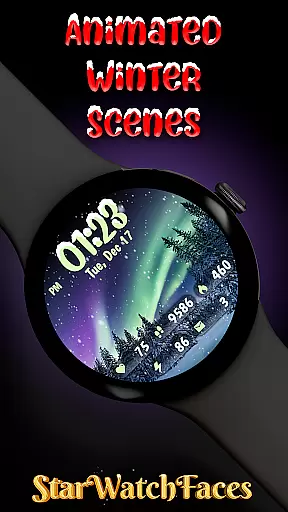
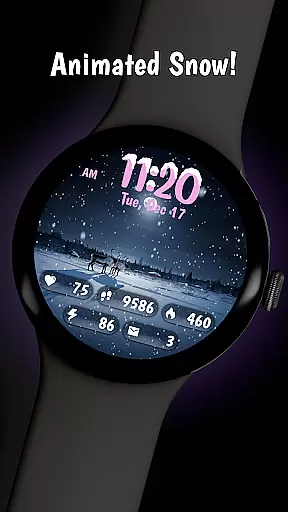
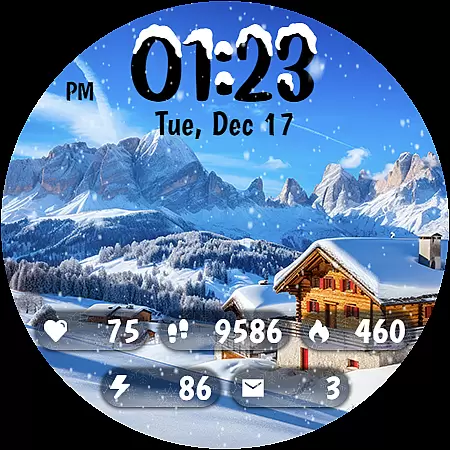
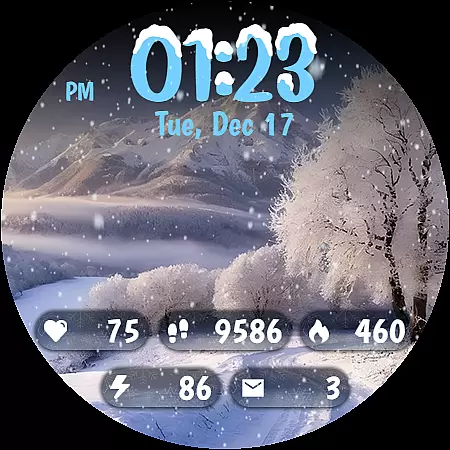
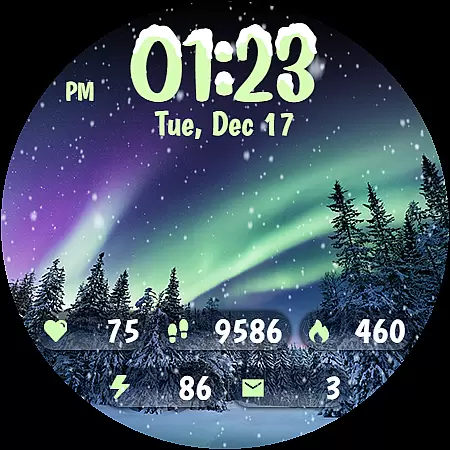
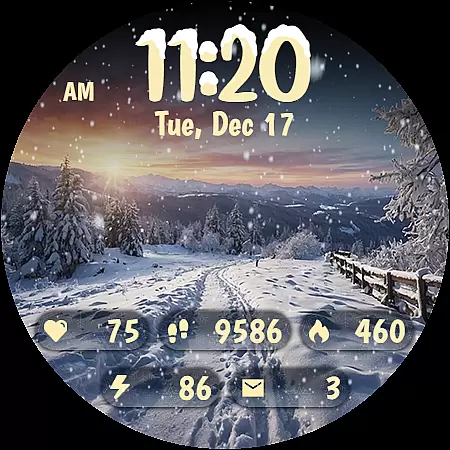
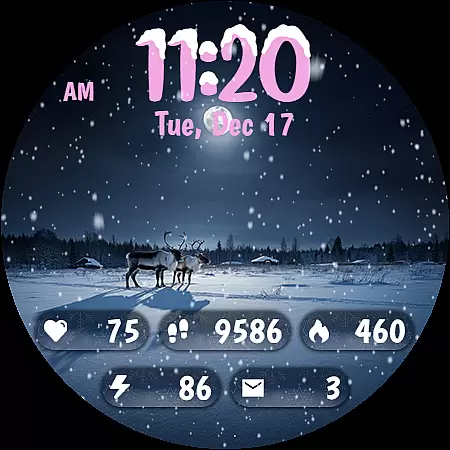
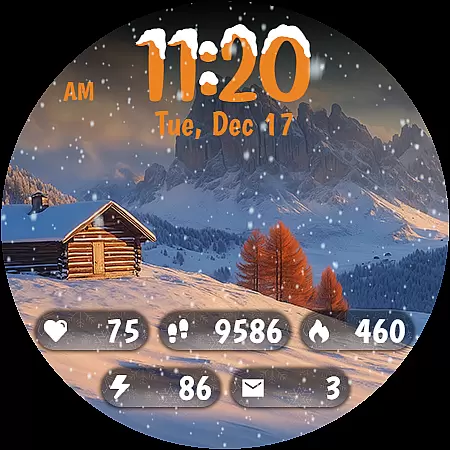
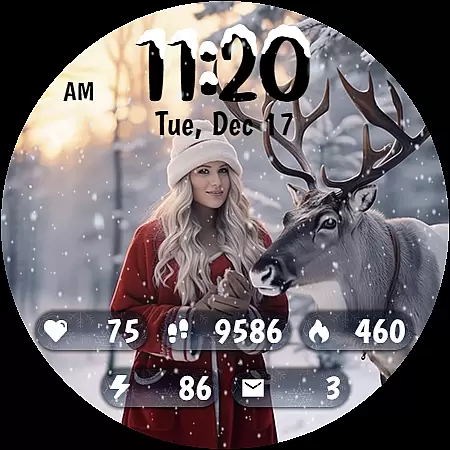
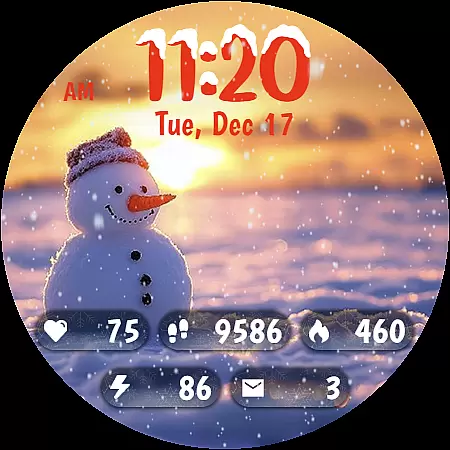
Animated Winter Scenes brings the serene beauty of winter to your Wear OS smartwatch. This watch face app offers a collection of 10 stunning winter-themed backgrounds, complete with animated snowfall for a calming effect. Users can customize their experience with 30 unique color themes and enjoy practical features like a stylish digital clock, health stats, and more.
The app is optimized for the latest Wear OS version and uses the Watch Face Format (WFF) for smooth performance. Whether you want to track your fitness goals or simply enjoy a festive atmosphere on your wrist, Animated Winter Scenes provides both functionality and aesthetics in one package.
Animated Winter Scenes stands out with its gorgeous selection of winter landscapes, including mountains, forests, and auroras. The animated snow feature adds a dynamic touch to the static images, creating an immersive experience. With 30 customizable color themes, users can tailor the watch face to match their personal style.
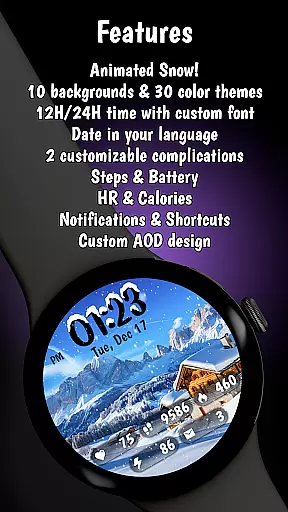
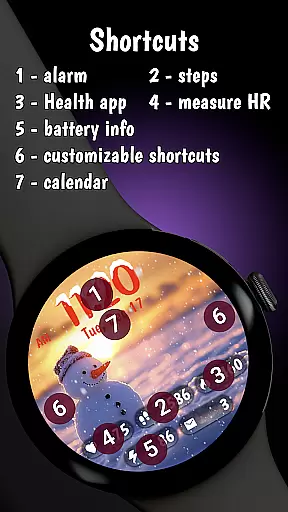
Practicality meets beauty as this app integrates essential information such as step count, heart rate, and battery status seamlessly into the design. The unique digital clock font and AOD mode further enhance usability while maintaining visual appeal. Compatible with the latest Wear OS updates, it ensures a reliable and efficient performance.
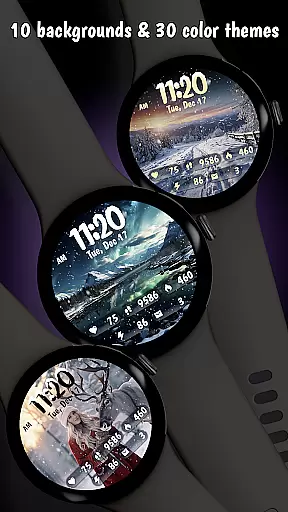
Customization is at the heart of Animated Winter Scenes, offering users a rich tapestry of options to tailor their smartwatch experience. With 10 stunning winter-themed backgrounds ranging from majestic mountains to enchanting forests, users can select the perfect scene that resonates with their personal style.
Beyond backgrounds, the app provides 30 unique color themes, ensuring that there's a palette for every preference and outfit. The inclusion of animated snow adds an element of dynamism and festivity, creating a lively yet serene display on your wrist.
The custom digital clock feature enhances personalization further, allowing users to view time in either a 12 or 24-hour format adorned with charming snow accents. This level of customization ensures that each user's watch face is not only visually appealing but also a true reflection of their individuality.
By integrating comprehensive information displays such as step count, heart rate, and notifications into this customizable interface, Animated Winter Scenes offers both beauty and functionality, making daily interactions with your Wear OS smartwatch a delightful experience.
Animated Winter Scenes excels in theme compatibility, ensuring that all design elements work harmoniously to create a cohesive visual experience. Each of the 30 color themes has been meticulously crafted to complement the 10 winter-themed backgrounds, providing a seamless blend of colors and imagery.
This attention to detail extends to the custom digital clock, which features a unique font styled with snow accents. The clock not only tells time but also enhances the overall aesthetic by maintaining consistency with the chosen background and color theme.
Furthermore, the app supports Always-On Display (AOD) mode, optimizing battery efficiency without compromising on style. This feature allows users to enjoy their personalized watch face continuously, knowing it remains both beautiful and practical throughout the day.
With its compatibility across latest Wear OS devices and optimization using the Watch Face Format (WFF), Animated Winter Scenes guarantees a smooth and visually pleasing experience. Users can embrace the magic of winter while enjoying the full functionality of their smartwatch, making every glance a moment to cherish.
Stunning winter visuals
Customizable themes
Animated snow feature
Health tracking integration
Optimized for Wear OS
Premium price tag
Limited to Wear OS
Requires customization steps
Battery usage concerns
No standalone app functionality

Only for Wear OS devices!
 4.90
4.90
A retro cartoon style watch face and a punch right in the face of the copyright
4.60
AI-powered Copilot. Personalized keyboard with gifs, stickers & themes
4.40
Romantic Kiss Stickers App. Start romantic messaging now!
4.30 4.50
4.50
⭐ OneUI inspired Fluffy Icon Pack – Soft. Stylish. Standout. ⭐
4.5
HappyLighting is a Bluetooth lamp control software.
3.40
Your home screen, just the way you like it.
3.80
Custom ringtones songs, music ringtones for Android phones
4.60
One 8 icons glass color version
4.80
Customizable Glass widgets. Over 360+ stunning widgets and more!
4.70
Shimeji adds cute animated characters to your screen, lively and fun.
4.70
Make your phone look simple & luxury, like iDevice
4.60
Add cute Shimeji pets to screen, interact with them and relax with cute motions
4.60
Aesthetic Widgets, HD Wallpapers, Themes in Mico Widget for Home and Lock Screen
4.50
Vibrant Adaptive Icons with Material You and Enhanced Monet Colors.
4.50
The definitive Icon pack maker and editor
4.30
Adaptive Dot Style IconPack with Light & Dark Theme.
3.70
Prank your friends with realistic broken screen and cracked HD effects!
4.0


User Reviews