
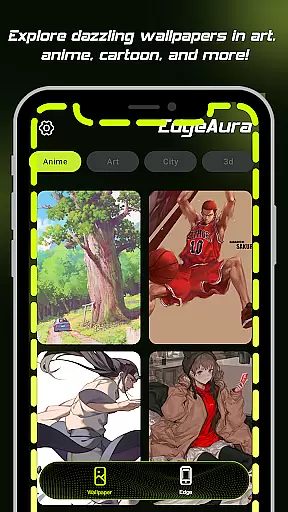
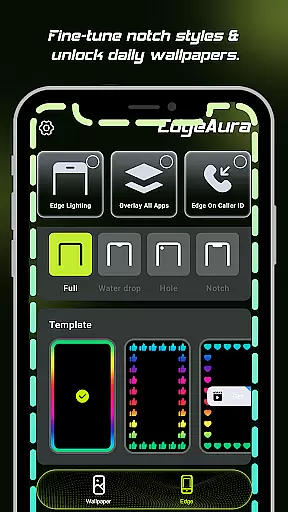
EdgeAura is a personalization app that enhances your device's visual appeal with stunning edge glow effects and dynamic live wallpapers. The app allows users to customize their screen edges with a smooth, colorful glow that can be tailored to match individual styles and wallpapers. This floating overlay effect works seamlessly over other applications, providing an immersive experience without disrupting normal phone use.
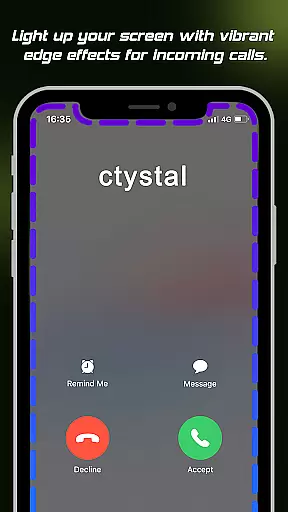
In addition to its core visual features, EdgeAura offers incoming call alerts through vibrant edge lighting. Users can also access an extensive library of high-quality animated live wallpapers, regularly updated to keep home and lock screens fresh. By using the Android Accessibility Service, the app ensures these effects are delivered responsibly while prioritizing user privacy and device security.
This app is perfect for those looking to personalize their smartphone with unique visual enhancements. Whether you want your device to stand out or simply enjoy a more vibrant interface, EdgeAura delivers both aesthetic and functional value.
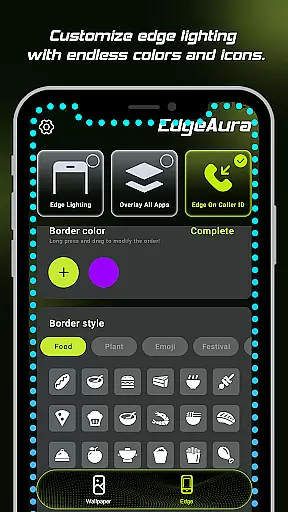
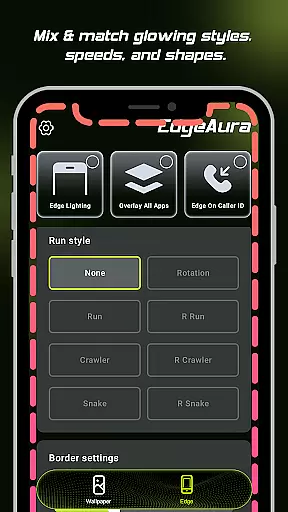
EdgeAura stands out with its Dynamic Edge Glow feature, allowing users to enjoy a customizable aura of light around their screen edges. You can adjust the color, width, and intensity of this glow to perfectly complement your style and chosen wallpaper, creating a personalized look that makes your device truly unique.
The app's Floating Overlay Effect ensures the elegant glow works on top of all other applications without interfering with normal usage. This continuous visual enhancement provides an immersive experience across different apps and activities. Additionally, the Incoming Call Alert feature lights up your screen edges when receiving calls, offering a modern notification method that is both visually striking and practical.
EdgeAura also boasts an Extensive Live Wallpaper Collection, giving users access to a wide variety of high-quality animated wallpapers. These are regularly updated, ensuring your home and lock screens remain fresh and vibrant. All these features combine to deliver a uniquely personalized and visually appealing smartphone experience.
EdgeAura offers a rich array of customization options that allow users to personalize their device's visual experience. The app provides dynamic edge glow effects which can be tailored in terms of color, width, and intensity, ensuring that each user can craft a look that perfectly matches their individual style.
Beyond the basic adjustments, EdgeAura supports an extensive live wallpaper collection. Users can explore and apply high-quality, animated wallpapers from a regularly updated library, instantly refreshing both home and lock screens. This feature ensures that personalization is not only about function but also about expressing one's unique aesthetic preferences.
The ability to customize extends to functional alerts as well. For instance, the incoming call alert feature lights up the screen edges with a chosen color, adding a personalized touch to notifications. This level of customization enriches the user experience by making everyday interactions with the device more engaging and visually pleasing.
Overall, EdgeAura's customization options empower users to transform their devices into personalized gadgets that reflect their personality and style, enhancing both the visual appeal and the interactive experience of their smartphones.
Theme compatibility is a crucial aspect of EdgeAura, ensuring that its stunning visual effects integrate seamlessly with the user's chosen device themes. The app's dynamic edge glow and live wallpapers are designed to be compatible with a wide range of themes, preserving visual consistency across the user's device.
EdgeAura achieves this compatibility through sophisticated design and adaptive algorithms. These ensure that regardless of the theme in use, the floating overlay effect maintains its elegance and does not interfere with normal phone use. As a result, users enjoy a cohesive look that enhances rather than disrupts their chosen aesthetics.
Moreover, the app's commitment to compatibility extends to its functionality. By using the Android Accessibility Service, EdgeAura detects screen content and application windows to correctly draw the glow effect around the edges without disrupting the thematic elements of the interface. This thoughtful integration highlights the app's dedication to providing a harmonious user experience.
In summary, EdgeAura's emphasis on theme compatibility ensures that its vibrant and customizable features enhance the overall visual theme of the device, offering users a seamless and immersive personalization experience that respects their stylistic choices.
Stunning visual effects
Highly customizable options
Unique incoming call alerts
Vibrant live wallpapers
User-friendly interface
Requires accessibility permission
May drain battery faster
Limited to Android devices
Premium features may cost extra
Some users may find it distracting

Customizable Glass widgets. Over 360+ stunning widgets and more!
 4.70
4.70
A Colorful and Minimal icon pack in an Outline Style - Over 13,600 icons!
4.70
Realistic animated snow on your wrist, with 10 images landscapes to choose from
4.00
Sparkle your screen with Glitter Wallpapers For Girls and Cute Backgrounds!
4.80
Try creating your own keyboard with "Keyboard theme for android" app now!
4.50
Ultimate Gallery Lock App - Hide Pictures, Videos and Lock Apps Instantly!
4.60 4.10
4.10
Choose your keyboard with RGB colors effect, themes, fonts, emojis.
4.60
350+ widgets with a premium glass-style finish, perfect for home & lock screens.
4.70
One 8 icons glass color version
4.80
A retro cartoon style watch face and a punch right in the face of the copyright
4.60
Ultra realistic gold analog watch face with lots of customization options.
4.50
3D, live, and moving wallpapers & themes in 4K and HD for your device.
4.50
Themes - Widget & Wallpaper: Customize home screen, icon changer w unique themes
4.30
Adult video chat, dating, making friends, random matching
4.20
Run multiple accounts of the same app on a single device
4.10
Adaptive Dot Style IconPack with Light & Dark Theme.
3.70
HappyLighting is a Bluetooth lamp control software.
3.40
Interactive Miniature Painting Catalogue
3.30


User Reviews