
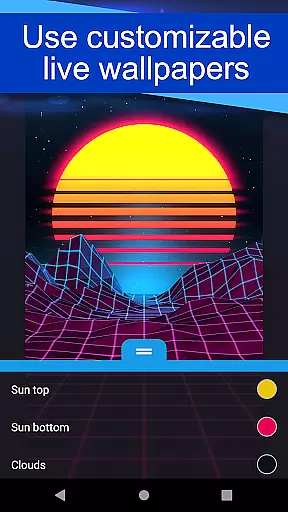
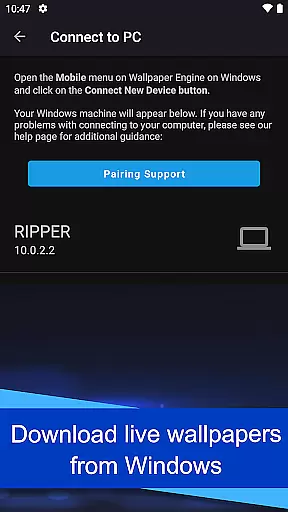
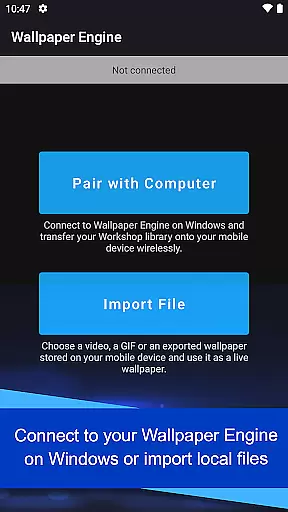
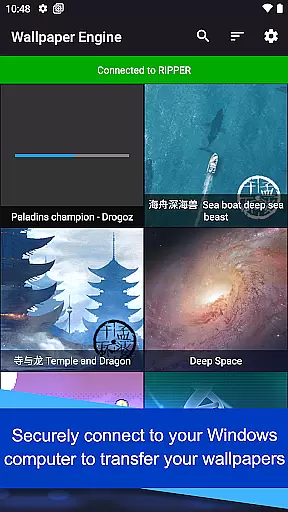
Wallpaper Engine is a personalization app that allows users to import and manage live wallpapers on their Android devices. The app seamlessly connects with the Windows version of Wallpaper Engine, enabling users to transfer their desktop wallpaper library directly to their mobile device. It supports various formats including videos, GIFs, and interactive 2D/3D scenes, making it versatile for different user preferences.
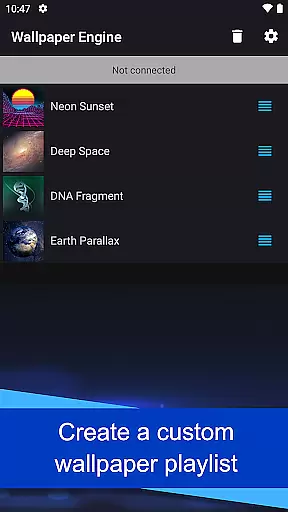
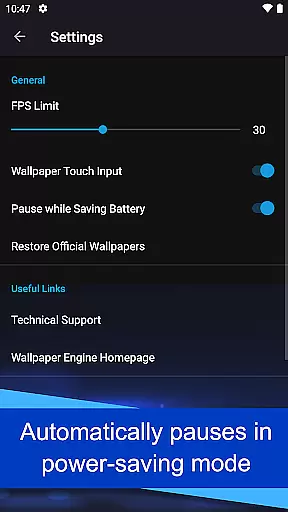
One standout feature is its customization options, allowing users to tailor the appearance and behavior of their wallpapers. Whether you want to create a playlist for automatic wallpaper rotation or adjust settings based on time of day, Wallpaper Engine provides the tools needed to make your device uniquely yours. Additionally, wallpapers automatically pause in power-saving mode, ensuring optimal battery performance.
This app is ideal for users who want to personalize their smartphone experience without compromising device performance. With an ad-free and privacy-focused design, Wallpaper Engine offers a seamless way to enhance your device's aesthetics while maintaining usability and efficiency.
Wallpaper Engine stands out with its comprehensive feature set tailored for personalization enthusiasts. One of its core features is the ability to connect with the Windows version of Wallpaper Engine, allowing users to effortlessly transfer their existing live wallpaper collection from desktop to mobile. This cross-platform functionality ensures that users can enjoy a consistent experience across devices.
The app supports multiple formats such as videos, GIFs, and interactive 2D/3D scenes, providing diverse options for customization. Users can also create playlists that cycle through wallpapers at regular intervals or based on the time of day, adding a dynamic element to their device's appearance. Furthermore, the app includes intelligent power-saving features that automatically pause wallpapers when the phone enters low-power mode, optimizing battery usage without manual intervention.
Another notable aspect is its commitment to user privacy and experience. Wallpaper Engine is completely ad-free and does not track user behavior, ensuring a clean and uninterrupted personalization process. These features collectively make Wallpaper Engine a top choice for users seeking both functionality and aesthetic enhancement on their Android devices.
Customization options variety refers to the range of settings and features that allow users to tailor their experience according to personal preferences. Wallpaper Engine offers extensive customization capabilities, enabling users to adjust the look and feel of their wallpapers.
The app supports various formats including videos, GIFs, and interactive 2D/3D scenes as wallpapers. This versatility ensures that users can choose from a wide array of visual styles and effects, making it possible to create a personalized environment on their mobile devices.
Additionally, users have the ability to customize wallpapers by importing local content or connecting to Wallpaper Engine on Windows. This seamless integration allows for transferring an existing desktop library to a phone, providing even more options for personalization.
With these robust customization features, Wallpaper Engine stands out in the Personalisation category by offering users unparalleled control over their device's appearance, enhancing both aesthetics and user satisfaction.
Theme compatibility is crucial for ensuring that wallpapers integrate seamlessly with a device's overall design language. Wallpaper Engine excels in this area by supporting diverse content types such as videos, GIFs, and interactive scenes, which adapt well to various themes.
One key feature is the ability to set up playlists that cycle through wallpapers at regular intervals or based on the time of day. This dynamic theming capability ensures that the deviceu2019s appearance remains fresh and aligned with different contexts or moods throughout the day.
Moreover, the app automatically pauses wallpapers when power-saving mode is activated, demonstrating thoughtful consideration of system resources while maintaining visual consistency. This balance between performance and aesthetics enhances theme compatibility without compromising device functionality.
By focusing on comprehensive theme support, Wallpaper Engine provides a cohesive and engaging user experience, reinforcing its position as a top choice in the Personalisation category.
User-friendly interface
Versatile format support
Seamless cross-platform sync
Customizable settings
Ad-free experience
Limited to Android
Requires Windows version for full sync
No iOS compatibility
Advanced features need learning
Resource-intensive on older devices

Capture moments that pass like a storm, second by second.
 4.4
4.4
Ultra realistic high quality analog watch face for Wear OS.
4.60
Realistic animated snow on your wrist, with 10 images landscapes to choose from
4.00
Make your phone look simple & luxury, like iDevice
4.60
Try creating your own keyboard with "Keyboard theme for android" app now!
4.50
100+ Stylish Fonts, Emojis, Symbols keyboard for Instagram & TikTok!
4.80
Turn text & photos into stunning AI videos, art, and creative visual stories.
4.50
Customize glowing edges, wallpapers, and caller screen with EdgeAura.
3.50
Launcher OS™ Pro without ads help make your phone simple and pretty
4.30
A launcher for Samsung Good Lock and Good Guardians modules without ads
4.70
A minimalist productivity launcher. One-hand-friendly. Zero ads.
4.70
Classic analogue watch face. For wear os devices.
4.60
Over 28,000 high quality icons to bring color & homogeneity to your phone.
4.60
300+ widgets inspired by Material You and Material 3 expressive design.
4.60
200+ Material Inspired Widgets
4.50
Fingerprint Lock Screen & Live Animations with 4K Wallpapers as Live Wallpaper
4.40
Themes - Widget & Wallpaper: Customize home screen, icon changer w unique themes
4.30
The definitive Icon pack maker and editor
4.30
Custom edge gestures for volume control, brightness, apps, and shortcuts.
4.4


User Reviews