
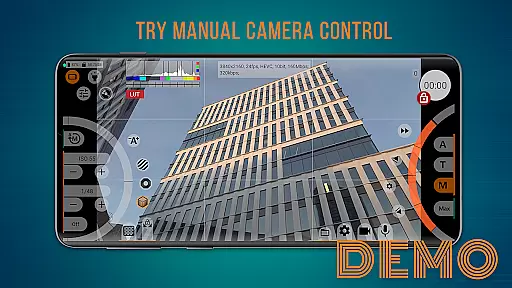
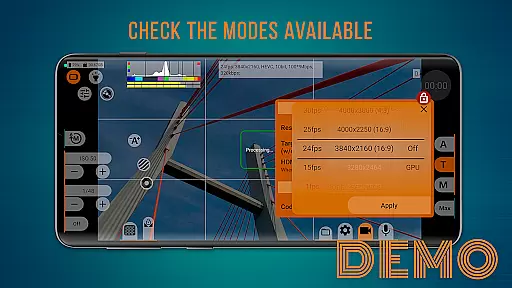
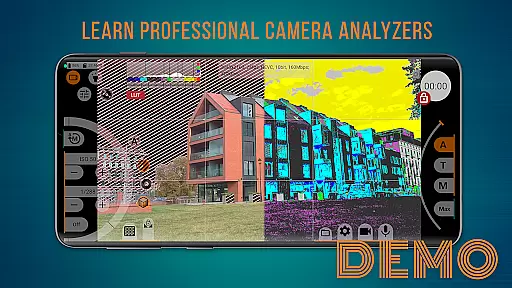
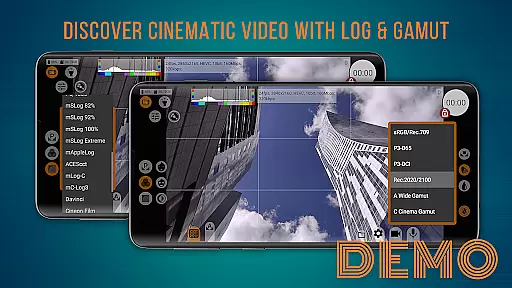
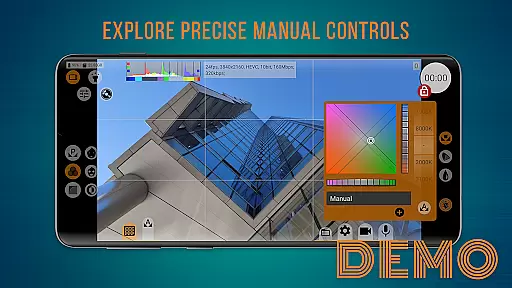
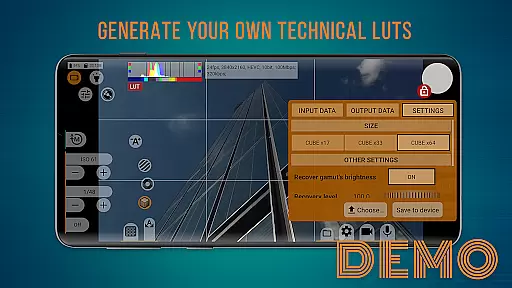
mcpro24fps demo serves as a free trial version of the professional camera app mcpro24fps, designed to showcase advanced video shooting capabilities on your smartphone. This app allows users to explore various professional shooting modes and familiarize themselves with the interface before committing to a purchase.
With manual settings and advanced tools, it provides an authentic experience of using a professional-grade camera app. Although the demo restricts actual video recording, all other functionalities mirror the full version, ensuring users can make informed decisions about upgrading.
Whether you're evaluating its compatibility or exploring features like manual controls and customizable settings, mcpro24fps demo offers a comprehensive preview tailored to enhance your mobile videography skills.
The mcpro24fps demo app stands out with its array of professional video shooting features. Users can experiment with manual settings such as ISO, shutter speed, and focus, gaining hands-on experience with tools typically found in high-end cameras.
Additionally, the app provides a realistic interface that mimics the full version, allowing users to navigate through different modes and options effortlessly. While the demo does not support video recording, it ensures that every other feature, from exposure adjustments to white balance settings, is fully operational.
This approach enables potential buyers to thoroughly assess the app's usability and convenience, making it an invaluable resource for those considering the investment in the complete mcpro24fps application.
Functionality completeness refers to the extent to which an application includes features that cover all necessary aspects of its intended purpose. For mcpro24fps demo, this means providing users with a comprehensive set of professional video shooting features available on their specific smartphone.
The app allows users to check the availability of shooting modes and options that interest them, familiarize themselves with the interface, and explore advanced tools of a professional camera with manual settings. This ensures that users can make informed decisions before purchasing the full version.
By offering all functional features except for recording capabilities, mcpro24fps demo provides a complete experience of what users can expect from the full version. This approach aids in evaluating the convenience and suitability of the app's features without any gimmicks or doubts.
Usability is a critical factor in determining how easily users can interact with an application. For mcpro24fps demo, usability is demonstrated through its intuitive interface and ease of navigation, allowing users to explore various features effortlessly.
Operational smoothness refers to the seamless performance of the app while executing different tasks. In mcpro24fps demo, users can smoothly transition between different modes and settings, experiencing no lag or interruptions during their exploration.
This ensures that users have a pleasant experience while evaluating the app's capabilities, making it easier for them to decide on purchasing the full version. The combination of usability and operational smoothness enhances user satisfaction and confidence in the product.
User-friendly interface
Comprehensive feature set
Free to use
Accurate full version preview
Manual camera settings
No video recording
Limited to demo features
Requires full version purchase
Some features locked
Restricted functionality

Game Booster GFX for smoother gaming experience. Enjoy 120 FPS and 4x Game Space
 4.20
4.20
Record with Double Camera Video Recording using Dual Camera Front and Back Video
3.00
Enjoy Minecraft Mod Scary Neighbor Granny for Minecraft PE.
4.30
Easily evaluate the performance of Scandit's barcode and ID scanning SDK
4.10
use your smartphone as Remote control drones .
4.20
Recite Quran Majeed القران with special 16 line real Kuran page in hand
4.30
Al QURAN-القرأن الكريم app to read Quran offline just like an actual Quran book
4.30
Barcode scanning made simple!
4.40
Simulator of real black light
3.50
Demo for Key Attestation feature of the Android system.
4.80
An essential GFX utility developed for specific FPS mobile games
4.50
Wireless reverse charging using phone now is possible
4.30
An impressive collection of tools, characters, weapons, skins and more!
4.30
View your cameras anywhere and anytime
4.20
A Pydroid Quick Install repository provider.
4.00
a wireless controller that provides a seamless and gaming experience for players
3.80
With Endoscope Camera Connector you can connect your phone with endoscope cam
3.70
Connect and find your Smart Tag 2 devices through our app.
3.60
If you are looking for melon playground mod that fun you deffinitely try our app
2.70


User Reviews