
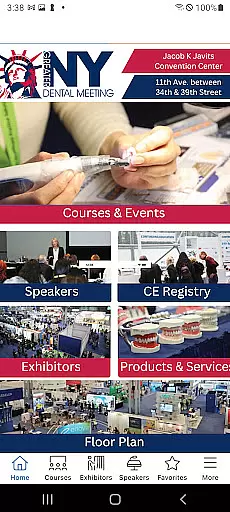
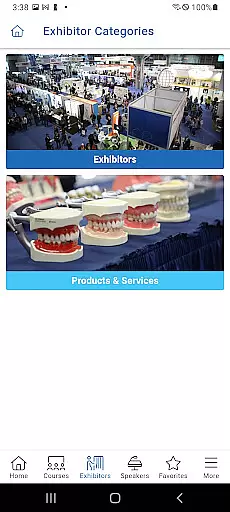
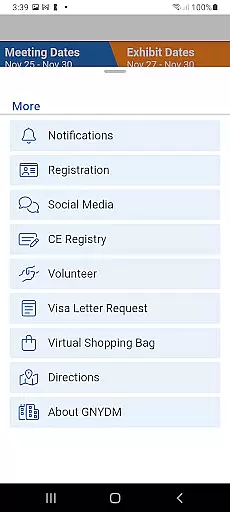
The Greater NY Dental Meeting app is a comprehensive mobile solution designed specifically for dental professionals attending one of the largest dental conferences in the United States. This application serves as an all-in-one guide, providing users with instant access to essential meeting information.
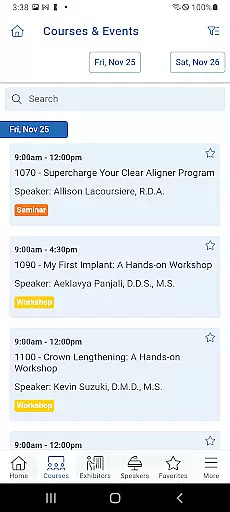
Through the app's intuitive interface, attendees can conveniently browse and register for various continuing education courses, special events, and lectures. The application also features detailed profiles of speakers, exhibitors, and their product offerings, along with exclusive show specials available only to app users.
One of the key benefits of using this app is the ability to manage your entire conference experience from your mobile device. From viewing course schedules to downloading educational handouts and tracking earned CE credits, the GNYDM app streamlines the entire meeting planning process while keeping you informed about important updates and announcements.
The Greater NY Dental Meeting app offers a robust set of features that cater to every aspect of conference attendance. At its core, the application provides comprehensive course management capabilities, allowing users to search, filter, and register for educational sessions based on their specific interests and professional requirements.
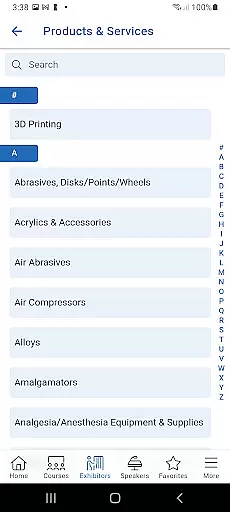
Beyond course registration, the app delivers detailed information about featured speakers, participating exhibitors, and available products/services. Users can explore complete company profiles, view special promotions, and even contact exhibitors directly through the integrated messaging system. The built-in CE credit tracker automatically records attended sessions and calculates accumulated credits.
Additional notable features include offline access to downloaded materials, personalized schedule creation, push notifications for important announcements, and seamless integration with the meeting's registration system. These features work together to create a comprehensive conference companion that saves time and enhances the overall event experience.
Task creation and detail customization are essential features for event planning applications like the Greater NY Dental Meeting app. This functionality allows users to create personalized schedules by selecting specific courses, events, and speakers that match their professional interests.
The app provides a streamlined process where dental professionals can browse through an extensive list of activities and customize their itinerary with ease. Each task or event entry includes comprehensive details such as time, location, speaker information, and CE credit availability, ensuring attendees can efficiently plan their attendance.
By offering detailed customization options, users benefit from a tailored experience that maximizes their time at the meeting. They can filter sessions based on their specialization, set preferences for exhibitors they wish to visit, and even pre-register for certain events, enhancing their overall engagement and productivity during the event.
Reminder settings in event applications play a crucial role in ensuring attendees do not miss important sessions or deadlines. For the Greater NY Dental Meeting app, this feature is particularly beneficial as it helps busy dental professionals manage their schedules effectively amidst a packed conference agenda.
Users can set multiple reminders for each selected activity, whether it's a keynote speech, workshop, or networking session. The app sends timely notifications to alert users about upcoming events, changes in venue, or special announcements, thus keeping them informed and prepared at all times.
This proactive approach not only enhances user satisfaction but also contributes to better time management and increased participation rates. By integrating flexible reminder settings, the app ensures that every participant can fully leverage the opportunities available at the Greater NY Dental Meeting without missing out on critical learning and networking prospects.
User-friendly interface
Comprehensive course catalog
Real-time updates
CE credit tracking
Offline access
Limited to annual event
Platform-specific
Occasional bugs
Registration required
Internet dependency

Browse events, find transportation, keep up with the latest news from your team
 4.0
4.0
Fantasy of Lights Event App
5.00
Community for Mods, Addons, Melsaves, Melmods for Melon Playground
4.5
Create Wedding Invitation and Wedding Anniversary Cards using our app
4.60
Get live football here
4.30
Wedding planner app with wedding venues, wedding checklist, countdown & budget.
4.60
Instant photo sharing for every occasion
3.80
The world's largest selection of tickets is now at your fingertips
3.90
Buy tickets for any event!
3.90
Invitation card maker for birthday party & Wedding. Digital greeting card editor
4.90
Plan your wedding for free on the go: vendors, budget, website and checklists!
4.80
Save money on concert, sport, and theater tickets, and discover upcoming events.
4.80
Discover events & experiences in NYC, LA, Chicago, DC, Miami and more!
4.70
Here you can choose tickets for films, performances, concerts and other events
4.60
Text message invitations for birthday party, wedding, graduation, baby shower +
4.60
PheedLoop Go! is the mobile event app for events powered by PheedLoop.
4.40
Track birthdays, habits & goals. Unlimited countdowns and count-ups
4.20
Create Birthday Cards in Birthday Invitation Maker and Birthday Card Creator App
3.00
The Official App
4.0


User Reviews