
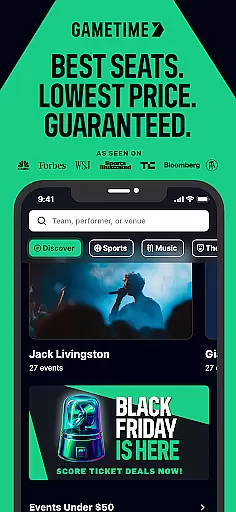
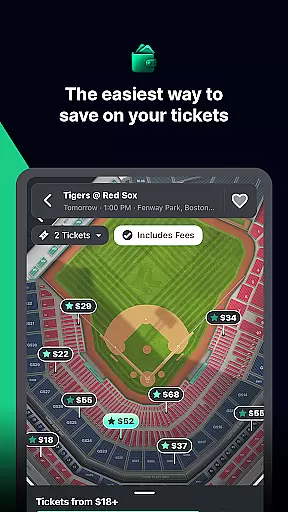


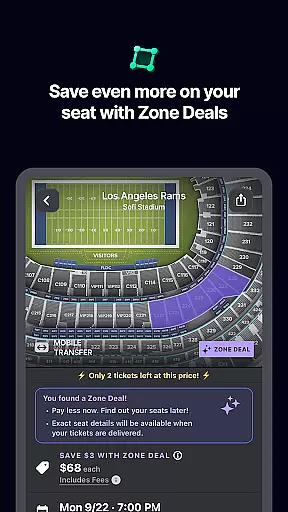
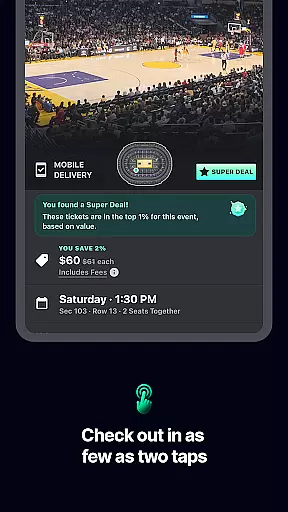
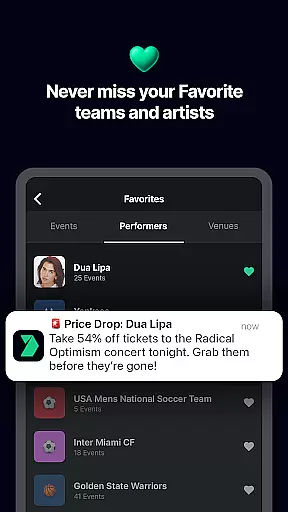
Gametime is a leading mobile application designed to help users secure tickets for live events at the best possible prices. The app specializes in offering deals for sports games, concerts, festivals, comedy shows, and theatrical performances. With its unique feature of decreasing ticket prices as the event time approaches, Gametime ensures users can access affordable tickets even up to 90 minutes after the event has started.
One of the standout features of Gametime is its Ticket Coverage service, which provides comprehensive protection and benefits such as the Lowest Price Guarantee, Lightning Refunds, and Job Loss Protection. This makes purchasing tickets through the app not only cost-effective but also risk-free. Additionally, the app's user-friendly interface allows for easy seat selection with panoramic views of venues, ensuring users know exactly what they are purchasing. Its mobile ticket delivery system further enhances convenience by eliminating the need for physical tickets.
Gametime offers an array of features that cater to both ticket buyers and sellers. For buyers, the app provides a seamless experience with its 2-click checkout process and transparent pricing that includes all fees upfront. Users can take advantage of special zone deals and discounts while enjoying the flexibility of buying tickets close to or even after the event start time. The inclusion of Gametime Ticket Coverage adds an extra layer of security and peace of mind for every purchase.
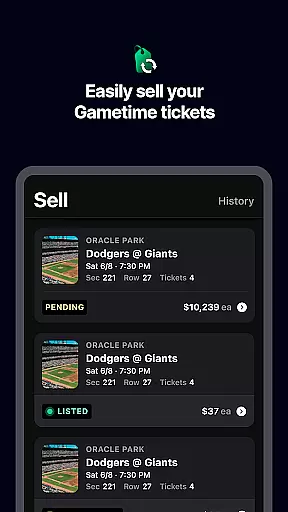
For those looking to sell tickets, Gametime simplifies the process with just a few taps required to list and price tickets. Sellers receive instant text updates when their tickets are sold and can get paid via PayPal. The app's commitment to environmental sustainability is evident through its mobile ticket delivery system, which reduces paper waste. Furthermore, Gametime supports social sharing, allowing users to send tickets directly to friends' mobile devices, enhancing group experiences at events.
Task creation and detail customization are essential features for any event management app like Gametime. This functionality allows users to create personalized event tasks with specific details, ensuring a tailored experience for each user. With this feature, users can set up reminders, choose seating preferences, and even customize notifications for different events.
Gametime implements task creation by offering an intuitive interface where users can easily input event details. The app provides options to select specific seats, choose ticket quantities, and apply special discounts. Users can also add personal notes or preferences for each event, making the entire process more engaging and user-friendly.
The benefits of this feature are numerous. Users can enjoy a seamless experience when planning their outings, as they have complete control over every aspect of their event bookings. This level of customization ensures that users receive tickets that perfectly match their needs, enhancing overall satisfaction and encouraging repeat usage of the app.
Ultimately, the ability to create and customize tasks in Gametime adds significant value for users. It not only simplifies the event planning process but also empowers users to make informed decisions. By providing such detailed customization options, Gametime stands out in the Events category, offering a superior user experience that caters to individual preferences and requirements.
Reminder settings play a crucial role in ensuring users never miss an important event. For apps like Gametime, which focuses on live events, having robust reminder functionalities is vital. These settings allow users to receive timely notifications about upcoming events, ensuring they are always prepared and informed.
Gametime offers flexible reminder settings that cater to various user preferences. Users can set multiple reminders for different stages of an event, such as initial booking, day-before alerts, and last-minute notifications. The app supports both push notifications and email reminders, giving users the flexibility to choose their preferred communication method.
This feature significantly enhances user convenience. By receiving timely reminders, users can plan their schedules effectively, ensuring they allocate sufficient time for travel and other preparations. Moreover, these reminders help reduce no-shows, thereby improving the overall efficiency of event attendance and participation.
In summary, Gametime's reminder settings provide substantial value by keeping users engaged and informed. The flexibility and reliability of these reminders contribute to a positive user experience, encouraging continued use of the app. As a result, Gametime solidifies its position as a leading app in the Events category, offering indispensable tools that enhance user engagement and satisfaction.
User-friendly interface
Transparent pricing
Comprehensive ticket coverage
Mobile ticket delivery
Easy ticket sharing
Limited original ticket listings
Resale market only
Event availability varies
No physical ticket option
Pricing above face value

An App for Bhutanese
 4.0
4.0
Buy event tickets easily with our user-friendly App. Stay updated on hot events
4.2
CUE Live utilizes ultrasonic sound waves to sync devices at CUE enabled events
4.80
Browse events, find transportation, keep up with the latest news from your team
4.2
Here you can choose tickets for films, performances, concerts and other events
4.60
The world's largest selection of tickets is now at your fingertips
3.90
Digital Income Wallet of the Final Libertadores 2025
4.3
The official app of the Carmel Christkindlmarkt!
4.3
Text message invitations for birthday party, wedding, graduation, baby shower +
4.60
TodayTix is the easiest way to get tickets to the best shows in your city.
4.90
Design Invitations & Cards for Any Occasion
4.80
Plan your wedding for free on the go: vendors, budget, website and checklists!
4.80
Save money on concert, sport, and theater tickets, and discover upcoming events.
4.80
Buy and Sell Tickets for Concerts, Sports, and Theater.
4.70
Introducing the official Magic: The Gathering app for mobile.
4.20
Microsoft Ignite is an event that showcases latest advancements in technology
4.00
ETH Mining provides secure way to mine Ethereum & earn ETH in Cloud mining app
3.50
RAISE-365 makes fundraising easy and fun!
3.20
TV Garden - World Live TV : Play & cast your videos seamlessly!
3.20


User Reviews