
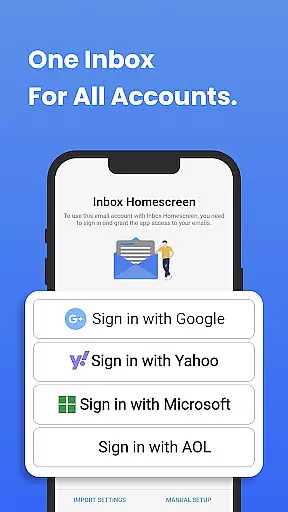
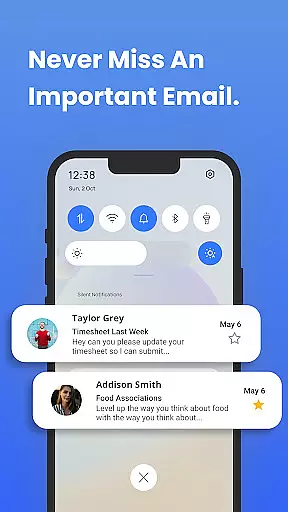
Inbox Homescreen is a cutting-edge email launcher designed to streamline and enhance your email management experience. This app consolidates all your email accounts, including Gmail, Outlook, Yahoo, and more, into one unified platform. With its seamless integration capabilities, users can effortlessly send, receive, and manage their emails without switching between multiple apps.
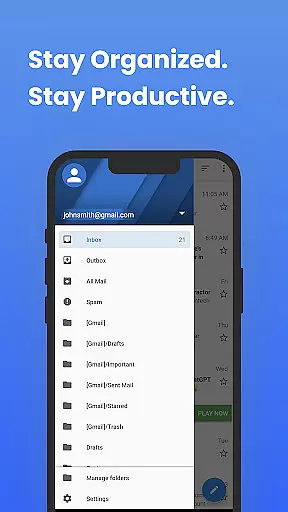
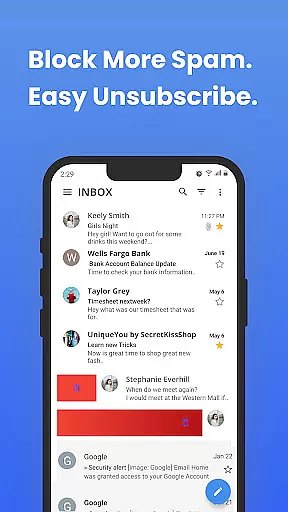
One of the standout features of Inbox Homescreen is its advanced organizational tools. Users can set up filters to automatically categorize incoming emails, prioritize critical messages, and even schedule emails for future delivery. Additionally, the app offers extensive customization options, allowing users to personalize themes and layouts to match their preferences. Its intuitive interface ensures smooth navigation, making it an ideal solution for both personal and professional use.
Inbox Homescreen boasts a variety of sophisticated features that cater to modern communication needs. The app's multi-account integration allows users to manage multiple email services from a single dashboard, significantly reducing the time and effort required to stay on top of their inboxes. The ability to filter and sort emails helps maintain an organized inbox, ensuring important messages are never overlooked.
Customization is another key aspect of Inbox Homescreen. Users can choose from a range of themes and layout options to tailor the app's appearance to their liking. The app also includes utility features accessible directly from the homescreen, enhancing productivity by providing quick access to commonly used functions. These features collectively ensure that users have a personalized and efficient email management experience.
Real-time messaging speed and reliability are crucial for effective communication in today's fast-paced world. Inbox Homescreen excels in this area by providing seamless integration with various email services such as Gmail, Outlook, and Yahoo. This ensures that your messages are sent and received instantly without delays.
The app employs advanced synchronization techniques to keep all your email accounts up-to-date in real time. Whether you're at home or on the go, you can trust Inbox Homescreen to deliver your emails promptly and accurately. The speed of message delivery is optimized through efficient server communication protocols.
Reliability is further enhanced by the app's ability to handle large volumes of emails without performance degradation. Users can expect consistent response times even during peak usage periods. With features like automatic reconnection and error handling, Inbox Homescreen guarantees a dependable messaging experience.
Media sharing support is an essential feature for modern communication apps, allowing users to exchange photos, videos, and documents effortlessly. Inbox Homescreen offers robust media sharing capabilities that cater to both personal and professional needs. You can attach files directly from your device or cloud storage services, making it easy to share important information.
The app supports a wide range of file formats, ensuring compatibility across different platforms and devices. Whether you need to send high-resolution images or large PDF documents, Inbox Homescreen handles them with ease. Its intuitive interface simplifies the process of selecting and attaching media files to your emails.
In addition to basic media sharing, Inbox Homescreen includes advanced features like drag-and-drop functionality and bulk file uploads. These tools enhance productivity by streamlining workflows and reducing the time spent managing attachments. Overall, the app provides a comprehensive solution for all your media sharing requirements.
User-friendly interface
Multi-account support
Advanced filtering options
Customizable themes
Quick access to utility features
Limited third-party integrations
Occasional sync issues
No offline mode
Privacy concerns with search settings
Resource-intensive

Fast and simple walkie talkie app
 4.20
4.20
We’re taking the yada yada out of wireless—now we’ve taken it out of your app.
4.70
Secure Messaging App to Enhance Messenger Texting Experience and Organize SMS.
3.50
SMS & MMS Messaging App to easily send messages or schedule SMS on Chat
4.10
Manage BoostMobile Account
4.60
Quickly and easily identify and block unknown callers
3.70
Measure BHP, Torque & 0-60 Clear car OBD faults View engine data in Google Earth
4.00
Stay in touch with the people who matter most.
4.60
Say “hello” to privacy.
4.60
فیلتر شکن قوی پرسرعت کلید جدید برای اندرویدسریع ترین وی پی ان برای همه اپراتورها
4.70
Phone Dialer with Caller ID, Address Book & Contacts Manager.
4.30
Our Black Friday sale is here. Unlock special discounts on Proton Mail now.
4.30
Simplify texting with Messages SMS, offline messaging, themes & smart tools!
4.30
Threema is the messenger with the most consistent focus on security and privacy.
4.00
SMS Messenger ensures that communication become effortless and accessible.
3.80
Pure modern IRC experience for Android
3.70
Auto Reply SMS, Text Messaging, Away SMS Response, Busy SMS messages, Block Text
3.10
A Browser with powerful ad blocker to help focus on what really matters.
3.00
Comprehensive and powerful scan tool app with enhanced functions
3.00


User Reviews