
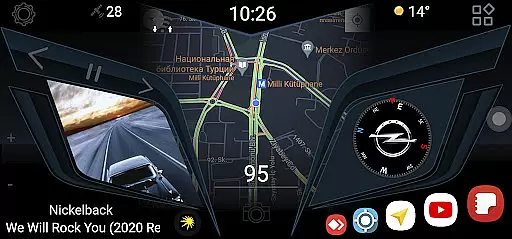
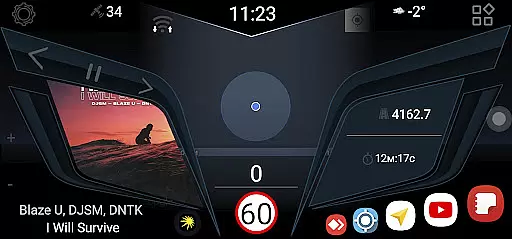
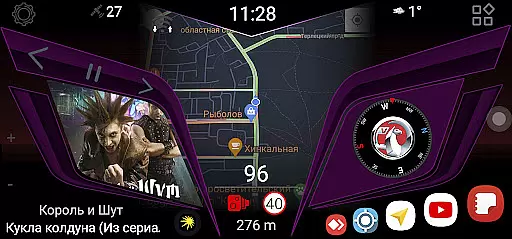
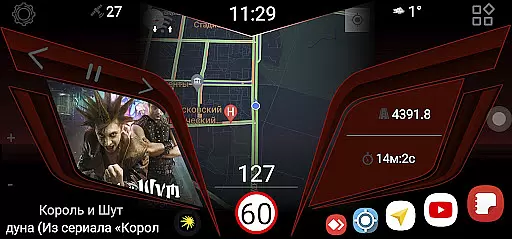
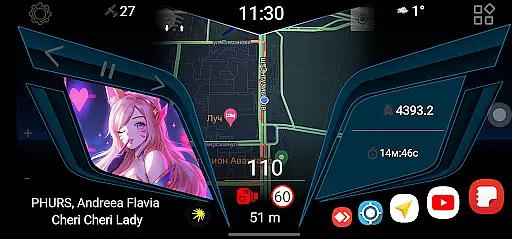
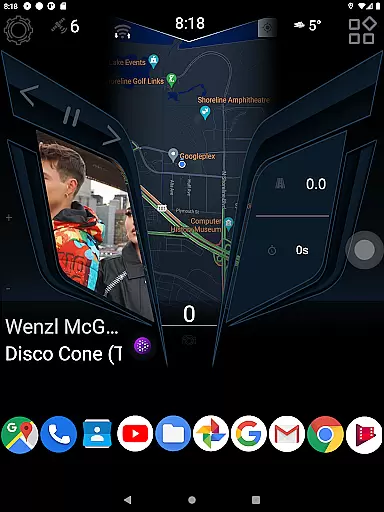
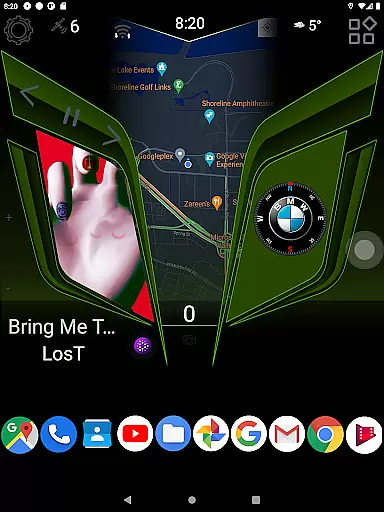
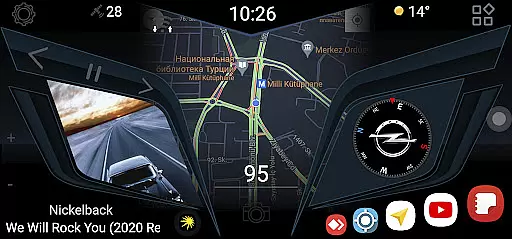
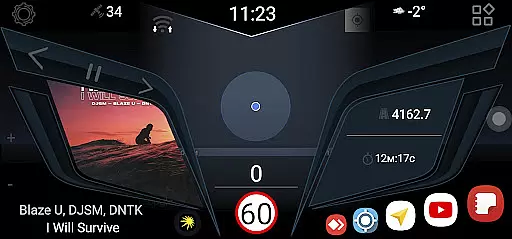
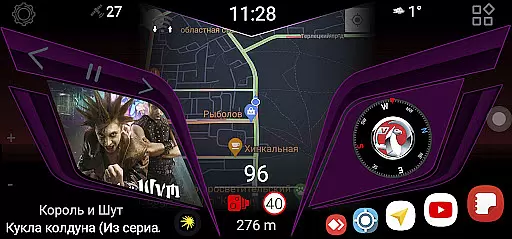
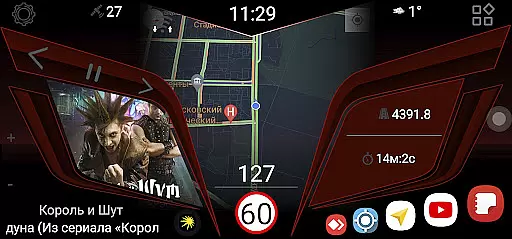
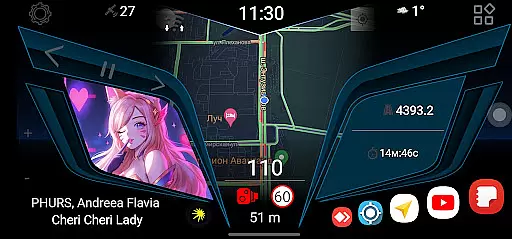
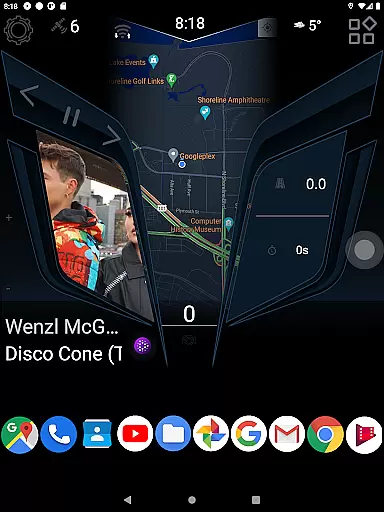
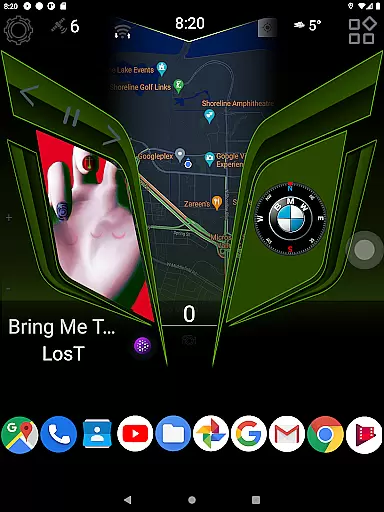
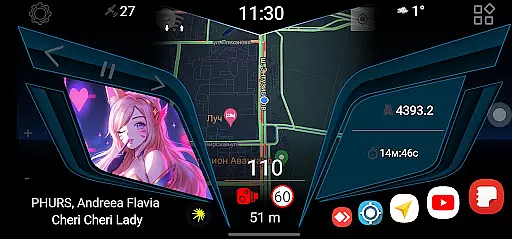
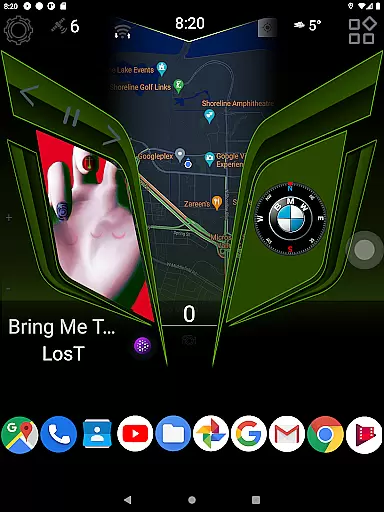
CL Theme Line is a specialized theme designed exclusively for the Car Launcher Free/Pro app, falling under the Auto & Vehicles category. This theme enhances your car's digital environment by providing a sleek and modern interface that improves readability and accessibility while driving.
The theme requires the Car Launcher app from Apps Lab Studio to be pre-installed on your device. Once installed, users can select CL Theme Line from the theme options within the Car Launcher settings. The straightforward installation process ensures that drivers can quickly customize their in-car display with minimal hassle.
By integrating seamlessly with the Car Launcher app, CL Theme Line offers an optimized user experience tailored for automotive use. Its design focuses on clarity and ease of use, making it an ideal choice for those seeking to enhance their driving experience through personalized vehicle software interfaces.
CL Theme Line boasts several notable features that cater specifically to drivers looking for customization options within their vehicle's digital interface. One of its primary characteristics is the compatibility with both free and pro versions of the Car Launcher app, ensuring broad accessibility across different user preferences.
The installation process is streamlined for ease of use. Users simply need to open the Car Launcher app, navigate to settings, and choose CL Theme Line from the available themes. This simplicity allows even those not technically inclined to personalize their in-car display effortlessly.
Furthermore, CL Theme Line's design emphasizes visual clarity and functional layout, which are crucial when operating devices while driving. By focusing on these aspects, the theme enhances safety and convenience, allowing drivers to focus more on the road and less on navigating their vehicle's interface.
When it comes to customizing your vehicle's digital interface, having access to detailed vehicle information is crucial. CL Theme Line offers a specialized theme that enhances the user interface of the Car Launcher app, providing users with an improved visual experience. This theme is meticulously designed to ensure that all essential vehicle data is presented in an aesthetically pleasing and easy-to-read format.
The CL Theme Line transforms the appearance of the Car Launcher app, ensuring that drivers can enjoy a streamlined and visually coherent presentation of their vehicle's information. By integrating seamlessly with the Car Launcher Free or Pro app, this theme ensures that every piece of vehicle data, from speed to fuel levels, is displayed with clarity and precision. This attention to detail helps drivers maintain better awareness of their vehicle's status without distraction.
Users benefit significantly from this enhanced presentation as it allows them to monitor their vehicle's performance at a glance. The intuitive design minimizes the need for drivers to take their eyes off the road, promoting safer driving habits. With clear icons and well-organized data layouts, CL Theme Line ensures that every driver can quickly interpret their vehicle's metrics, making each journey more informed and secure.
Price transparency is a vital factor when selecting automotive apps and themes, ensuring users understand the costs involved before committing to a purchase. CL Theme Line offers its unique customization features free of charge, provided users have the Car Launcher app installed. This approach eliminates hidden fees and unexpected costs, allowing users to make informed decisions about enhancing their vehicle's interface.
By clearly stating that the theme functions exclusively with the Car Launcher app from Apps Lab Studio, CL Theme Line sets precise expectations regarding compatibility and usage. Users are encouraged to download the necessary application to fully utilize the theme's capabilities, ensuring there are no surprises regarding additional software requirements. This straightforward pricing model fosters trust and satisfaction among users seeking to personalize their driving experience.
Moreover, the absence of extra charges for utilizing the CL Theme Line within the Car Launcher app provides peace of mind for users. They can enjoy a customized and visually appealing vehicle interface without worrying about subscription fees or in-app purchases. This commitment to transparent pricing empowers users to invest in their driving environment confidently, knowing exactly what they are getting for their money.
User-friendly design
Seamless integration
Enhanced readability
Quick installation
Broad compatibility
Dependent on Car Launcher
Limited customization
No standalone function
Premium version required
Fewer updates

Take Control of Your Car
 4.80
4.80
Boost profits and hit your goals faster with GigU's amazing tools for gigworkers
4.00
Car Sounds Engine Sounds app welcomes Auto Lovers to feel Car Simulator Sound
4.20
View your car’s service records and find out when maintenance is due.
4.70
Mobile Phone Parking - So easy to park
3.70
MySubaru: Download. Connect. Love.
4.70
Quick and easy car diagnostics to get you the right fix.
4.70
Marathon ARCO Rewards members earn rewards & apply the rewards for fuel savings!
4.80
Shop, finance, or sell today.
4.80
Get more out of your AAWireless adapter with this companion app | aawireless.io
4.80
Autolist - The Largest Selection of Local Used Cars and Trucks
4.50
Launcher for use in the car
4.40
Ultimate OBD2 Car Scanner: Diagnostics, Service and Modification Tool
4.30
AI Powered - Automotive Mechanic Assistant
4.30
Your car is talking. Start listening.
4.30
Monitor your behind-the-wheel behavior to become a safer driver and save.
4.10
BlueDriver® is a Premium Diagnostic OBD2 Scan Tool. www.BlueDriver.com
3.90
App Mirroring for Tesla Car's Browser
2.80
DIY Vehicle Wheel Alignment
4.4


User Reviews