
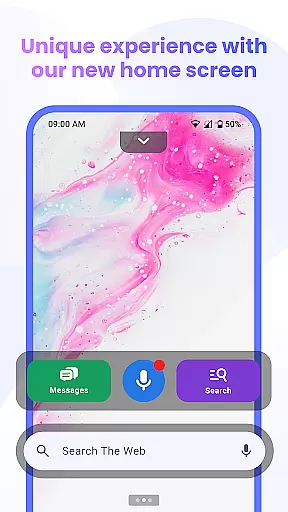

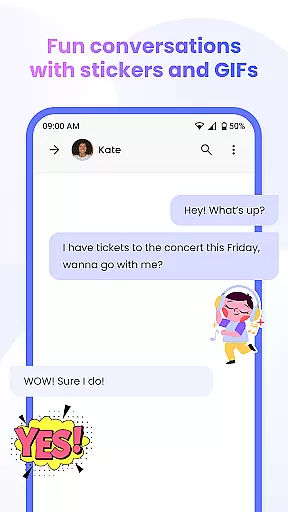
Messenger Chat Home is a unique personalization app that transforms your Android home screen into a smart messaging hub. It combines the simplicity of SMS and MMS texting with modern launcher capabilities, allowing users to send messages, access group chats, and express themselves using stickers, GIFs, and emojis without switching apps.
Designed for convenience and efficiency, this app offers features like voice-to-text, smart widgets for quick previews, and an ad-light experience. Whether you're replying to a single message or managing multiple group conversations, Messenger Chat Home ensures fast, organized, and private communication directly from your home screen.
Messenger Chat Home stands out with its innovative integration of messaging functionalities into the Android home screen. The app allows users to send and receive SMS & MMS messages instantly, with direct access to their inbox through a swipeable home screen widget.
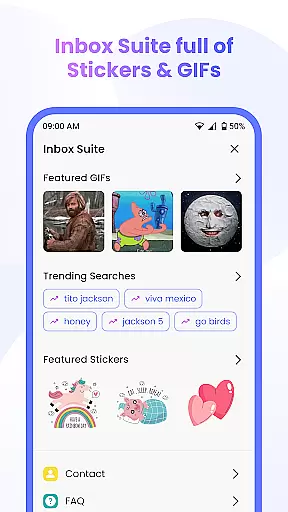
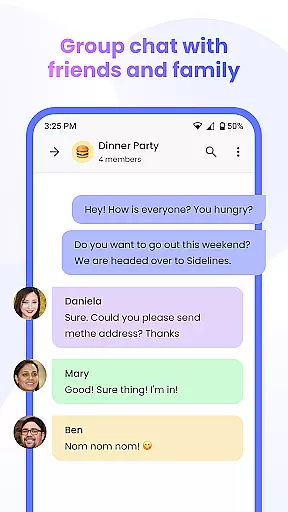
One of the key highlights is its rich customization options. Users can personalize their chats with thousands of free stickers, GIFs, and emojis. Additionally, the app supports group chats, media sharing, and hands-free voice-to-text dictation. With minimal ads and a focus on privacy, it ensures a clutter-free experience while keeping messages secure and battery usage low.
Customization is at the heart of Messenger Chat Home, allowing users to tailor their messaging experience to fit their personal style. With a wide array of customization options, users can modify their home screen interface and chat backgrounds, ensuring that every interaction feels uniquely theirs.
The app offers thousands of free stickers, GIFs, and emojis, which serve as tools for self-expression. These elements are not just decorative but are integrated into the communication process, enhancing the way users convey emotions and reactions in their conversations.
Moreover, the ability to personalize chats extends to functional aspects such as group chat creation and media sharing. Users can organize and manage their conversations in a manner that suits their lifestyle, making Messenger Chat Home not just a tool for communication but a platform for personal interaction.
By providing these diverse customization features, Messenger Chat Home empowers users to communicate in a way that is both effective and true to their personality, thus enriching the overall user experience.
Theme compatibility in Messenger Chat Home ensures that users can enjoy a consistent and personalized visual experience across their device. The app supports various themes, allowing users to synchronize the look and feel of their messaging platform with their device's overall aesthetic.
This compatibility is not limited to static themes; it also encompasses dynamic themes that can change based on the time of day or user activity, offering a fresh appearance with every use. Such flexibility in theming options means that users are not constrained by a one-size-fits-all interface.
In addition to aesthetic customization, theme compatibility also contributes to the app's usability. By choosing themes that reduce eye strain or enhance readability, users can maintain comfort during extended periods of use, demonstrating how form and function coexist within Messenger Chat Home.
Ultimately, the theme compatibility feature underscores the app's commitment to providing a user-centric experience that respects individual preferences while maintaining operational efficiency and visual harmony.
Fast and reliable messaging
Customizable chat options
Lightweight design
Privacy-focused
Voice-to-text feature
Limited to Android devices
No iOS compatibility
Requires permissions
Ad-light but not ad-free
Dependent on Google Play

A Colorful and Minimal icon pack in an Outline Style - Over 13,600 icons!
 4.70
4.70
Over 28,000 high quality icons to bring color & homogeneity to your phone.
4.60
The definitive Icon pack maker and editor
4.30
Customize glowing edges, wallpapers, and caller screen with EdgeAura.
3.50 3.50
3.50
⭐ OneUI inspired Fluffy Icon Pack – Soft. Stylish. Standout. ⭐
4.0
Stylish Pink Cute Hippo keyboard with 10000+ customized keyboard themes!
4.60
set a new experience for the Android mobile phone
4.20
Customize phone with anime themes, 3D icons, aesthetic widgets & wallpapers
4.80
Dark icon pack based on One 8
4.80
Shimeji adds cute animated characters to your screen, lively and fun.
4.70
400+ Beautifully crafted widgets inspired by NOTHING.
4.70 4.50
4.50
Romantic Kiss Stickers App. Start romantic messaging now!
4.30
Adult video chat, dating, making friends, random matching
4.20
Crystal-clear, square icon provides a sleek and sophisticated visual upgrade
4.00
Create unique, fun emojis with Funny Emoji Maker! Unlimited creativity!
4.00
Design your screen with unique, vibrant clocks
3.80
HappyLighting is a Bluetooth lamp control software.
3.40


User Reviews